Os impostos alfandegários são de responsabilidade dos clientes, mas a logística padrão oferece suporte ao DDP para a maioria dos países, com isenção de impostos, como EUA, Alemanha, Reino Unido, Canadá, França, Itália, Portugal, Áustria, Japão...





















































A splicer de fusão loss estimate of 0.00 dB looks like a perfect joint. Then the OTDR reports 0.30 dB, 0.50 dB, or even a negative “gainer” at the same location. Which number should you trust?
First, identify what each instrument is actually reporting. The splicer calculates an estimate from alignment images and its internal model. An OTDR infers event loss from backscattered light. A light source and power meter measure the total end-to-end insertion loss. These values are related, but they are not interchangeable.

Why a Fusion Splicer Loss Estimate Can Read 0.00 dB
A fusion splicer normally observes the prepared fiber ends, aligns the fibers, applies the arc, and analyzes the resulting image. Depending on the model, the estimate may use visible core or cladding offsets, cleave condition, fiber geometry, arc data, and an internal loss model.
The splicer does not send a calibrated test signal through the completed link and measure the received power at the far end. A displayed 0.00 dB can therefore mean “the calculated result rounded to 0.00 on this instrument,” not “the splice has exactly zero physical loss.”
Treat the screen value as immediate process feedback. It can help catch gross alignment, cleave, contamination, or arc problems, but it is not a certification result.
| Leitura | What it answers | Main limitation |
|---|---|---|
| Splicer estimate | Does the joint look acceptable to this splicer and algorithm? | Calculated locally; not a direct transmission measurement |
| One-way OTDR event loss | How does the event change backscatter from one direction? | May show false high loss or a gainer |
| OTDR bidirecional average | What is the best field estimate of this event’s loss? | Requires correct event pairing and signed averaging |
| OLTS/LSPM insertion loss | Does the complete link meet its end-to-end budget? | Does not locate one individual splice |
ITU-T L.12 states that a splicer estimate or one-way OTDR can identify gross high-loss joints during construction, while actual field splice loss can be determined by averaging OTDR readings from both directions.
First Check: Is the “High Loss” Only a One-Way OTDR Result?
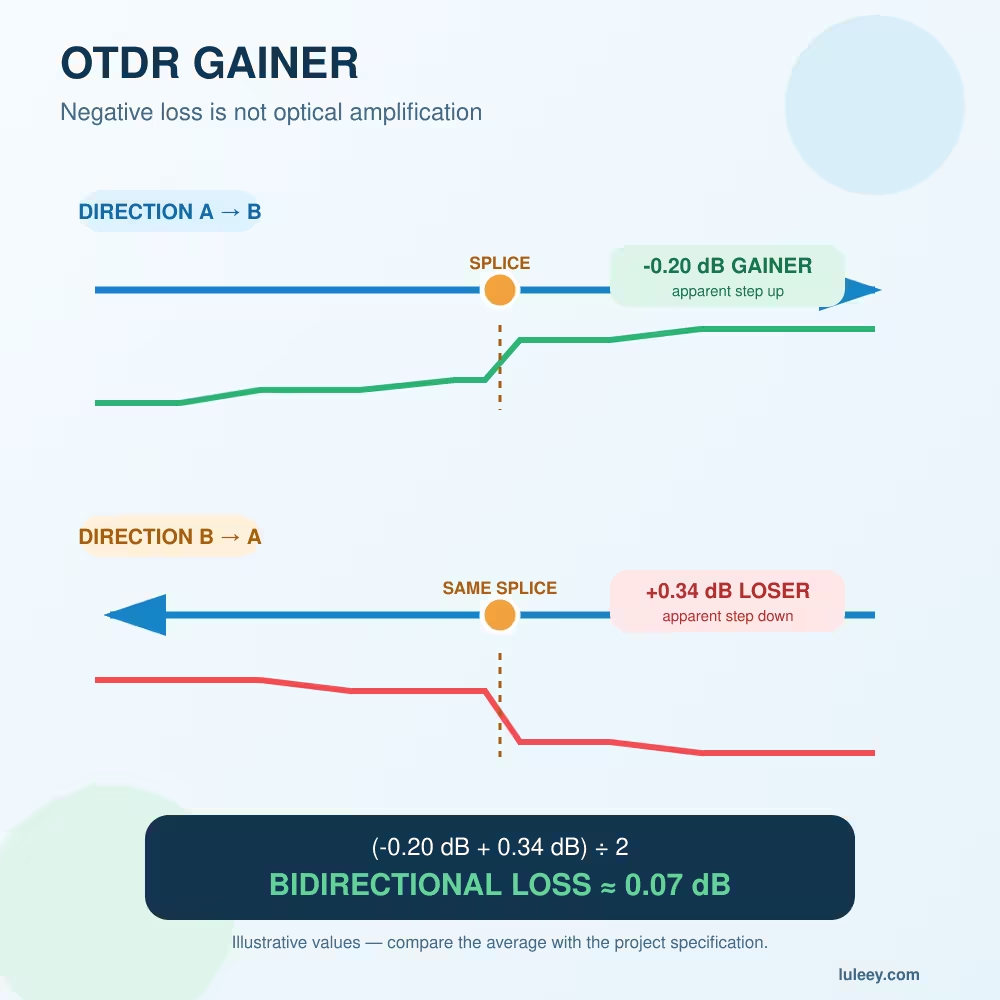
An OTDR measures returned Rayleigh backscatter rather than transmitted power. If the fibers on opposite sides of a splice have different mode field diameters or backscatter coefficients, the trace can step down too far in one direction and step up in the other.
The step-up is called a gainer. The splice is not creating optical power. It is a measurement artifact caused by different backscatter levels.
Use the signed readings from the same physical splice:
| Direção | OTDR event reading | Interpretation |
|---|---|---|
| A → B | +0.36 dB | Exaggerated loss may be present |
| B → A | −0.18 dB | Gainer in the reverse direction |
| Signed average | (+0.36 + −0.18) ÷ 2 = 0.09 dB | Best estimate from this trace pair |
Do not remove the minus sign. Averaging the absolute values would incorrectly produce 0.27 dB.
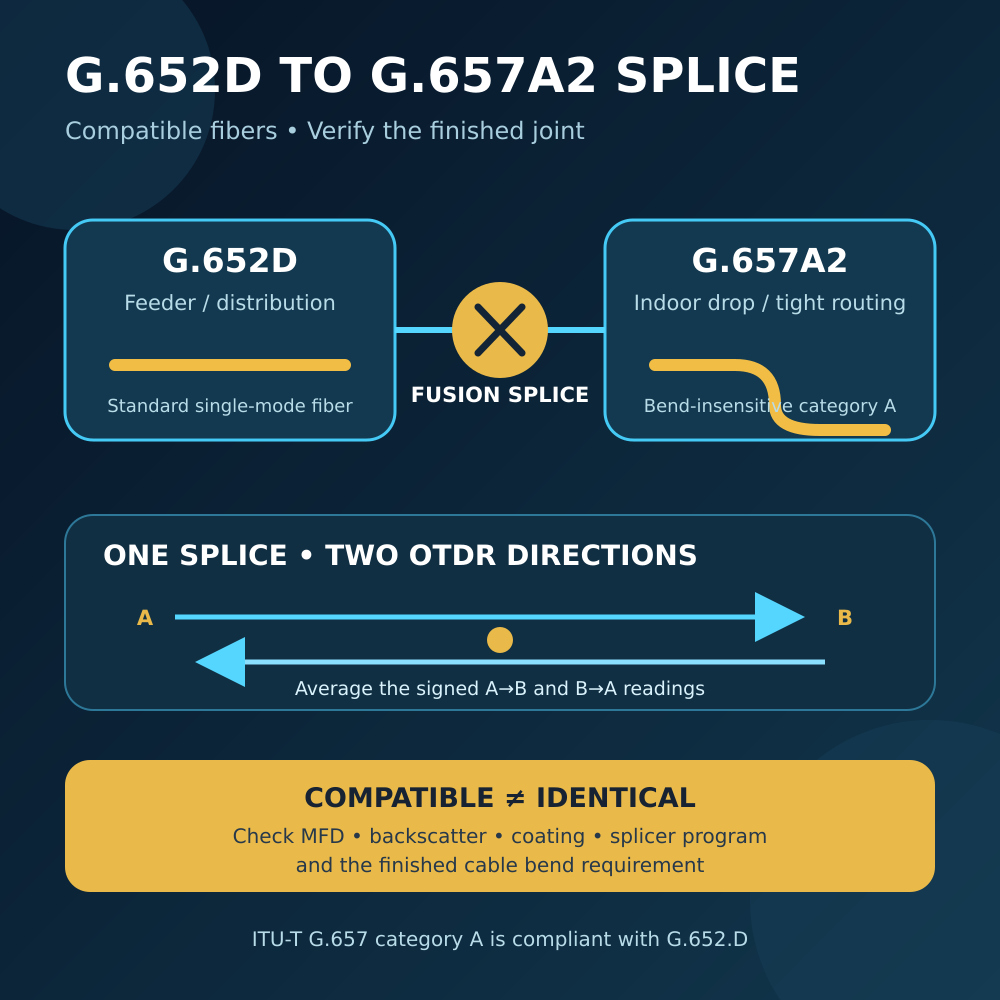
This behavior is especially relevant when joining different single-mode fiber designs, such as G.652D and G.657A2. Corning’s OTDR assessment guidance documents cases where splicer predictions remained at or below 0.01 dB while one-way OTDR results showed exaggerated loss because of MFD-related backscatter differences.
For the fiber-specific background, see É possível fazer uma emenda entre fibras G.652D e G.657A2?.
Three Reasons the Splicer and OTDR Can Disagree
1. The displayed 0.00 dB is a rounded estimate
The splicer has limited display resolution and uses a model rather than a direct through-power test. A very small predicted value may display as 0.00 dB. Different models may also produce different estimates from the same joint.
2. The OTDR result is directionally biased
Different mode field diameters or backscatter coefficients can make a good splice look like a high-loss event from one end and a gainer from the other. A one-way result is not the actual splice loss.
3. Real loss appeared outside the estimate
Genuine excess loss can result from contamination, a bad cleave, alignment error, the wrong splice program, poor arc conditions, a bubble, tapering, or damaged fiber.
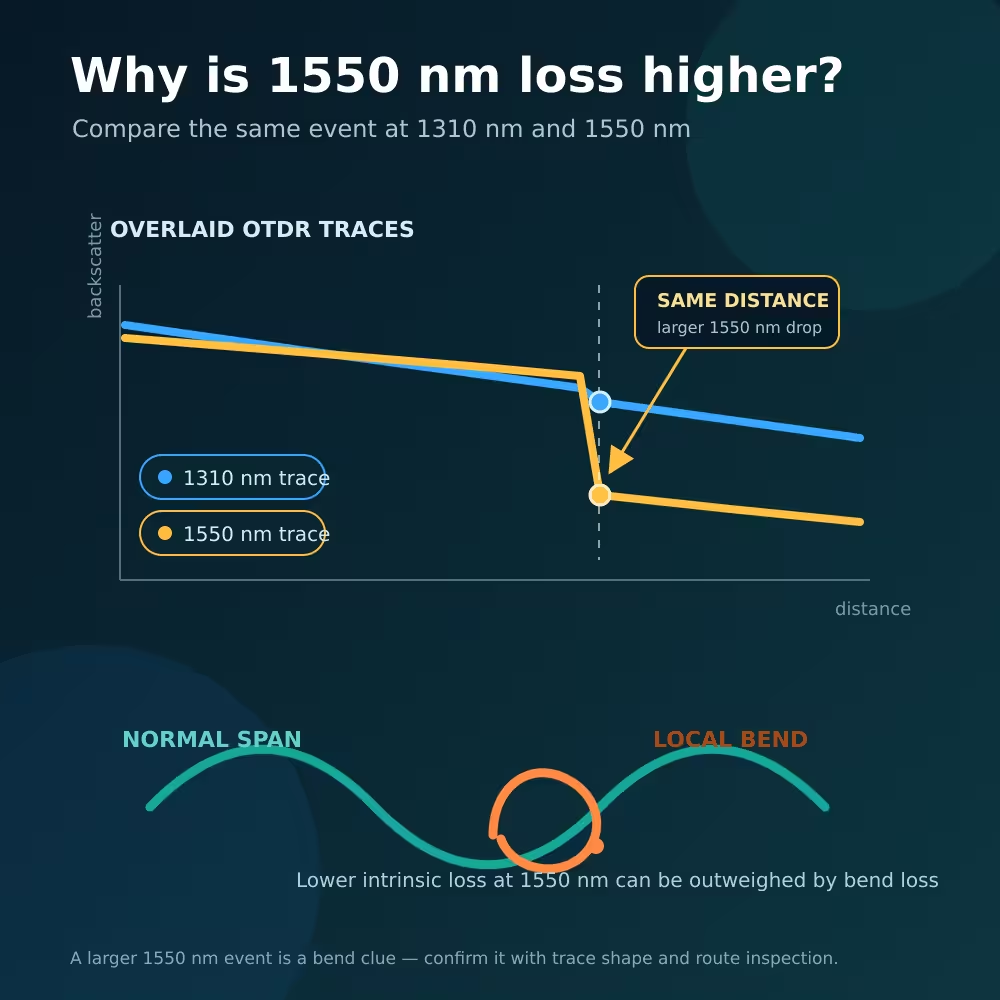
Loss may also appear after the splice leaves the camera view—for example, when the protection sleeve is heated, the fiber is pinched in the tray, or a tight bend is introduced.
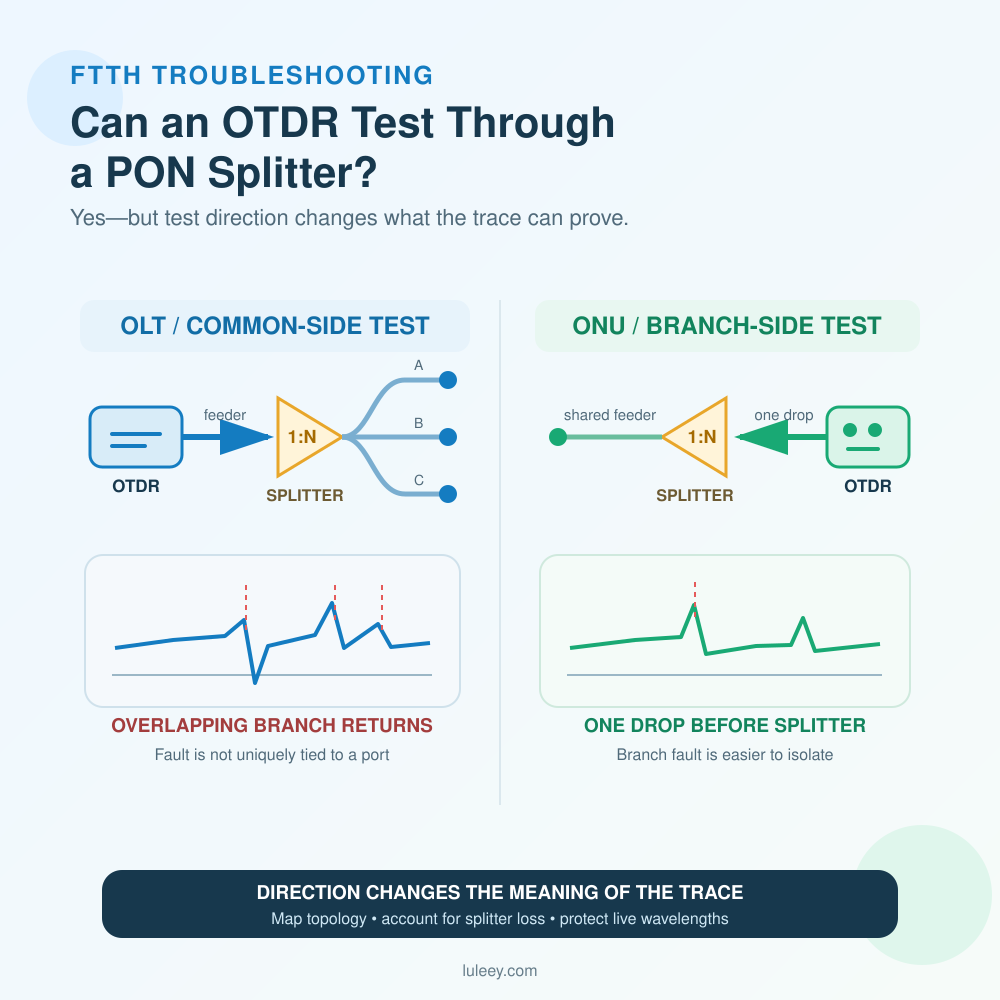
The OTDR may also be marking the wrong event. A nearby connector, mechanical splice, bend, splitter, or reflective fault can be mistaken for the fusion splice if route distances are not mapped correctly.
Um fluxo de trabalho de resolução de problemas em sete etapas
1. Preserve the evidence before cutting the splice
Save the splicer record, fiber images, program name, estimated loss, cleave angles, date, operator, and splice ID. Save the original OTDR trace rather than only a screenshot.
Record the wavelength, range, pulse width, averaging time, event threshold, index setting, launch cable, receive cable, and test direction.
2. Confirm that both tools refer to the same physical event
Match the event to route drawings, cable markings, splice enclosure, tray, and fiber number. The same splice appears at a different distance when measured from the opposite end.
Check whether the event is reflective. A normal fusion splice is usually non-reflective. A clear reflection may indicate a connector, mechanical gap, contaminated interface, or incorrect event assignment. ITU-T L.12 states that a measurable spike from a confirmed fusion splice requires remake.
3. Repeat the OTDR test from both ends
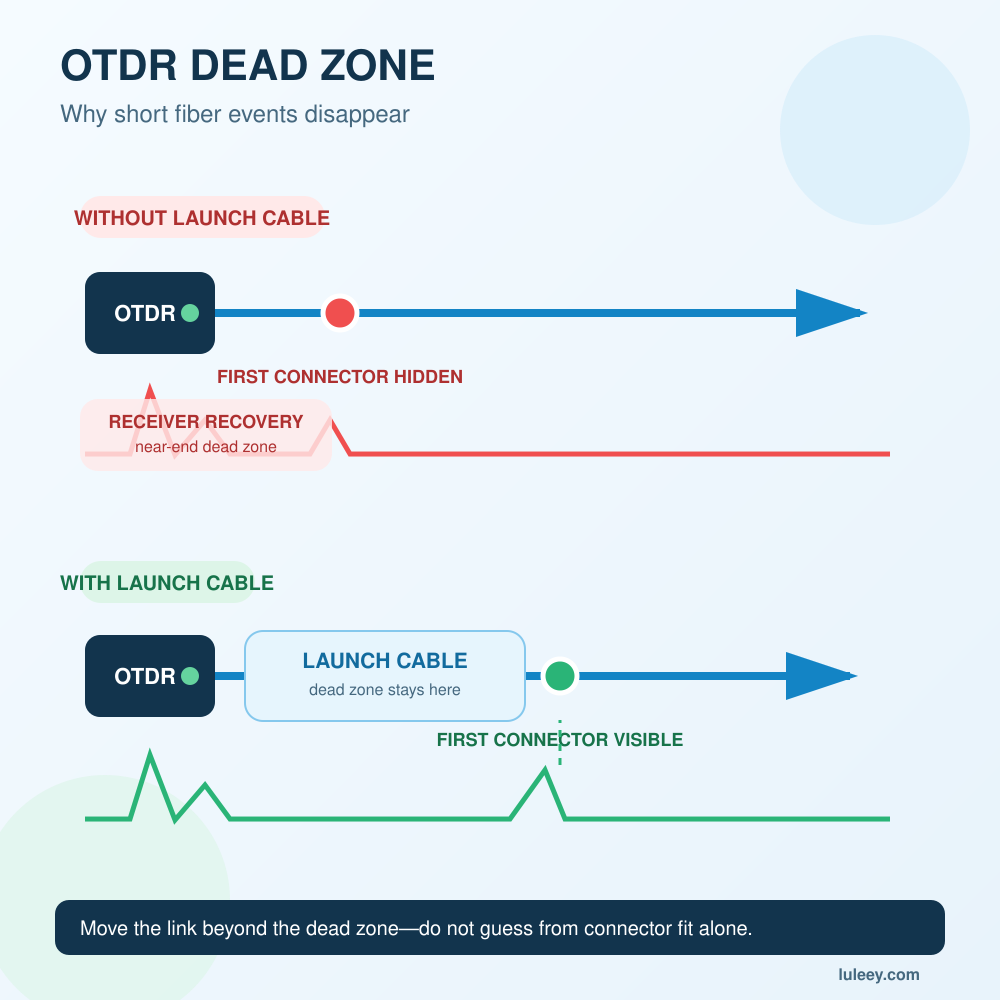
Use the same wavelength and compatible range, pulse width, averaging, and analysis method. Use clean, suitable launch and receive cables.
Avoid changing several settings between directions. A long-pulse automatic trace and a short-pulse manually analyzed trace may not form a valid pair.
4. Average the signed event readings
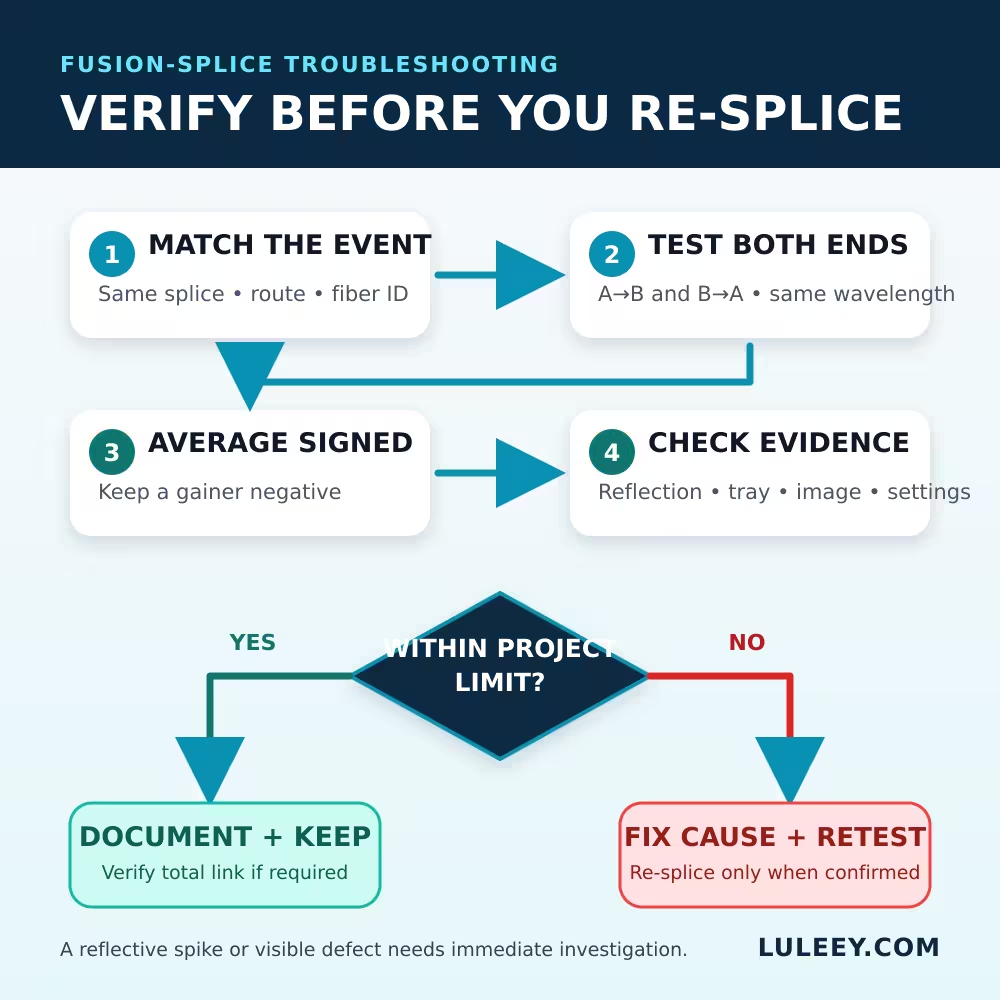
Pair the same physical splice and calculate:
Bidirectional splice loss = (A→B reading + B→A reading) ÷ 2
Keep a negative gainer value negative. If one direction is high and the reverse result is negative by a similar amount, backscatter mismatch is probably influencing the result. If both directions are high and positive, a real defect is more likely.
5. Check the tray and protection before re-splicing
Inspect the joint and nearby fiber for:
- A sleeve that is bent, twisted, or not centered
- Fiber pinched under a cover or retaining tab
- A tight turn at the splice holder
- Buffer-tube pressure
- A sharp transition into the tray
- Loss that increases at the longer test wavelength
Correct routing only under the approved handling procedure, then repeat the measurements. Do not assume every post-splice loss is inside the fused glass.
6. Re-splice only when evidence indicates a real problem
If the bidirectional average fails the project limit, the confirmed splice is reflective, the image shows a true defect, or the protected joint has been damaged, cut out and remake it under the approved procedure.
For the remake:
- Confirm both fiber types, coatings, and the documented splice program.
- Strip and clean with the approved materials.
- Make a fresh cleave and reject contaminated or visibly defective end faces.
- Clean the V-grooves, clamps, and camera area as specified by the manual.
- Check the cleaver blade position and condition.
- Correr arc calibration when required by the exact splicer manual, environment, or maintenance state.
- Inspect electrode condition and follow the model-specific maintenance procedure.
AFL’s official troubleshooting guide lists poor cleaning, bad end faces, bubbles, V-groove or camera contamination, worn electrodes, uncalibrated arc power, incorrect programs, and unsuitable parameters among possible causes of high estimated loss. It also treats calibration procedures as model-specific.
Do not repeatedly apply an extra arc simply to reduce the displayed number. Additional arcs can worsen some splices.
For preparation, the verified LuLeey S09 cleaver page lists an average cleave angle below 0.5° and support for 250 µm, 900 µm, and 3.0 mm single-fiber constructions. The cleave length must still match the exact splicer and holder requirement.
7. Retest the event and the complete link
Repeat the bidirectional OTDR test after the repair or routing correction. Then use the project’s approved OLTS or light-source-and-power-meter method when the complete link must be certified.
Corning distinguishes these roles: OTDR traces locate and characterize events, but they do not replace Tier 1 end-to-end attenuation testing with an OLTS/LSPM. corning.com
Fast Decision Table
| Evidências | Most likely meaning | Próxima ação |
|---|---|---|
| Splicer 0.00 dB; one-way result high; reverse is a gainer | Directional backscatter/MFD artifact may dominate | Average signed readings before remaking |
| Splicer 0.00 dB; both directions high | Real splice loss, bend, or wrong event is likely | Inspect mapping and tray; re-splice if the averaged result fails |
| Splicer 0.00 dB; reflective spike | Not a normal simple fusion-splice signature | Confirm event identity and inspect for a gap, connector, or defective joint |
| Splicer estimate high; bidirectional result passes | Estimation, image, or maintenance issue may exist | Inspect equipment; do not fail the link from the estimate alone |
| OTDR events pass; OLTS link loss fails | Cumulative loss, connector/reference issue, bend, or another event | Troubleshoot the complete link |
What to Send for a Useful Technical Review
“The splicer says 0.00” is not enough evidence. Send:
- Exact splicer model, firmware, splice program, and maintenance state
- Fiber types and cable part numbers on both sides
- Original splicer images and records
- Original A→B and B→A OTDR trace files
- OTDR wavelength, pulse, range, averaging, thresholds, and launch/receive cables
- Event distance from each end
- Photos of the protected splice and tray routing
- End-to-end OLTS/LSPM result, if available
LuLeey can then help distinguish a preparation issue from an OTDR artifact or application mismatch. Use the LuLeey contact page and include the exact equipment model and trace files.
Próximo passo prático
Do not cut out a splice because one instrument shows a surprising number. First map the event, test from both ends, and average the signed OTDR readings.
If the bidirectional result still fails—or the event is reflective, visibly defective, or mechanically stressed—repair the cause, make a fresh splice, and retest the complete link.

 SFP/SFP+ (1G/2,5G/5G/10G)
 SFP-T (1G/2,5G/10G)
 Cabo AOC 10G/25G/40G/100G
 Cabo DAC 10G/25G/40G/100G
 QSFP28 QSFP+ SFP28 100G/40G/25G
 Conversores de mídia de cobre para fibra
 Placa PCBA do conversor de mídia de fibra
 Conversores de mídia de fibra OEO
 Conversores de mídia serial para fibra
 Conversores de mídia de vídeo para fibra
 1000M GPON/EPON ONU
 10G EPON ONU/XG-PON/XGS-PON
 2,5G GPON/XPON STICK SFP ONU
 POE GPON/EPON ONU
 ONT GPON/EPON sem fio
 EPON OLT
 GPON OLT
 Módulo SFP PON
 Switches industriais
 Switches gerenciados
 Switches POE
 Switches não gerenciados
 Cabos de fibra MTP/MPO
 Cassetes de fibra óptica
 Loopback de fibra óptica
 Cabos ópticos e pigtails de fibra
 Divisores ópticos e caixas divisoras
 Conectores de flange de fibra
 Adaptadores ópticos
 Atenuador óptico
 Conector rápido e painel de conectores
 Amplificador CATV
 Receptor óptico CATV
 Localizador visual de falhas
 OTDR
OTDR Medidor de potência óptica
 Identificador de fibra óptica
 Limpadores de fibra óptica
 Cortadores de fibras e extratores de fibras
 Ferramentas de cobre