관세는 고객의 책임이지만 표준 물류는 미국, DE, 영국, CA, FR, IT, PL, AT, JP와 같은 대부분의 국가에 면세로 DDP를 지원합니다.





















































Yes—SFP 그리고 SFP+ transceivers are generally designed to be hot-pluggable. You can normally hot-swap an SFP module while the switch, router, NIC or media converter stays powered. That does not make the change hitless: removing the module drops the physical link on that port, and traffic survives only if a separate redundant path takes over.
The word “generally” matters. Always check the manual for the exact host model, port, hardware revision and software release. A platform may require you to disable the port, wait for a documented interval or reinitialize the interface after insertion.
This guide covers ordinary Ethernet SFP-family optics and copper modules. A DAC or AOC is a complete cable assembly, while a PON ONU Stick contains an ONU and adds registration, authentication and service configuration. Those cases need extra checks described below.
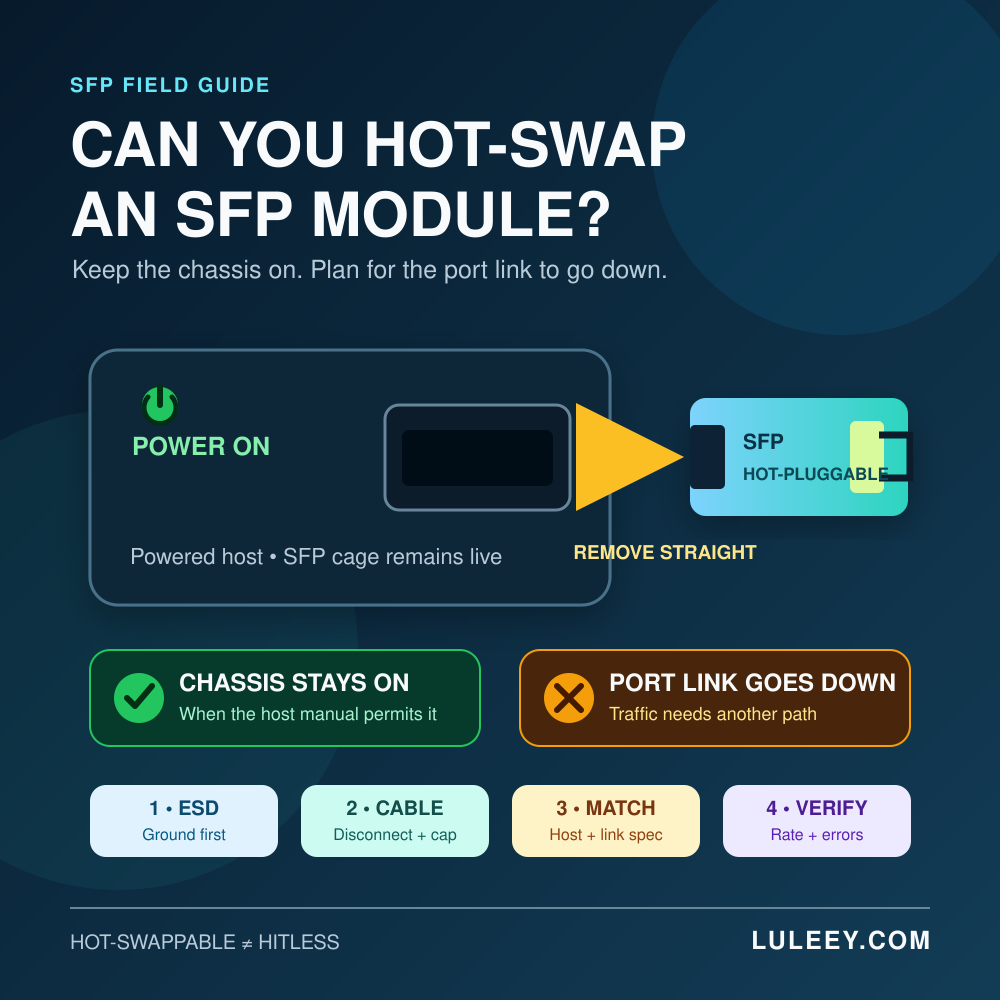
Can You Hot-Swap an SFP Module? The Short Answer
| 질문 | 실용적인 답변 |
|---|---|
| Must the chassis be powered off? | Usually no, if the host manual permits hot insertion and removal. |
| Will the port keep carrying traffic? | No. Removing the module takes that physical link down. |
| Can the fiber stay connected during removal? | Disconnect it first for a normal pluggable optical module. |
| Can any same-size replacement be inserted? | No. Physical fit is only one compatibility check. |
| Is repeated removal harmless? | No. Unnecessary insertion cycles can wear the latch, contacts and connectors. |
The current SNIA SFF-8419 specification describes the SFP+ module as hot-pluggable. It also defines a contact sequence in which ground, power and signal contacts mate in order, plus power behavior for hot insertion. That electrical design is why a supported module can be inserted without shutting down the chassis.
그렇습니다 아니요 promise uninterrupted traffic, automatic rate selection or compatibility with every module. Those depend on the host hardware, firmware, driver, configuration, module coding and link partner.
What “Hot-Swappable” Does—and Does Not—Mean
다음과 같이 생각해 보세요 Hot Swapping as a power statement, not a service-availability statement.
- Chassis state: the host can normally remain powered.
- Port state: the affected port loses its module and physical link.
- Traffic state: sessions may fail unless a separate link, LAG, routing protocol or other redundancy has already converged.
- Module state: the replacement still has to be detected, accepted, configured and linked.
- Application state: Link Up does not prove clean traffic or expected throughput.
For example, removing one member of a correctly designed two-link bundle may leave traffic running on the other member. Removing the only WAN optic from a router will interrupt the WAN even though the router itself stays on.
If the host cannot detect a newly inserted module, use a staged process rather than repeatedly reseating it. LuLeey’s SFP module not detected guide separates module presence, identity reading, host acceptance and physical-link faults.
Before Removing the Module
1. Confirm the operational impact
Identify the exact port and the services using it. Check whether redundancy is healthy and whether maintenance approval is required. Do not assume that a second cable is an active failover path; verify its state and forwarding role.
If possible, record a baseline:
- Host model, port number, hardware revision, firmware and driver
- Configured and operational speed, auto-negotiation and FEC
- Module vendor, part number, revision and serial number
- Link state, alarms and recent error counters
- DDM/DOM temperature, voltage, TX power, RX power and bias current, when supported
- VLAN, LAG, routing or other service configuration tied to the port
The baseline tells you whether the replacement restored the original condition. LuLeey’s DDM/DOM 가이드 explains what the common diagnostic fields do—and why not every host can display them.
2. 호스트 절차의 정확한 내용을 읽어보세요.
플랫폼 설명서에 구체적인 규칙이 명시되어 있는 경우, 일반적인 규칙을 적용하지 마십시오. 호스트에서 다음 사항을 요구하는지 확인하십시오:
- 철거 전 행정적 운영 중단
- 특정 해제 방식 또는 추출 도구
- 다른 모듈을 삽입하기 전의 지연 시간
- 포트 재스캔, 재설정 또는 서비스 재시작
- 모듈의 전력, 온도 또는 지원되는 코딩에 대한 제한 사항
지원이 되는 경우, 포트를 관리적으로 비활성화하는 것은 유용한 운영 제어 수단입니다. 이를 통해 계획된 가동 중단을 명확히 알릴 수 있으며, 피할 수 있는 사건이나 경보를 줄일 수 있습니다. 이는 보편적인 전기적 요구 사항은 아니며, 송신기 출력에 미치는 정확한 영향은 플랫폼에 따라 다릅니다.
3. 교체용 자재 및 보호 자재를 준비합니다.
적절한 교체 부품, 깨끗한 먼지 방지 캡, 정전기 방지 봉투 또는 용기, 승인된 ESD 손목 밴드, 그리고 적절한 광섬유 검사/청소 도구를 미리 준비해 두십시오. 소모품을 찾는 동안 모듈이나 커넥터를 열린 상태로 노출시켜 두지 마십시오.
전체 부품 번호와 사양을 비교해 보십시오. “SFP”, “SFP+” 또는 “SFP28”그것만으로는 충분하지 않습니다.”.
SFP 모듈을 안전하게 핫스왑하는 방법
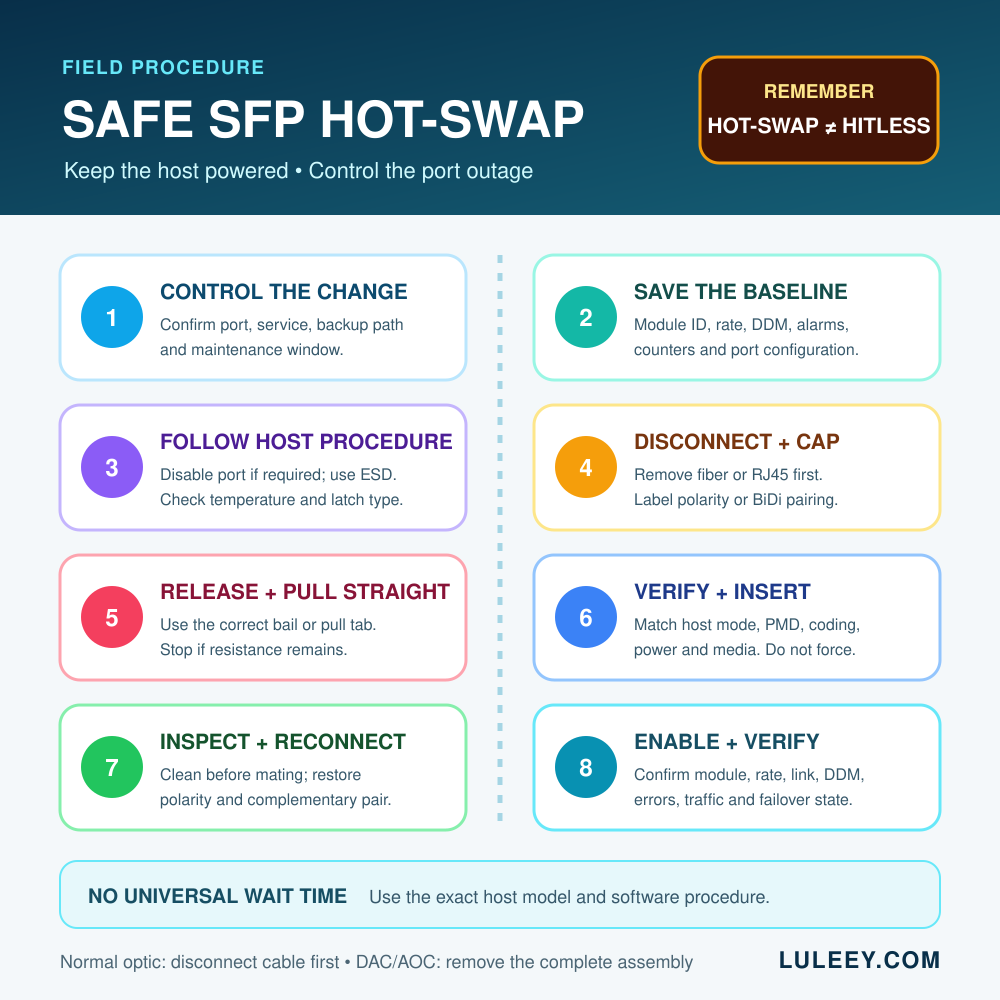
1단계: 트래픽을 다른 곳으로 이동하거나 유지보수 시간대에 진입하기
중복 구성이 가능한 경우, 백업 경로로 트래픽이 전환되었는지 확인하십시오. 그렇지 않은 경우, 영향을 받는 사용자에게 알리고 승인된 서비스 중단을 시작하십시오. 어떤 변경도 수행하기 전에 기준 상태를 저장하십시오.
2단계: 호스트 프로시저에서 요구하는 경우 해당 포트를 비활성화합니다.
해당 플랫폼에 대해 문서화된 인터페이스 제어 기능만 사용하십시오. 다른 장치 계열의 명령어를 복사하지 마십시오. 의도한 포트를 선택했는지 확인하십시오.
3단계: 사용 정전기 방전(ESD) 보호 그리고 온도를 확인하세요
승인된 ESD 손목 스트랩을 적절한 접지 지점에 연결하고, 모듈의 전기 접점이 아닌 본체나 당김 탭을 잡고 취급하십시오. 일부 모듈, 특히 고출력 구리 트랜시버의 경우 손이 닿기 불편할 정도로 뜨거울 수 있습니다. 호스트의 경고에 따라 필요한 경우 모듈이 식을 때까지 기다리십시오.
만약 열이 사고의 원인 중 하나였다면, 보고된 온도를 해당 모듈의 정확한 지정 온도 범위와 비교해 보십시오. SFP 모듈 온도 가이드 “만지면 뜨겁다”는 것이 과열 경보와 같은 것이 아닌 이유를 설명합니다.
4단계: 케이블을 분리하고 보호하기
일반적인 광학 SFP의 경우:
- 혼동이 발생할 가능성이 있다면 케이블이나 케이블의 송신(TX)/수신(RX) 방향에 표시를 해 두십시오.
- 커넥터의 하우징을 잡고 분리하십시오. 절대로 광섬유 피복을 잡아당기지 마십시오.
- 모듈 래치를 풀기 전에 케이블을 분리하십시오.
- 케이블과 모듈의 광 커넥터를 즉시 막아 주십시오.
광섬유나 트랜시버 포트를 직접 들여다보지 마십시오. 광통신 시스템은 육안으로 보이지 않는 적외선을 사용할 수 있습니다. 적절한 측정 장비와 절차를 통해 안전성이 확인될 때까지는 광섬유를 활성 상태로 간주하십시오.
구리 RJ45 SFP의 경우, 먼저 구리 케이블을 풀어 빼내십시오. BiDi 링크의 경우, 연결을 해제하기 전에 로컬 및 원격 모듈/파장 조합에 라벨을 붙여 두십시오.
5단계: 해당 래치를 풀고 똑바로 밖으로 당기세요
SFP 계열 모듈에는 베일 클라스프, 풀 탭, 슬라이딩 슬리브 등 여러 가지 잠금 방식이 사용됩니다. 해당 모듈과 호스트에 맞는 표시된 방법을 따르십시오. 케이지를 억지로 들어 올리거나, 모듈을 비틀거나, 광케이블을 손잡이 삼아 사용하지 마십시오.
고정 장치가 풀린 모듈을 일정한 힘을 가하며 똑바로 빼내십시오. 모듈이 움직이지 않으면 작업을 중단하고 래치 위치와 호스트 지침을 다시 확인하십시오. 무리하게 당기면 모듈, 케이지 또는 인접한 포트가 손상될 수 있습니다.
제거한 모듈은 정전기 방지 용기에 넣어 두십시오. 기계적 및 전기적 인터페이스의 수명이 한정되어 있으므로, 불필요한 삽입 및 제거는 피하십시오.
6단계: 삽입하기 전에 교체 부품을 확인하십시오.
| 레이어 | 확인해야 할 사항 |
|---|---|
| 기계 | 올바른 폼 팩터, 방향 및 래치 방식 |
| 호스트 전기 | 지원되는 SerDes/PHY 모드 및 레인 속도 |
| 소프트웨어 | 펌웨어, 드라이버, 모듈 정책 및 EEPROM 코딩 지원 |
| 링크 신청 | 이더넷 PMD, 속도, 협상 및 FEC 요구 사항 충족 |
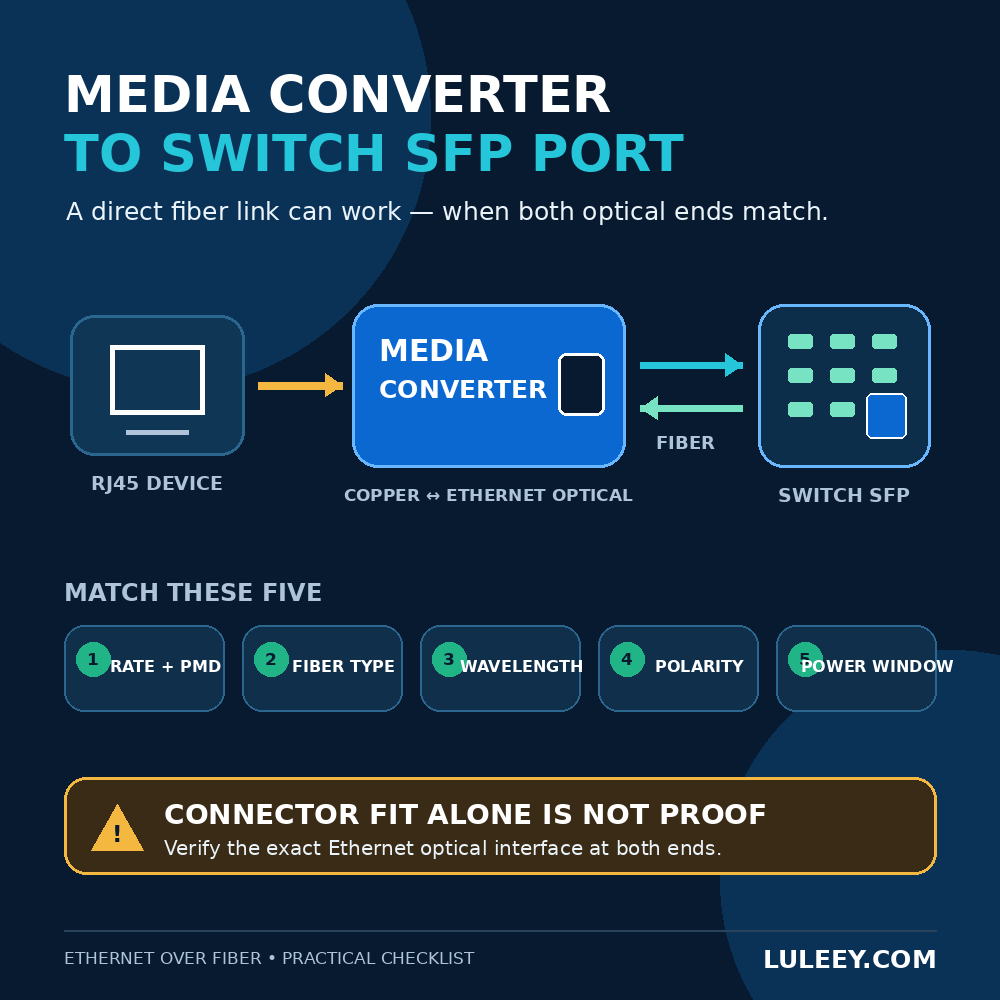
| 광학 경로 | 광섬유 유형, 커넥터 및 연마 상태, 파장 또는 BiDi 페어, 전송 거리 및 전력 범위 |
| 환경 | 모듈 전력 등급, 호스트 전력 제한, 공기 흐름 및 온도 범위 |
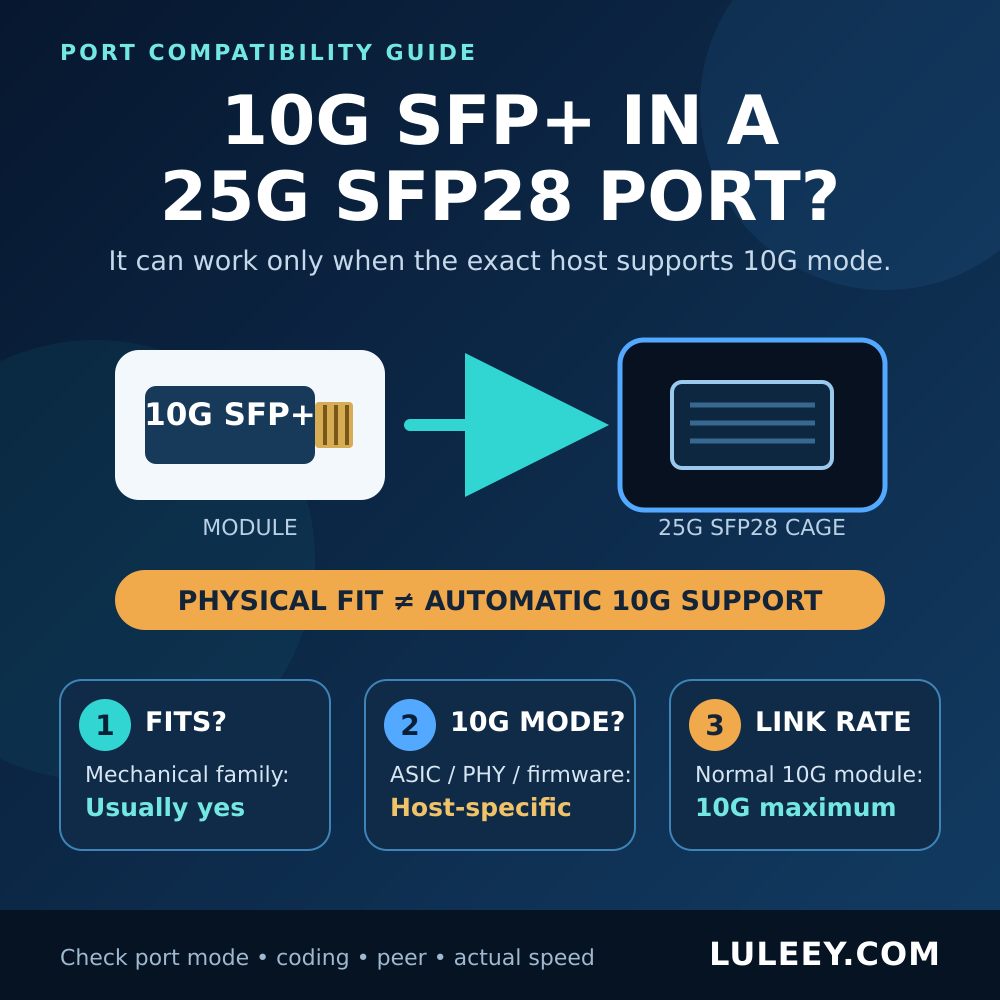
SFP 계열의 공통된 형태가 있다고 해서 해당 포트가 무조건 다중 속도 지원이 되는 것은 아닙니다. LuLeey의 사용 가이드에 따르면, 25G SFP28 포트에 10G SFP+ 연결 shows why physical fit, host SerDes mode, actual operating rate and usable throughput must be checked separately.
Step 7: Insert and latch the module
Remove the module’s electrical-interface protection only when ready. Hold the module in the documented orientation, slide it straight into the cage and use gentle pressure until it is fully seated and latched. Never force a module that does not slide smoothly.
Follow any host-specific waiting interval. There is no universal number of seconds that applies to every switch, NIC, media converter or module.
Step 8: Inspect, clean and reconnect
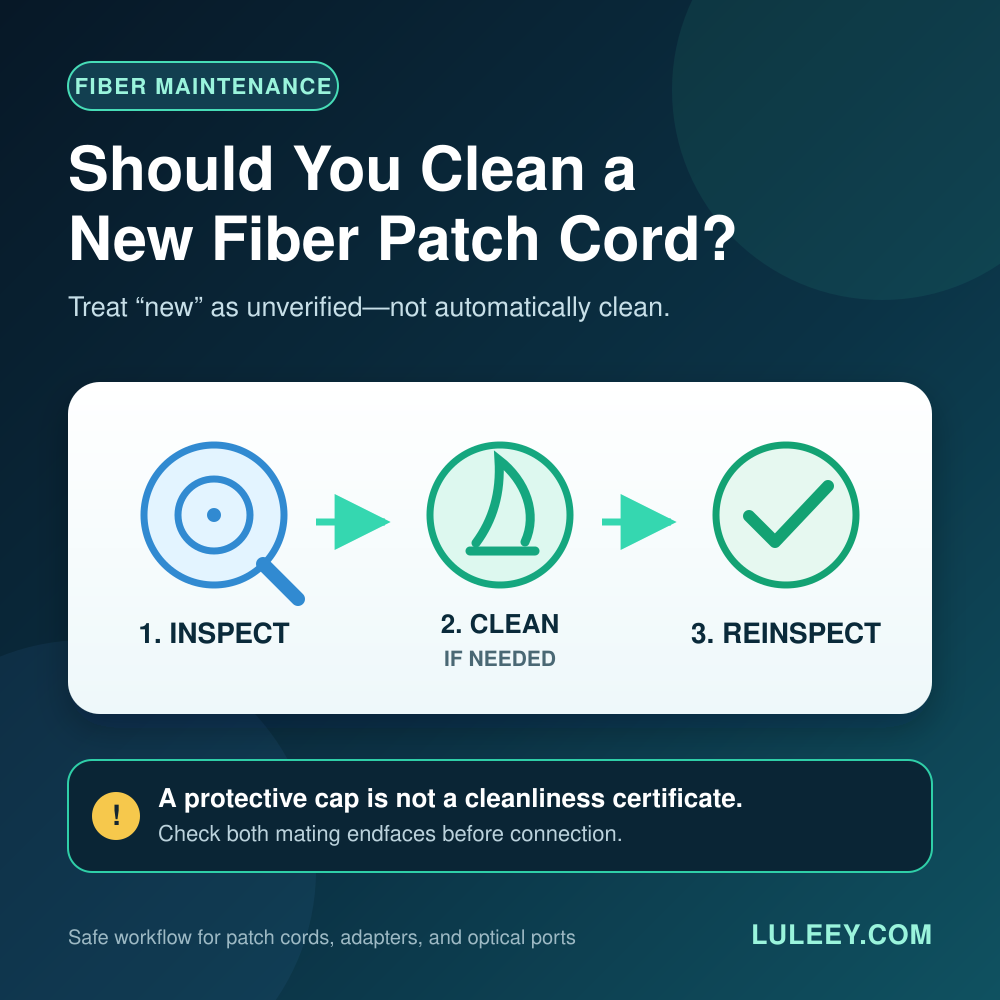
A dust cap reduces exposure; it does not certify a clean end face. Inspect and clean the fiber connector and module interface with the approved method before mating them. Reconnect the correct fibers and restore duplex polarity or the complementary BiDi pair.
Do not connect an optical cable until the module is fully latched. A connector already attached to the module can obstruct the release mechanism and put stress on the fiber, connector and host interface.
Step 9: Enable and verify the port
Re-enable the port if it was disabled. Then verify the whole path, not just the LED:
- The host detects the module and reads the expected part number.
- The host accepts the module without a power, temperature or policy alarm.
- Both ends report the expected operational speed, negotiation state and FEC.
- Link remains stable through the host’s normal initialization period.
- DDM values, where available, are within the exact module’s specified limits.
- CRC/FCS, PCS, FEC and other relevant error counters do not rise unexpectedly.
- Expected VLANs, routes or services pass traffic.
- A controlled traffic test reaches a plausible throughput for the negotiated rate and system overhead.
Clear counters only if your change process allows it, or record before-and-after deltas. A green LED can coexist with errors, wrong VLANs or a lower-than-expected rate.
Common Hot-Swap Mistakes
Removing the module with fiber still attached
This can stress the cable and connector, damage the interface or prevent the latch from opening correctly. Disconnect and cap the cable first for a normal pluggable optic.
Assuming hot-swappable means hitless
The chassis can stay on, but the affected port goes down. Confirm redundancy before removal; do not discover failover behavior during an unplanned outage.
Replacing by shell label alone
An SFP+ module that physically fits may still use the wrong host rate, optical PMD, wavelength, fiber, power level or coding. Verify the exact module and host combination.
Treating a dust cap as proof of cleanliness
Caps can carry contamination. Inspect, clean and inspect again according to the site procedure before making the final connection.
Using a universal waiting time
Some hosts need almost no operator-visible delay; others document a wait, rescan or port reset. Follow the exact platform manual instead of inventing a fixed interval.
Repeatedly reseating a module
Repeated insertion is not a diagnostic plan. If one careful reseat does not change the state, separate presence, identity, host acceptance, link and traffic checks.
Special Cases
DAC and AOC cable assemblies
A DAC or AOC has captive SFP-family ends, so there is no separate cable to unplug from the module. Disable the affected link as required, use ESD precautions and remove the complete assembly by its documented pull mechanism. Confirm that both endpoints support that exact cable type, rate, length and coding.
Copper RJ45 modules
Disconnect the RJ45 cable before removing the module. Copper SFP/SFP+ modules can draw more power and run hotter than many optical modules, so check the host’s allowed power, port-density and cooling rules.
Do not judge compatibility from the RJ45 link speed alone; the host-side SerDes mode and copper-side negotiation are separate.
2.5G PON ONU Sticks
An ONU Stick is not merely an Ethernet optic. Removing it removes power and interrupts the PON registration, authorization and service session. After reinsertion, verify the PON state as well as the host link.
A 2.5G PON ONU Stick may operate through a 1G or 10G SFP+ port at 1G only when both the Stick and host support a compatible 1G host mode. Some SFP+ ports may support 2.5G only with a suitable host chipset or PHY, firmware or driver, port setting, module coding and Stick host mode. Check physical fit, host SerDes mode, actual negotiated rate and usable throughput separately.
BiDi modules
Record which complementary wavelength belongs at each end before the change. Two modules with the same connector and rate are not necessarily a valid BiDi pair. After the swap, verify both directions of the optical power window.
When You Should Not Hot-Swap
Stop and resolve the condition first if:
- The exact host manual prohibits live removal
- The cage, latch, connector or module is visibly damaged
- The module is too hot to handle safely under the host guidance
- You cannot identify the live service or confirm a maintenance window
- Required ESD or optical-safety controls are unavailable
- The replacement’s host mode, power or link specification is unknown
- 모듈이 끼어 있어서 억지로 빼내야 합니다.
전원 차단 속도는 다소 느릴 수 있지만, 플랫폼 운영 절차나 신체적 상태가 이를 요구할 때는 올바른 선택입니다.
실질적인 다음 단계
변경 작업을 진행하기 전에 다음 네 가지를 기록해 두십시오: 정확한 호스트와 포트, 현재 모듈 부품 번호, 적용할 링크 사양, 그리고 기준 상태. 그런 다음 호스트에 명시된 제거 절차를 따르고, 작업이 끝난 후 동일한 정보를 다시 확인하십시오.



 SFP/SFP+(1g/2.5g/5g/10G)
 SFP-T(1g/2.5g/10g)
 AOC 케이블 10G/25G/40G/100G
 DAC 케이블 10G/25G/40G/100G
 QSFP28 QSFP+ SFP28 100g/40g/25G
 구리-광 미디어 컨버터
 광 미디어 컨버터 PCBA 보드
 OEO 광 미디어 컨버터
 직렬-광케이블 미디어 컨버터
 비디오-광케이블 미디어 컨버터
 1000M GPON/EPON ONU
 10G EON ONU/XG-PON/XGS-PON
 2.5G GPN/XPON 스틱 SFP ONU
 포에 그폰/에폰 오누
 무선 GPON/EPON ONT
 EPON OLT
 GPON OLT
 SFP PON 모듈
 산업용 스위치
 관리형 스위치
 POE 스위치
 비관리형 스위치
 MTP/MPO 광 케이블
 광섬유 카세트
 광섬유 루프백
 광 케이블 및 광섬유 피그테일
 광 분배기 및 분배기 박스
 광케이블 플랜지 커넥터
 광학 어댑터
 광학 감쇠기
 퀵 커넥터 및 커넥터 패널
 CATV 증폭기
 CATV 광 수신기
 시각적 결함 찾기
 OTDR
OTDR 광학 파워 미터
 광섬유 식별자
 광섬유 클리너
 섬유 절단기 및 섬유 스트리퍼
 구리 도구
구리 도구


