Os impostos alfandegários são de responsabilidade dos clientes, mas a logística padrão oferece suporte ao DDP para a maioria dos países, com isenção de impostos, como EUA, Alemanha, Reino Unido, Canadá, França, Itália, Portugal, Áustria, Japão...





















































Sim—SFP e SFP+ Os transceptores são geralmente projetados para serem conectáveis a quente. Normalmente, você pode trocar um módulo SFP em funcionamento enquanto o switch, o roteador, a placa de rede ou o conversor de mídia permanecem ligados. Isso não significa que a mudança ocorra sem interrupção: a remoção do módulo interrompe o link físico nessa porta, e o tráfego só é mantido se um caminho redundante separado assumir o controle.
A palavra “geralmente” é importante. Sempre verifique o manual para saber o modelo exato do host, a porta, a revisão do hardware e a versão do software. Uma plataforma pode exigir que você desative a porta, aguarde um intervalo documentado ou reinicialize a interface após a inserção.
Este guia aborda os módulos ópticos comuns da família SFP para Ethernet e os módulos de cobre. Um DAC ou AOC é um conjunto completo de cabos, enquanto um PON ONU Stick contém uma ONU e inclui funções de registro, autenticação e configuração de serviço. Esses casos exigem verificações adicionais, descritas a seguir.
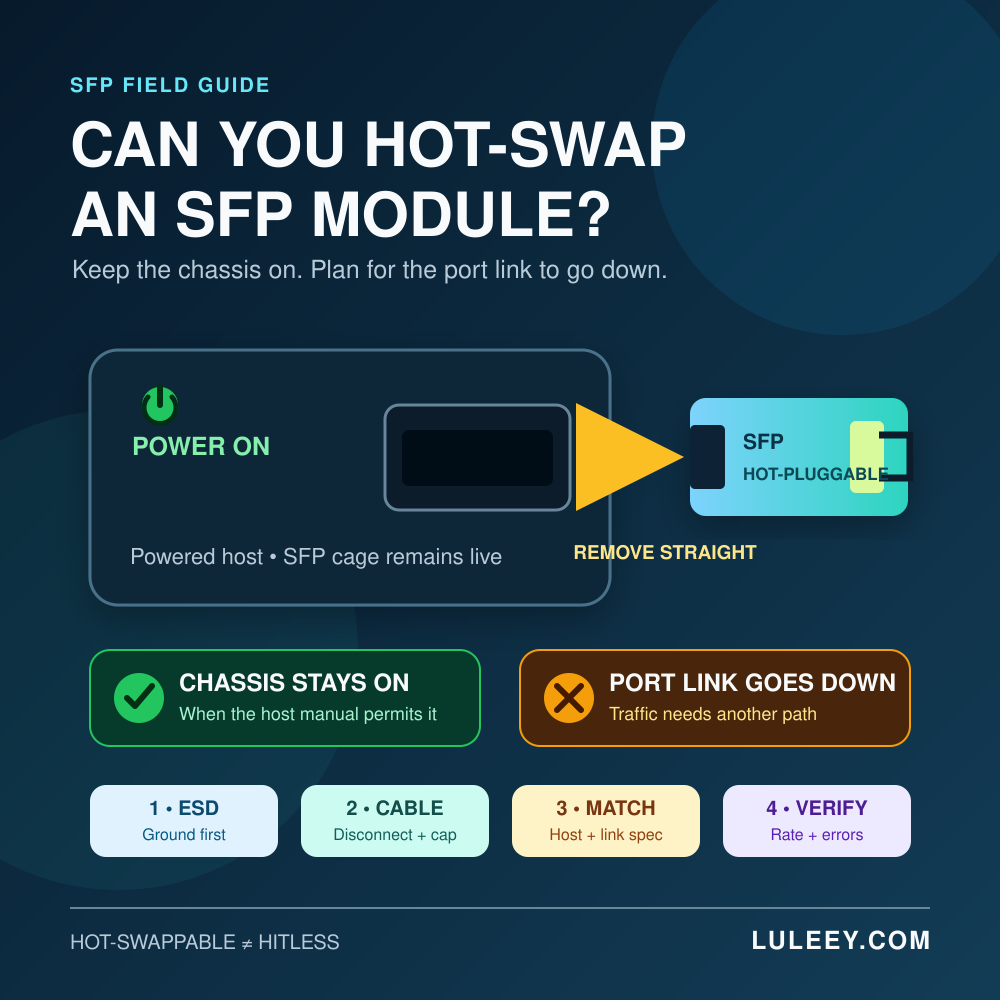
É possível trocar um módulo SFP em funcionamento? A resposta curta
| Pergunta | Resposta prática |
|---|---|
| É preciso desligar o chassi? | Normalmente não, se o manual do host permitir a inserção e a remoção a quente. |
| O porto continuará operando? | Não. Ao remover o módulo, essa conexão física é interrompida. |
| A fibra pode permanecer conectada durante a remoção? | No caso de um módulo óptico conectável comum, desconecte-o primeiro. |
| É possível inserir qualquer peça de reposição do mesmo tamanho? | Não. A compatibilidade física é apenas um dos critérios de compatibilidade. |
| A remoção repetida é inofensiva? | Não. Ciclos de inserção desnecessários podem causar desgaste na trava, nos contatos e nos conectores. |
A especificação atual SNIA SFF-8419 descreve o módulo SFP+ como hot-pluggable. Ela também define uma sequência de contatos na qual os contatos de aterramento, alimentação e sinal se encaixam nessa ordem, além do comportamento da alimentação durante a inserção a quente. Esse projeto elétrico é o motivo pelo qual um módulo compatível pode ser inserido sem desligar o chassi.
É verdade não prometem tráfego ininterrupto, seleção automática de taxa ou compatibilidade com todos os módulos. Esses fatores dependem do hardware do host, do firmware, do driver, da configuração, da codificação do módulo e do parceiro de conexão.
O que “hot-swappable” significa — e o que não significa
Pense em Troca a quenteO comando ping deve ser visto como uma demonstração de poder, e não como uma indicação da disponibilidade do serviço.
- Condição do chassi: O host normalmente pode permanecer ligado.
- Estado do porto: a porta afetada perde seu módulo e seu link físico.
- Condições do trânsito: As sessões podem falhar, a menos que um link separado, um LAG, um protocolo de roteamento ou outra forma de redundância já tenha convergido.
- Estado do módulo: o substituto ainda precisa ser detectado, aceito, configurado e vinculado.
- Status da solicitação: O Link Up não garante tráfego limpo nem a taxa de transferência esperada.
Por exemplo, a remoção de um dos componentes de um conjunto de dois links projetado corretamente pode permitir que o tráfego continue passando pelo outro componente. A remoção do único cabo óptico de WAN de um roteador interromperá a conexão de WAN, mesmo que o próprio roteador permaneça ligado.
Se o host não conseguir detectar um módulo recém-inserido, utilize um processo em etapas em vez de recolocá-lo repetidamente. LuLeey’s Guia para quando o módulo SFP não é detectado distingue entre a presença do módulo, a leitura da identidade, a aceitação do host e falhas no link físico.
Antes de remover o módulo
1. Confirmar o impacto operacional
Identifique a porta exata e os serviços que a utilizam. Verifique se a redundância está funcionando corretamente e se é necessária aprovação para manutenção. Não presuma que um segundo cabo seja um caminho ativo de failover; verifique seu estado e sua função de encaminhamento.
Se possível, registre um valor de referência:
- Modelo do host, número da porta, revisão do hardware, firmware e driver
- Velocidade configurada e operacional, autonegociação e FEC
- Fornecedor do módulo, número de peça, revisão e número de série
- Estado do link, alarmes e contadores de erros recentes
- Temperatura do DDM/DOM, tensão, potência de transmissão (TX), potência de recepção (RX) e corrente de polarização, quando compatível
- VLAN, LAG, roteamento ou outra configuração de serviço vinculada à porta
A linha de referência indica se a substituição restaurou a condição original. LuLeey’s Guia DDM/DOM explica para que servem os campos de diagnóstico comuns — e por que nem todos os hosts conseguem exibi-los.
2. Read the exact host procedure
Do not use a generic rule when the platform manual gives a specific one. Check whether the host requires:
- An administrative shutdown before removal
- A particular release mechanism or extraction tool
- A delay before inserting another module
- A port rescan, reset or service restart
- Restrictions on module power, temperature or supported coding
Administratively disabling the port is a useful operational control where supported: it makes the planned outage explicit and may reduce avoidable events or alarms. It is not a universal electrical requirement, and its exact effect on transmitter power is platform-specific.
3. Prepare the replacement and protection materials
Have the correct replacement, clean dust caps, an antistatic bag or container, an approved ESD wrist strap and the proper fiber inspection/cleaning tools ready. Do not leave an open module or connector exposed while looking for supplies.
Compare the complete part number and specification. “SFP,” “SFP+” or “SFP28” alone is not enough.
How to Hot-Swap an SFP Module Safely
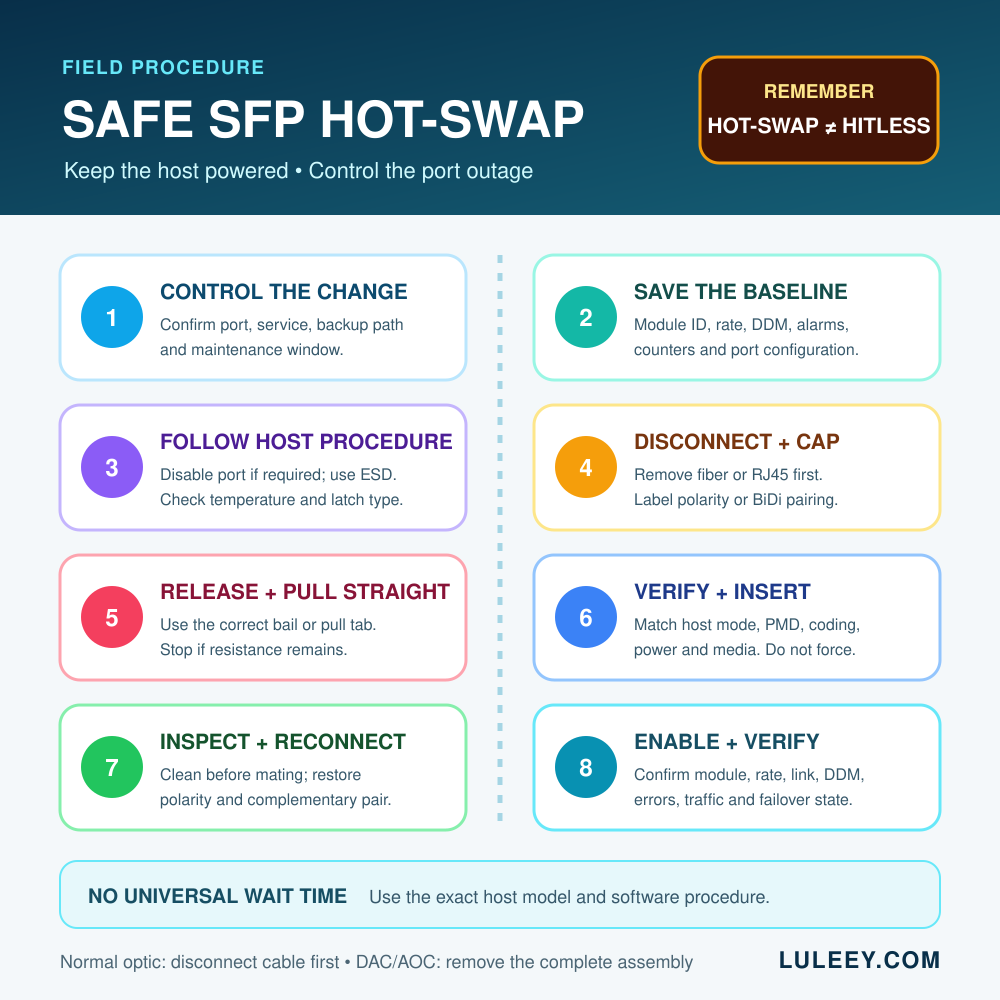
Step 1: Move traffic or enter the maintenance window
Confirm the backup path has taken traffic if redundancy is available. Otherwise, notify affected users and begin the approved outage. Save the baseline before changing anything.
Step 2: Disable the port if the host procedure calls for it
Use only the documented interface control for that platform. Do not copy a command from another device family. Confirm that you selected the intended port.
Step 3: Use ESD Protection and check the temperature
Attach an approved ESD wrist strap to the proper grounding point and handle the module by its body or pull tab, not its electrical contacts. Some modules—especially higher-power copper transceivers—can be uncomfortably hot. Follow the host’s warning and allow the module to cool if necessary.
If heat was part of the incident, compare the reported temperature with the exact module’s specified range. The SFP module temperature guide explains why “hot to the touch” is not the same as an over-temperature alarm.
Step 4: Disconnect and protect the cable
For a normal optical SFP:
- Label the cable or its TX/RX orientation if there is any chance of confusion.
- Release the connector by its housing—never pull on the fiber jacket.
- Remove the cable before releasing the module latch.
- Immediately cap the cable and the module’s optical receptacle.
Do not look into the fiber or transceiver port. Optical communication systems can use invisible infrared light. Treat a fiber as active until it has been verified safe with an appropriate instrument and procedure.
For a copper RJ45 SFP, release and remove the copper cable first. For a BiDi link, label the local and remote module/wavelength pairing before disconnecting it.
Step 5: Release the correct latch and pull straight out
SFP-family modules use several latch styles, including a bail clasp, pull tab or sliding sleeve. Use the method shown for the exact module and host. Do not pry the cage, twist the module or use the fiber cable as a handle.
Pull the released module straight out with steady pressure. If it does not move, stop and recheck the latch position and host instructions. Forcing it can damage the module, cage or adjacent ports.
Place the removed module in an antistatic container. Avoid unnecessary insertions and removals because the mechanical and electrical interfaces have a finite service life.
Step 6: Verify the replacement before insertion
| Camada | What to verify |
|---|---|
| Mechanical | Correct form factor, orientation and latch style |
| Host electrical | Supported SerDes/PHY mode and lane rate |
| Software | Firmware, driver, module policy and EEPROM coding support |
| Link application | Matching Ethernet PMD, speed, negotiation and FEC requirements |
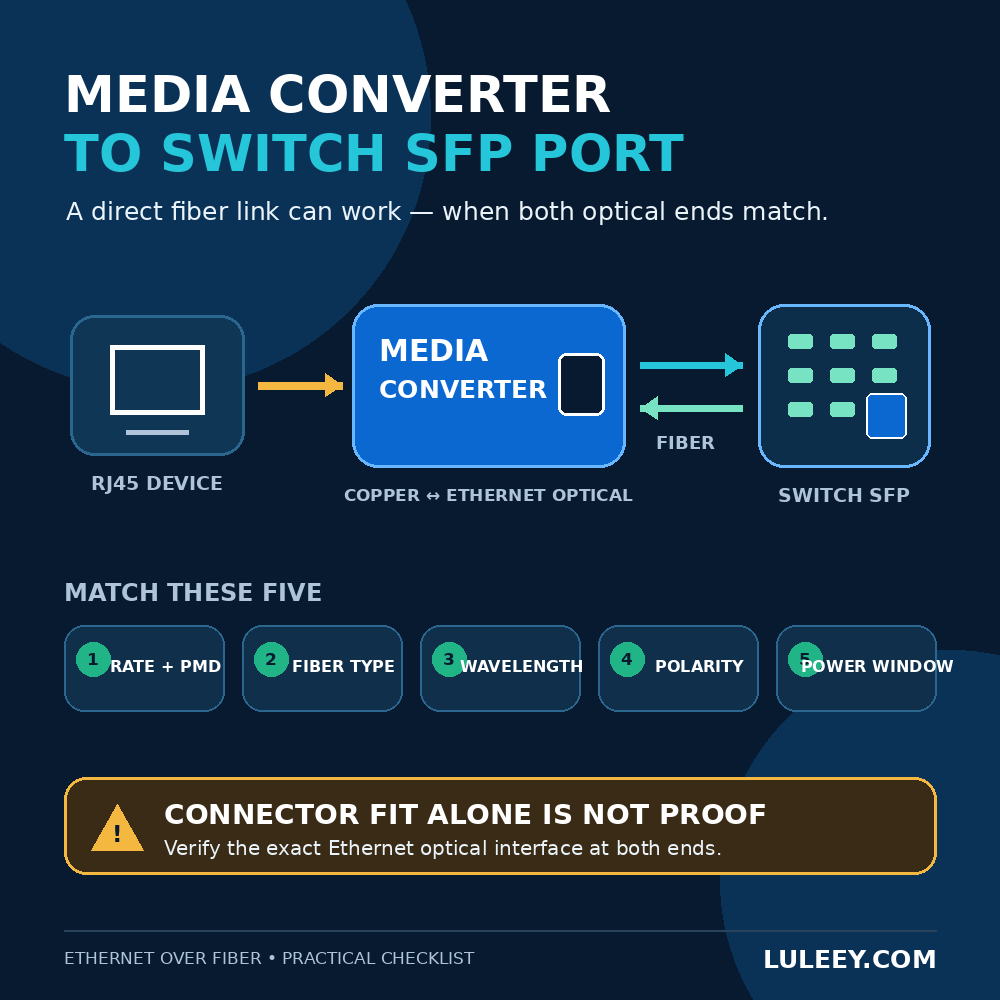
| Optical path | Fiber type, connector and polish, wavelength or BiDi pair, reach and power window |
| Meio ambiente | Module power class, host power limit, airflow and temperature range |
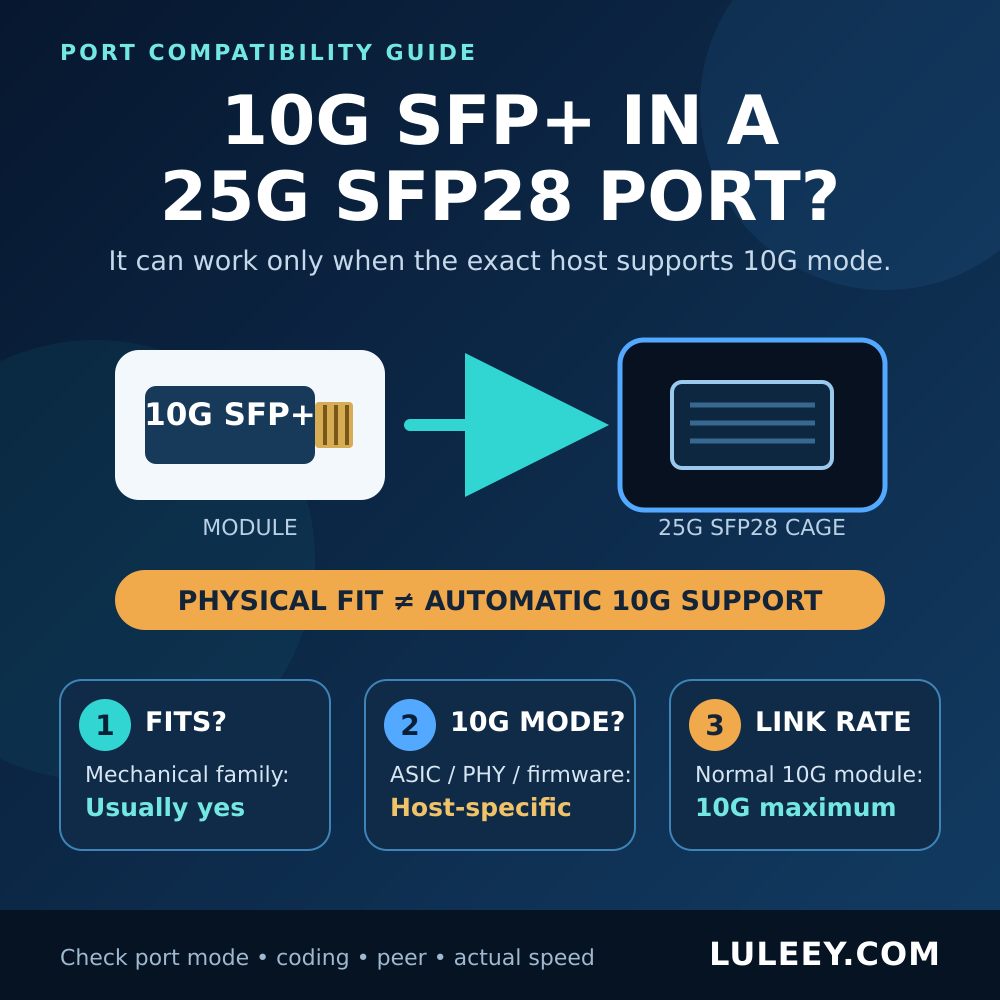
The shared SFP-family shape does not make a port universally multi-rate. LuLeey’s guide to using a 10G SFP+ em uma porta 25G SFP28 shows why physical fit, host SerDes mode, actual operating rate and usable throughput must be checked separately.
Step 7: Insert and latch the module
Remove the module’s electrical-interface protection only when ready. Hold the module in the documented orientation, slide it straight into the cage and use gentle pressure until it is fully seated and latched. Never force a module that does not slide smoothly.
Follow any host-specific waiting interval. There is no universal number of seconds that applies to every switch, NIC, media converter or module.
Step 8: Inspect, clean and reconnect
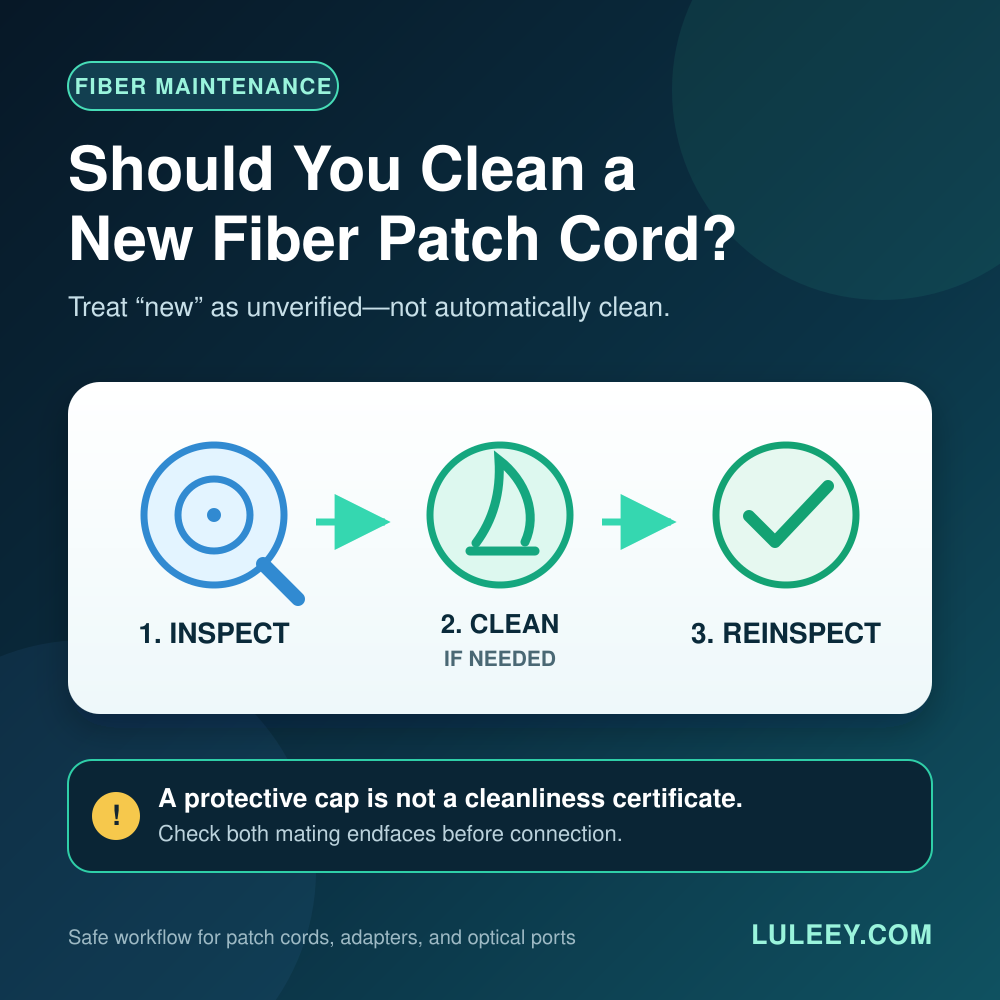
A dust cap reduces exposure; it does not certify a clean end face. Inspect and clean the fiber connector and module interface with the approved method before mating them. Reconnect the correct fibers and restore duplex polarity or the complementary BiDi pair.
Do not connect an optical cable until the module is fully latched. A connector already attached to the module can obstruct the release mechanism and put stress on the fiber, connector and host interface.
Step 9: Enable and verify the port
Re-enable the port if it was disabled. Then verify the whole path, not just the LED:
- The host detects the module and reads the expected part number.
- The host accepts the module without a power, temperature or policy alarm.
- Both ends report the expected operational speed, negotiation state and FEC.
- Link remains stable through the host’s normal initialization period.
- DDM values, where available, are within the exact module’s specified limits.
- CRC/FCS, PCS, FEC and other relevant error counters do not rise unexpectedly.
- Expected VLANs, routes or services pass traffic.
- A controlled traffic test reaches a plausible throughput for the negotiated rate and system overhead.
Clear counters only if your change process allows it, or record before-and-after deltas. A green LED can coexist with errors, wrong VLANs or a lower-than-expected rate.
Common Hot-Swap Mistakes
Removing the module with fiber still attached
This can stress the cable and connector, damage the interface or prevent the latch from opening correctly. Disconnect and cap the cable first for a normal pluggable optic.
Assuming hot-swappable means hitless
The chassis can stay on, but the affected port goes down. Confirm redundancy before removal; do not discover failover behavior during an unplanned outage.
Replacing by shell label alone
An SFP+ module that physically fits may still use the wrong host rate, optical PMD, wavelength, fiber, power level or coding. Verify the exact module and host combination.
Treating a dust cap as proof of cleanliness
Caps can carry contamination. Inspect, clean and inspect again according to the site procedure before making the final connection.
Using a universal waiting time
Some hosts need almost no operator-visible delay; others document a wait, rescan or port reset. Follow the exact platform manual instead of inventing a fixed interval.
Repeatedly reseating a module
Repeated insertion is not a diagnostic plan. If one careful reseat does not change the state, separate presence, identity, host acceptance, link and traffic checks.
Special Cases
DAC and AOC cable assemblies
A DAC or AOC has captive SFP-family ends, so there is no separate cable to unplug from the module. Disable the affected link as required, use ESD precautions and remove the complete assembly by its documented pull mechanism. Confirm that both endpoints support that exact cable type, rate, length and coding.
Copper RJ45 modules
Disconnect the RJ45 cable before removing the module. Copper SFP/SFP+ modules can draw more power and run hotter than many optical modules, so check the host’s allowed power, port-density and cooling rules.
Do not judge compatibility from the RJ45 link speed alone; the host-side SerDes mode and copper-side negotiation are separate.
2.5G PON ONU Sticks
An ONU Stick is not merely an Ethernet optic. Removing it removes power and interrupts the PON registration, authorization and service session. After reinsertion, verify the PON state as well as the host link.
A 2.5G PON ONU Stick may operate through a 1G or 10G SFP+ port at 1G only when both the Stick and host support a compatible 1G host mode. Some SFP+ ports may support 2.5G only with a suitable host chipset or PHY, firmware or driver, port setting, module coding and Stick host mode. Check physical fit, host SerDes mode, actual negotiated rate and usable throughput separately.
BiDi modules
Record which complementary wavelength belongs at each end before the change. Two modules with the same connector and rate are not necessarily a valid BiDi pair. After the swap, verify both directions of the optical power window.
When You Should Not Hot-Swap
Stop and resolve the condition first if:
- The exact host manual prohibits live removal
- The cage, latch, connector or module is visibly damaged
- The module is too hot to handle safely under the host guidance
- You cannot identify the live service or confirm a maintenance window
- Required ESD or optical-safety controls are unavailable
- The replacement’s host mode, power or link specification is unknown
- The module is stuck and would require force
Powering down may be slower, but it is the correct choice when the platform procedure or physical condition requires it.
A Practical Next Step
Before the change, write down four things: the exact host and port, the current module part number, the intended link specification, and the baseline status. Then use the host’s documented removal procedure and verify the same information afterward.



 SFP/SFP+ (1G/2,5G/5G/10G)
 SFP-T (1G/2,5G/10G)
 Cabo AOC 10G/25G/40G/100G
 Cabo DAC 10G/25G/40G/100G
 QSFP28 QSFP+ SFP28 100G/40G/25G
 Conversores de mídia de cobre para fibra
 Placa PCBA do conversor de mídia de fibra
 Conversores de mídia de fibra OEO
 Conversores de mídia serial para fibra
 Conversores de mídia de vídeo para fibra
 1000M GPON/EPON ONU
 10G EPON ONU/XG-PON/XGS-PON
 2,5G GPON/XPON STICK SFP ONU
 POE GPON/EPON ONU
 ONT GPON/EPON sem fio
 EPON OLT
 GPON OLT
 Módulo SFP PON
 Switches industriais
 Switches gerenciados
 Switches POE
 Switches não gerenciados
 Cabos de fibra MTP/MPO
 Cassetes de fibra óptica
 Loopback de fibra óptica
 Cabos ópticos e pigtails de fibra
 Divisores ópticos e caixas divisoras
 Conectores de flange de fibra
 Adaptadores ópticos
 Atenuador óptico
 Conector rápido e painel de conectores
 Amplificador CATV
 Receptor óptico CATV
 Localizador visual de falhas
 OTDR
OTDR Medidor de potência óptica
 Identificador de fibra óptica
 Limpadores de fibra óptica
 Cortadores de fibras e extratores de fibras
 Ferramentas de cobre


