Os impostos alfandegários são de responsabilidade dos clientes, mas a logística padrão oferece suporte ao DDP para a maioria dos países, com isenção de impostos, como EUA, Alemanha, Reino Unido, Canadá, França, Itália, Portugal, Áustria, Japão...





















































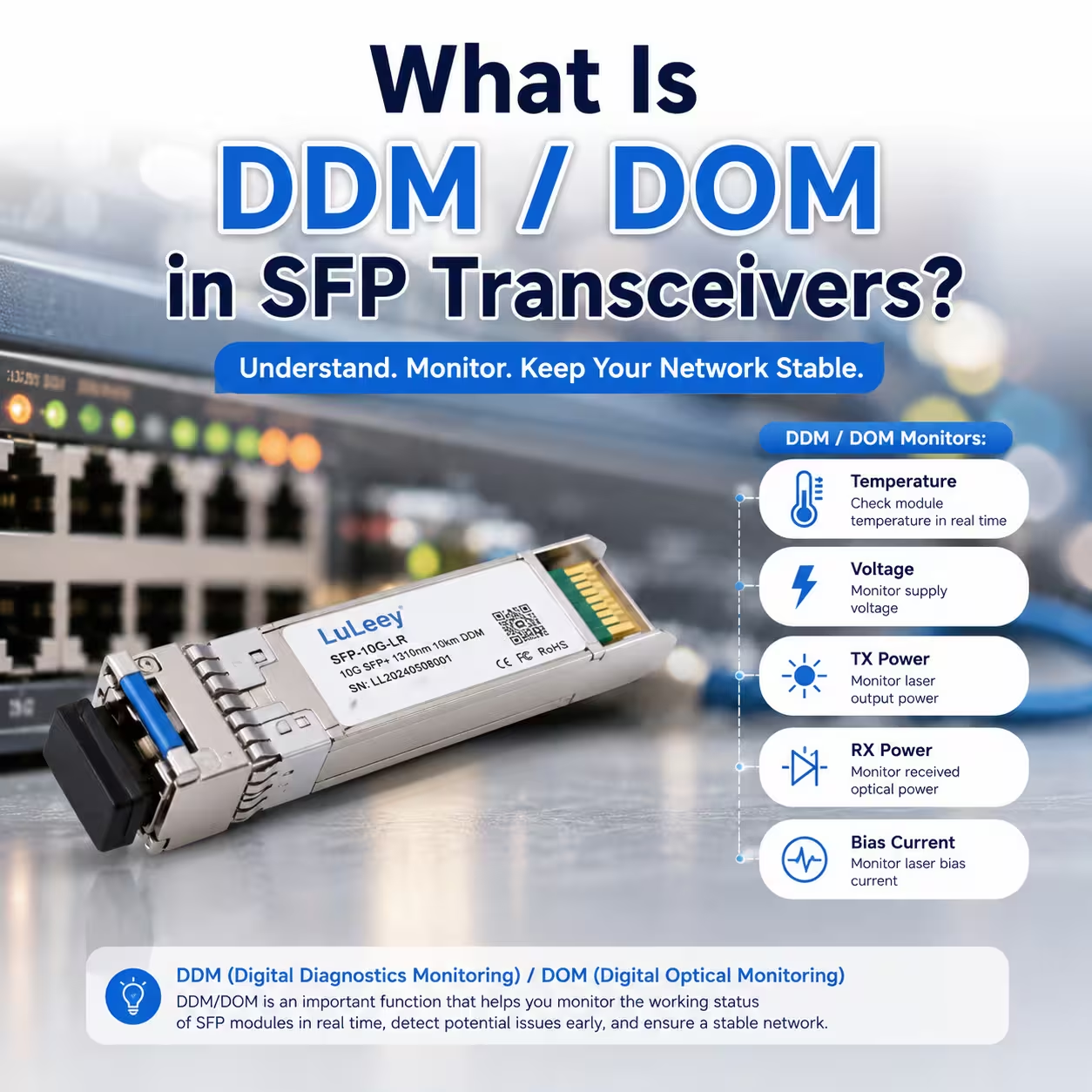
Se você já retirou um módulo SFP ou SFP+ de um switch, talvez tenha visto algo assim:
- Temperatura: 48 °C
- Tensão: 3,29 V
- TX Power: -2,5 dBm
- Potência do RX: -8,1 dBm
- Corrente de polarização: 32 mA
O que são todos esses números?
Elas vêm de um recurso muito útil chamado DDM ou DOM.
Em termos simples:
O DDM/DOM permite que um transceptor SFP forneça informações sobre seu funcionamento em tempo real.
Em vez de tentar adivinhar se um SFP está superaquecendo ou se o sinal de fibra está muito fraco, você pode verificar os dados reais fornecidos pelo módulo.
Isso faz com que SFP DDM especialmente útil na resolução de problemas em links de fibra óptica.
O que significa DDM?
DDM significa:
Monitoramento Diagnóstico Digital
Você também pode conferir:
DOM — Monitoramento Óptico Digital
Diferentes fabricantes podem usar uma terminologia ligeiramente diferente, mas, no dia a dia das redes, ambos os termos geralmente se referem à capacidade de ler informações de diagnóstico em tempo real de um transceptor óptico.
A especificação SFF-8472 define o monitoramento de diagnóstico digital para módulos SFP+. Quando implementada, o módulo monitora cinco parâmetros principais:
- Temperatura
- Tensão de alimentação
- Corrente de polarização do laser
- Potência óptica do TX
- Potência óptica RX
Além disso, define limites de aviso e de alarme para esses valores de diagnóstico.
Então, se você vir:
DDM: Sim
ou
Compatível com DOM
Na página de um produto SFP, geralmente é isso que significa.
O que o SFP DDM/DOM pode monitorar?
Aqui está a versão simplificada:
| Parâmetro DDM | O que isso indica? |
| Temperatura | Qual é a temperatura do módulo SFP? |
| Tensão | Se o módulo está recebendo a tensão de alimentação normal |
| Potência TX | Qual é a potência óptica que o módulo está transmitindo |
| RX Power | Qual é a potência óptica que o módulo está recebendo |
| Corrente de polarização | Com que intensidade o laser está sendo acionado |
A implementação do DOM da Cisco também monitora esses mesmos cinco parâmetros.
Para usuários comuns, não é preciso assistir aos cinco todos os dias.
Os três valores mais úteis costumam ser:
Temperatura + Potência de transmissão + Potência de recepção
Vamos analisá-los um por um.
1. Temperatura do SFP: meu módulo está muito quente?
A temperatura é provavelmente o valor do DDM mais fácil de entender.
Por exemplo:
Temperatura: 55 °C
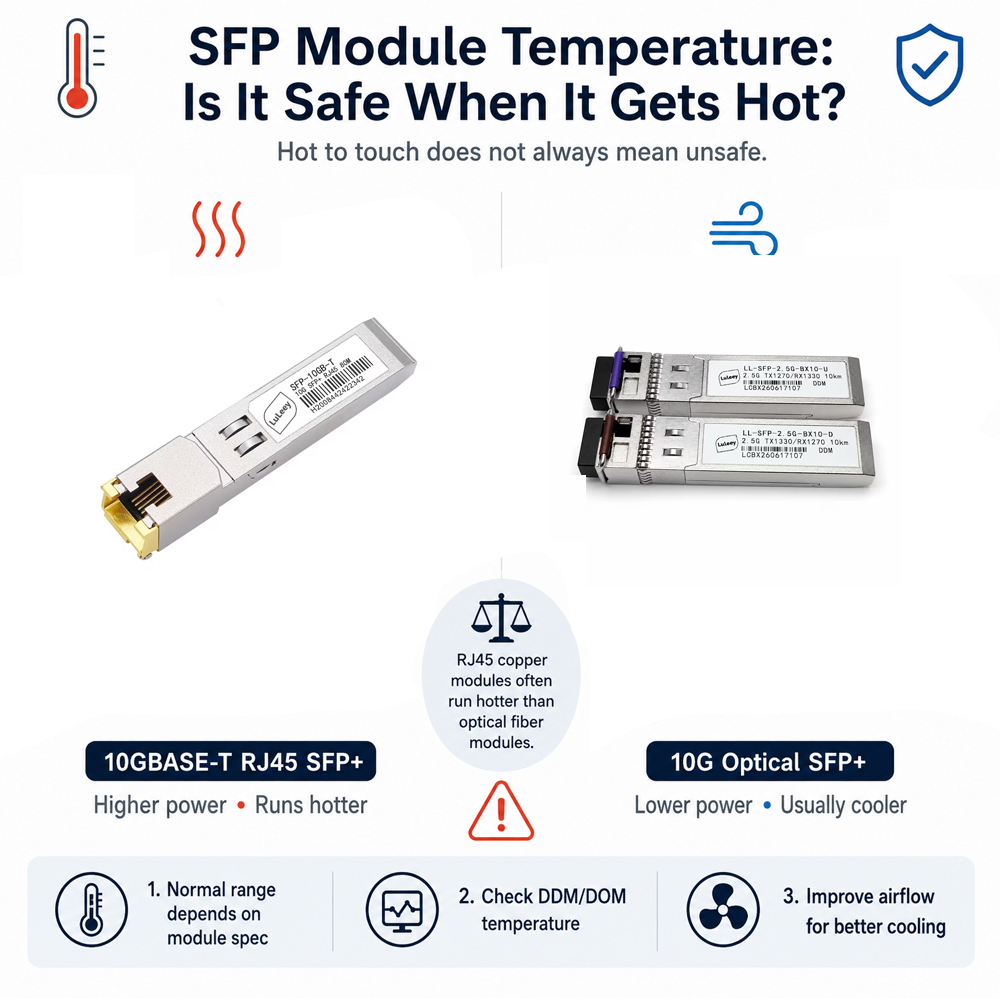
55 °C parece quente.
E se você tocar no módulo SFP, provavelmente dá uma sensação de muito calor.
Mas isso não significa automaticamente que o módulo esteja superaquecendo.
Muitos transceptores SFP e SFP+ são projetados para operar em temperaturas internas relativamente altas.
O importante não é:
“Está quente quando eu toco nisso?”
A pergunta mais adequada é:
“A temperatura ainda está dentro da faixa de operação especificada para o módulo?”
O DDM fornece um número real, em vez de depender da sua estimativa.
Isso se torna especialmente útil com Módulos SFP+ de 10G, que pode ficar visivelmente quente durante o funcionamento.
2. O que é a TX Power?
TX = Transmissão
O TX Power indica a potência óptica que está sendo transmitida pelo módulo.
Pense no SFP como uma lanterna.
Potência (TX) = a intensidade com que a lanterna emite luz.
Por exemplo:
Potência de transmissão: -2,3 dBm
-2,3 dBm é um bom valor?
Talvez.
Você precisa comparar isso com as especificações do seu transceptor específico.
Um módulo 10GBASE-SR, um módulo 10GBASE-LR e um SFP+ de longa distância de 80 km podem apresentar especificações ópticas muito diferentes.
Isso significa que não existe um único valor de TX Power que seja correto para todos os SFPs.
3. O que é o RX Power?
RX = Recepção
O RX Power indica qual é a potência óptica que realmente chega ao receptor.
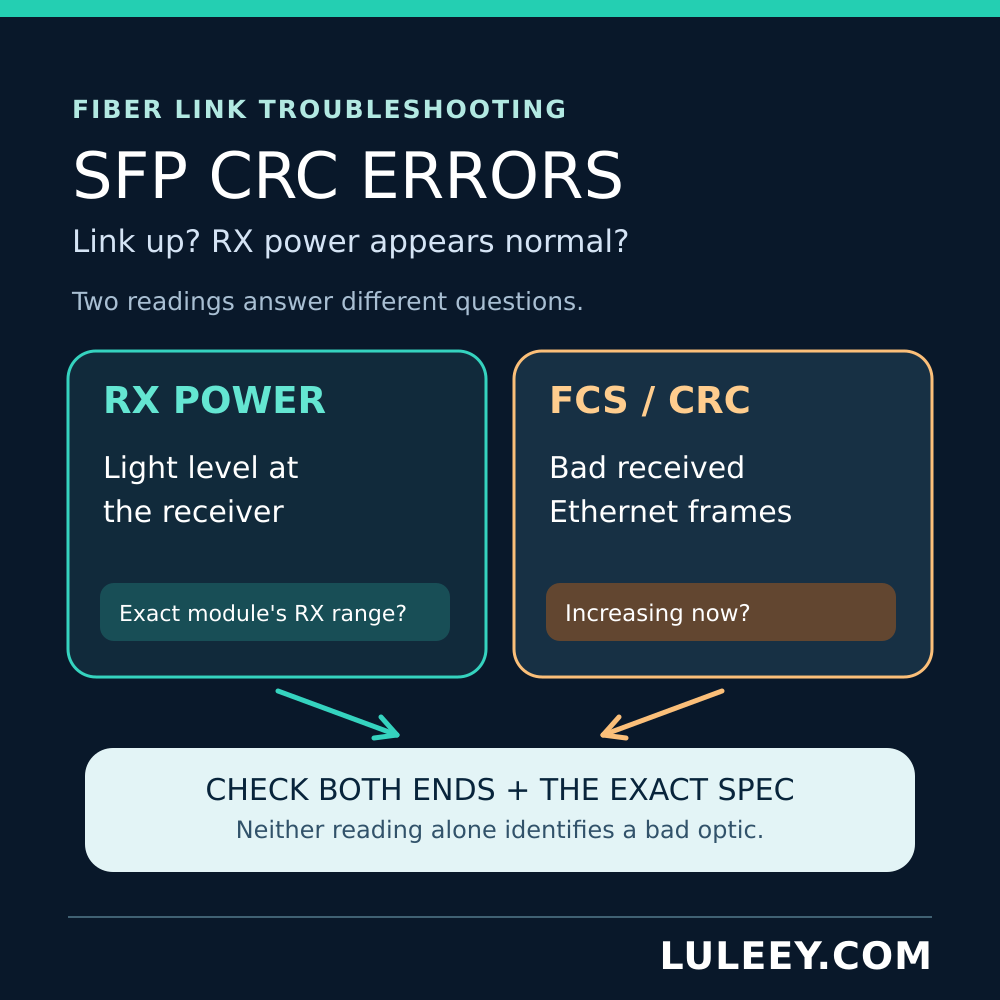
Para a resolução de problemas, essa costuma ser uma das Valores DDM mais úteis para SFP.
Vamos usar um exemplo simples.
Seu SFP indica:
Potência de transmissão: -2,0 dBm
Potência de recepção: -7,5 dBm
O SFP remoto está enviando luz, mas parte da potência óptica é naturalmente perdida ao atravessar:
- Fibra
- Conectores
- Adaptadores
- Emendas
- Painéis de conexão
Isso é normal.
Mas imagine que o RX Power mude repentinamente de:
-7,5 dBm
para:
-18,5 dBm
Agora, pode ser que haja algum problema.
As possíveis causas incluem:
- Conector de fibra sujo
- Conector solto
- Flexão excessiva da fibra
- Fibra danificada
- Excesso de emendas
- Longa distância de transmissão
- Divisor óptico incorreto
- Tipo de transceptor incorreto
É por isso que Monitoramento da alimentação de recepção do SFP pode economizar muito tempo na resolução de problemas.
Por que os valores da potência óptica são negativos?
Isso confunde quase todos os iniciantes.
Você pode ver:
- -3 dBm
- -8 dBm
- -15 dBm
- -25 dBm
e pense:
“Negativo significa ruim, certo?”
Não.
Valores negativos em dBm são totalmente normais em redes de fibra óptica.
Uma regra simples para se lembrar é:
Quanto mais próximo o valor estiver de 0 dBm, mais forte será a potência óptica.
Por exemplo:
-5 dBm é mais forte do que -15 dBm.
E:
-15 dBm é mais forte do que -25 dBm.
Mas mais forte nem sempre significa melhor.
Se a potência do receptor for muito forte, o receptor também pode entrar em sobrecarga.
Portanto, a abordagem correta é sempre:
Compare a potência RX atual com os valores mínimo e máximo de RX especificados para o seu SFP.
Um simples solução de problemas com fibra óptica Exemplo
Imagine que sua conexão de fibra de 10G se desconecte aleatoriamente várias vezes por dia.
Sem o DDM, você pode tentar o seguinte:
Troque o cabo de fibra óptica.
Ainda está desconectando.
Troque o SFP.
Ainda está desconectando.
Altere a porta do switch.
Ainda está desconectando.
Reinicie tudo.
Ainda está desconectando.
Não é muito eficiente.
Agora verifique o DDM:
| Parâmetro | Leitura |
| Temperatura | 47 °C |
| Tensão | 3,30 V |
| Potência TX | -2,1 dBm |
| RX Power | -17,8 dBm |
Suponha que a especificação do SFP determine que o nível de seu receptor não deve ficar abaixo de aproximadamente -14 dBm.
Agora você tem uma pista importante:
O sinal óptico recebido está muito fraco.
Em vez de trocar o interruptor, você deve verificar:
Fibra → conectores → painéis de conexão → emendas → perda de sinal
Esse é o verdadeiro valor do DDM.
Isso muda:
“Minha conexão de fibra óptica não está funcionando.”
para:
“A graduação da minha lente é muito baixa.”
É muito mais fácil resolver problemas.
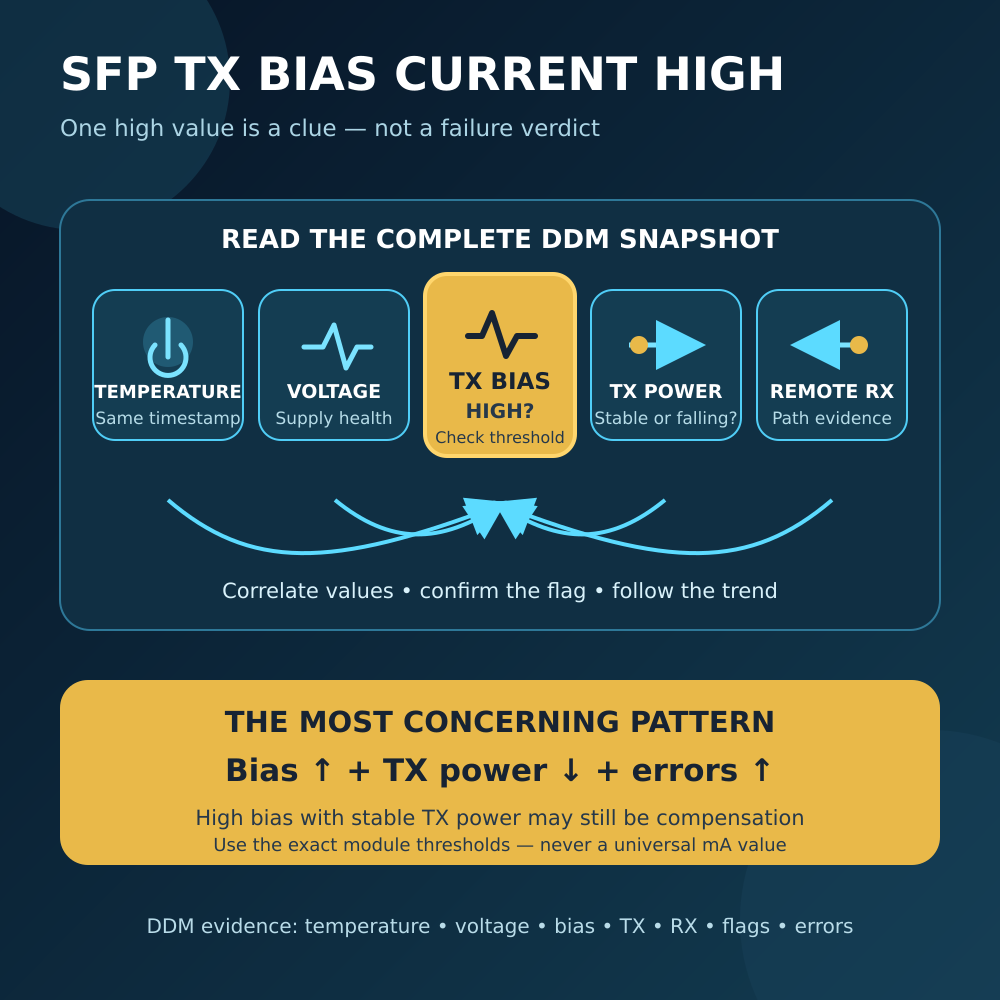
4. O que é corrente de polarização do laser?
A corrente de polarização do laser é normalmente exibida em mA.
Por exemplo:
Corrente de polarização: 31,6 mA
A maneira mais fácil de entender isso é:
A corrente de polarização indica a quantidade de corrente que está sendo utilizada para acionar o laser do SFP.
No dia a dia, para resolver problemas, geralmente não é preciso dar muita atenção a isso.
No entanto, isso pode ser útil no diagnóstico de um módulo óptico envelhecido ou com anomalias.
Por exemplo, ao longo de um período prolongado, você pode perceber que:
Corrente de polarização ↑
enquanto:
TX Power ↓
Isso pode ser um indício que vale a pena investigar, pois o laser pode estar trabalhando com maior intensidade, embora produza menos saída óptica.
Uma única medição, por si só, geralmente não diz muita coisa.
As mudanças ao longo do tempo são mais úteis.
5. O que significa “tensão SFP”?
Os módulos SFP normalmente operam a partir de aproximadamente um Alimentação de 3,3 V.
O DDM permite que o módulo monitore essa tensão.
Por exemplo:
Tensão: 3,29 V
Na maioria dos problemas com fibra óptica, a tensão não é a primeira coisa que você precisa verificar.
Mas, se a tensão ficar fora do normal, isso pode ajudar a identificar:
- Problemas com as portas do switch
- Problemas com a fonte de alimentação
- Falhas no transceptor
- Problemas de compatibilidade de hardware
Mais uma vez, compare a leitura com os limites especificados no módulo.
O que são “Alarme Alto” e “Alarme Baixo”?
O DDM pode fazer mais do que apenas exibir números.
Os módulos também podem conter limites de diagnóstico.
Você pode ver:
- Alarme Alto
- Alerta de alto risco
- Aviso de nível baixo
- Alarme de nível baixo
Por exemplo:
| Parâmetro | Atual | Alarme de nível baixo | Alarme Alto |
| Temperatura | 48 °C | -5 °C | 75 °C |
| Potência TX | -2,5 dBm | -8 dBm | +1 dBm |
| RX Power | -8,1 dBm | -14 dBm | +0,5 dBm |
Esses números são apenas um exemplo.
Cada transceptor pode ter limites diferentes.
A especificação SFF-8472 exige limites de alarme e aviso quando é implementado o monitoramento diagnóstico digital.
Por isso, alguns switches podem exibir avisos como:
Aviso de bateria fraca do RX Power
ou:
Alarme de temperatura alta
em vez de fazer com que você compare manualmente cada valor.
Como posso verificar se um SFP é do tipo DDM ou DOM?
Isso depende do seu switch, roteador ou placa de rede.
Por exemplo, muitos dispositivos da Cisco suportam comandos como:
mostrar interfaces do transceptor
ou:
show interfaces transceiver detail
A saída do comando da Cisco pode exibir:
Temperatura, tensão, corrente de polarização, potência de transmissão e potência de recepção diretamente dos transceptores compatíveis.
Outros fabricantes podem apresentar as mesmas informações por meio de:
- CLI
- Interface de gerenciamento da Web
- SNMP
- Controlador de rede
- Software de monitoramento
A MikroTik, a Ubiquiti, a Huawei, a H3C e outros fornecedores podem utilizar menus ou comandos diferentes.
O importante é:
O SFP deve ser compatível com DDM, e o dispositivo host também deve ser compatível com a leitura desse formato.
Meu SFP é compatível com DDM, mas não consigo visualizar nenhum dado. Por quê?
Isso acontece com bastante frequência.
Entre as possíveis razões estão:
- O switch não oferece suporte ao DOM nessa porta
- Na verdade, o SFP não oferece suporte ao DDM
- O firmware do switch não divulga informações do DDM
- As informações do transceptor de terceiros não são totalmente reconhecidas
- O módulo EEPROM não pode ser lido corretamente
- O monitoramento está desativado
- O dispositivo tem restrições de compatibilidade
Então:
O suporte a DDM no SFP não significa automaticamente que todos os switches possam exibir essas informações.
Ambos os lados precisam apoiar essa iniciativa.
É possível monitorar o DDM por meio do SNMP?
Sim, em equipamentos compatíveis.
Isso é especialmente útil para redes maiores.
Em vez de acessar manualmente cada switch, um sistema de monitoramento de rede pode usar o SNMP para coletar informações sobre os transceptores.
A Cisco, por exemplo, documenta o monitoramento do DOM MIB para transceptores ópticos SFP, incluindo temperatura, tensão, corrente de polarização do laser, potência óptica de transmissão (TX) e potência óptica de recepção (RX).
Isso significa que você pode monitorar dezenas ou centenas de interfaces ópticas e receber alertas quando ocorrer alguma alteração.
Por exemplo:
Potência normal de recepção: -7 dBm
Vários meses depois:
Potência de recepção: -10 dBm
Mais tarde:
Potência de recepção: -13 dBm
O link pode ainda estar no ar, mas a tendência mostra que:
Algo no caminho óptico está piorando.
Isso pode ajudar você a resolver um problema antes que o link de fibra realmente pare de funcionar.
Todos os SFPs são compatíveis com DDM?
Não.
Muitos transceptores ópticos modernos do tipo SFP e SFP+ são compatíveis com DDM, mas nem todos os módulos o são.
Ao comprar um transceptor óptico, procure por termos como:
DDM
DOM
Diagnóstico digital
SFF-8472
Lembre-se também de que um SFP de cobre RJ45 é diferente de um transceptor óptico.
Um módulo Ethernet de cobre não possui potência de transmissão (TX) ou potência de recepção (RX) óptica, pois não transmite luz pela fibra.
O DDM pode substituir um medidor de potência óptica?
Não totalmente.
O DDM é excelente para:
- Solução rápida de problemas
- Monitoramento remoto
- Verificação da potência de recepção
- Verificação da potência de transmissão
- Monitoramento da temperatura do SFP
- Acompanhando as tendências de longo prazo
Mas um externo medidor de potência óptica ainda é útil quando se deseja medir o sinal óptico de forma independente.
Uma maneira bem simples de entender a diferença é:
DDM = o SFP informa o que está detectando.
Medidor de potência óptica = outro instrumento que mede a luz diretamente.
Para o monitoramento diário da rede, o DDM é extremamente prático.
Para a instalação de fibra óptica, verificação ou diagnóstico mais aprofundado de problemas, um medidor de potência óptica ainda pode ser muito útil.
DDM x DOM: Existe alguma diferença?
Para a maioria dos usuários, não há motivo para se preocupar com a terminologia.
DDM geralmente significa Monitoramento Diagnóstico Digital.
DOM é comumente usado como Monitoramento óptico digital.
Na resolução prática de problemas com SFPs, ambos os termos são comumente associados à leitura dos mesmos parâmetros importantes do transceptor em tempo real:
Temperatura
Tensão
Corrente de polarização
Potência TX
RX Power
O importante não é se a página do produto indica DDM ou DOM.
A questão importante é:
Posso ler as informações de diagnóstico de que preciso?
Resposta final: Por que o DDM/DOM é útil?
Pense em DDM/DOM como um pequeno monitor de integridade integrado ao seu transceptor SFP.
Sem isso, você sabe basicamente:
Link UP
ou:
Link INATIVO
Com o DDM, você pode fazer perguntas muito melhores:
Meu SFP está muito quente?
O laser está transmitindo normalmente?
O sinal de recepção está ficando mais fraco?
A tensão do módulo está anormal?
Isso torna o DDM particularmente útil para a resolução de problemas:
- Módulos SFP e SFP+
- Ligações de fibra óptica de 10G
- SFP+ bidirecional
- Ligações ópticas de longa distância
- Redes de data center
- Equipamentos FTTH/PON
- Redes de fibra óptica corporativas
Se você é novo no DDM, lembre-se apenas destes três valores:
Temperatura — O módulo está muito quente?
TX Power — O módulo está emitindo luz normalmente?
Potência do receptor — A luz que chega ao receptor é suficiente?
Esses três valores, por si só, podem resolver um número surpreendente de problemas em redes de fibra óptica.
Perguntas frequentes
Daniel pergunta: O DDM é a mesma coisa que o DOM?
Na maioria das aplicações práticas de SFP, esses termos são utilizados para se referir ao mesmo tipo de recurso de monitoramento diagnóstico. DDM geralmente significa Monitoramento Diagnóstico Digital, enquanto DOM é comumente chamado de Monitoramento Óptico Digital.
Michael pergunta: Todos os SFP+ são compatíveis com DDM?
Não. Muitos transceptores ópticos SFP e SFP+ modernos são compatíveis com DDM, mas alguns módulos mais antigos, de baixo custo ou especializados podem não ser. Verifique sempre as especificações do módulo.
Alex pergunta: Qual é o valor DDM mais útil para um SFP?
Para solucionar problemas relacionados à fibra óptica, RX Power costuma ser um dos valores mais úteis, pois indica a intensidade do sinal óptico que realmente está chegando ao receptor.
Thomas pergunta: Por que a potência de recepção do meu SFP está negativa?
Isso é normal. A potência óptica é comumente expressa em dBm. Por exemplo, -5 dBm é mais forte do que -15 dBm. Sempre compare o valor medido com a faixa de recepção especificada para o seu transceptor.
Kevin pergunta: O DDM consegue detectar um conector de fibra sujo?
Não diretamente. No entanto, um conector sujo pode causar perda óptica adicional, o que pode se manifestar como um nível de potência de recepção (RX Power) anormalmente baixo. Se a potência de recepção cair repentinamente, inspecionar e limpar os conectores de fibra é uma boa medida para solucionar o problema.
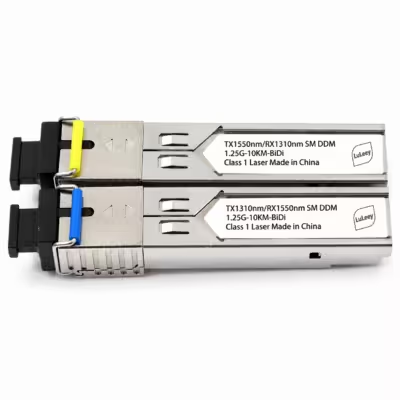
James pergunta: Um SFP+ BiDi é compatível com DDM?
Muitos módulos SFP+ BiDi são compatíveis com DDM. Quando compatíveis, eles normalmente podem fornecer as mesmas informações diagnósticas essenciais, como temperatura, potência de transmissão (TX), potência de recepção (RX), tensão e corrente de polarização.
Produtos relacionados
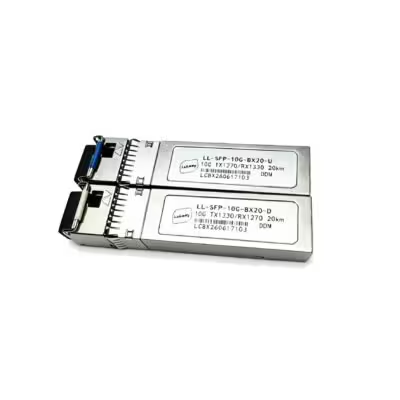
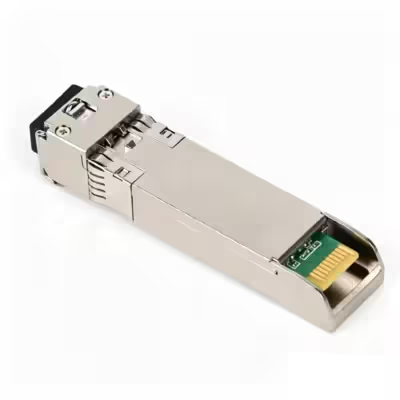
LL-SFP-10G-BX20 Transceptor SFP+ BiDi de 10 Gb/s, 20 km, LC, SMF, DDM
EUR €26.16Tags: 10G, 10G SFP+, BIDI, Transceptor BiDi, DDM, LC, Módulo óptico, módulo sfp, SFP+, Fibra monomodo, WDM
 SFP/SFP+ (1G/2,5G/5G/10G)
 SFP-T (1G/2,5G/10G)
 Cabo AOC 10G/25G/40G/100G
 Cabo DAC 10G/25G/40G/100G
 QSFP28 QSFP+ SFP28 100G/40G/25G
 Conversores de mídia de cobre para fibra
 Placa PCBA do conversor de mídia de fibra
 Conversores de mídia de fibra OEO
 Conversores de mídia serial para fibra
 Conversores de mídia de vídeo para fibra
 1000M GPON/EPON ONU
 10G EPON ONU/XG-PON/XGS-PON
 2,5G GPON/XPON STICK SFP ONU
 POE GPON/EPON ONU
 ONT GPON/EPON sem fio
 EPON OLT
 GPON OLT
 Módulo SFP PON
 Switches industriais
 Switches gerenciados
 Switches POE
 Switches não gerenciados
 Cabos de fibra MTP/MPO
 Cassetes de fibra óptica
 Loopback de fibra óptica
 Cabos ópticos e pigtails de fibra
 Divisores ópticos e caixas divisoras
 Conectores de flange de fibra
 Adaptadores ópticos
 Atenuador óptico
 Conector rápido e painel de conectores
 Amplificador CATV
 Receptor óptico CATV
 Localizador visual de falhas
 OTDR
OTDR Medidor de potência óptica
 Identificador de fibra óptica
 Limpadores de fibra óptica
 Cortadores de fibras e extratores de fibras
 Ferramentas de cobre


