Customs duties are the responsibility of customers, but standard logistics support DDP to most countries, duty-free such as US, DE, UK, CA, FR, IT, PL, AT, JP…





















































Start with the exact evidence shown by the host.
| Host observation | First stage to investigate | What it does not prove |
|---|---|---|
No insertion event, or Module Absent | Seating, cage contacts, presence sensing, port power, host driver | A dirty fiber connector caused the detection failure |
| Module present, but identity cannot be read | Serial management path, module memory, power, driver or bus access | The optical transmitter or receiver is defective |
| Vendor and part number are visible, but the host says unsupported or disables the port | Support policy, module coding, firmware, power class and port mode | The module is physically absent |
| Module identity is visible and accepted, but link stays down | PMD, rate, FEC, fiber, polarity, wavelengths, receive power and remote end | Detection failed |
| Link is up, but traffic fails | Counters, VLANs, forwarding, IP service and throughput limits | The module was not detected |
The current SNIA SFF-8419 specification assigns separate SFP contacts for module absence, the two-wire management interface, power, transmitter control and optical status. These functions are related, but they are not one test.
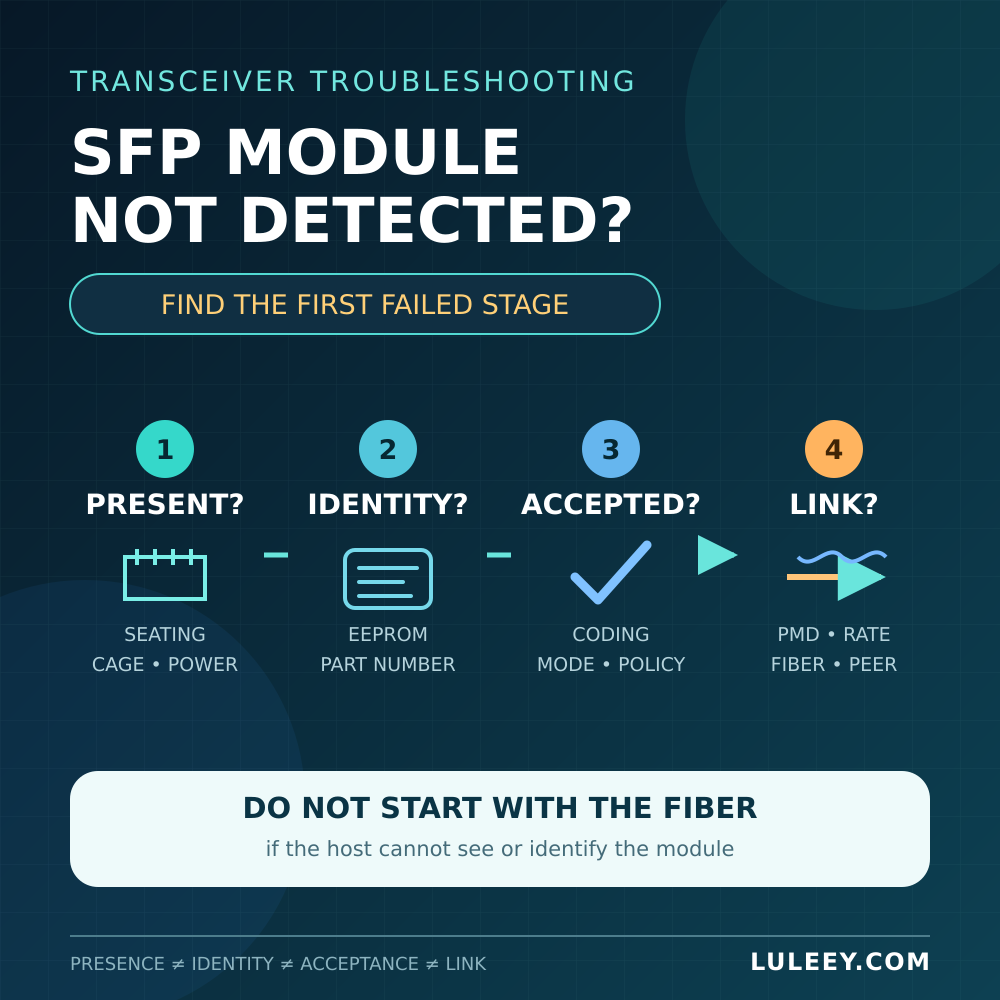
1. Confirm That the Host Sees the Insertion
Record the original state before touching production equipment. Save the host model, port number, firmware or driver version, port configuration, module label and exact error text. Note whether the message changes when the module is inserted or removed.
During an approved maintenance window:
- Follow the host’s hot-plug or power-down procedure.
- Remove the module, inspect the cage and module edge for obvious damage, and reinstall it fully without forcing it.
- Confirm that the latch closes and that the module is not blocked by a dust cap, cable boot or adjacent hardware.
- Wait for the host’s documented initialization interval, then collect a new event or status reading.
Do not probe, short or modify the module-presence contact. SFF-8419 defines Mod_ABS as a host indication that the module is absent. A bent cage contact, incomplete seating, missing port power or host-side problem can therefore prevent a normal presence indication before the optical path matters.
If the procedure allows cross-testing, change one item at a time. Try a known-good, host-supported module in the suspect cage, then try the target module in another known-good, compatible cage. Use a module with the correct electrical mode and power requirements; “it fits” is not a sufficient control sample.
2. Check Whether the Host Can Read Module Identity
Once presence is detected, ask whether the host can read the module’s management memory. SFF-8419 defines a two-wire serial interface, while SNIA SFF-8472 defines fields such as the physical identifier, vendor name, vendor OUI, part number, revision, serial number and date code for SFP-family modules.
If the host displays a plausible vendor and part number, it has progressed beyond simple module absence. That still does not prove that the high-speed electrical interface, optical PMD or link partner is compatible.
If presence is reported but the identity read fails, investigate:
- Stable cage power and the host’s port-power state
- Module seating and contact condition
- Host driver and firmware support for the management interface
- Whether another supported module can be read in that cage
- Whether the target module can be read in another compatible host
- Repeated bus or checksum errors in the host log
On Linux, the kernel’s ethtool netlink documentation defines requests for transceiver parameters and module EEPROM data. A user-space tool can receive only the bytes that the driver and hardware successfully expose. A failed read command alone is therefore not proof that the module memory is bad; the NIC driver or platform may not implement that access path.
Do not rewrite module identity data merely to make an unsupported warning disappear. Changed coding cannot add missing host SerDes modes, port power, thermal capacity or firmware support, and it makes later diagnosis harder.
3. Separate “Unsupported” from “Undetected”
If the host can display the module vendor, part number or serial number, the module is not truly invisible. An Unsupported Transceiver message usually moves the investigation to host policy and compatibility.
Check the exact combination, not just the brand or shell:
- Host model, line-card or NIC revision, and port number
- Host ASIC or PHY and supported SerDes modes
- Firmware, operating system and driver versions
- Module part number, hardware revision and EEPROM coding
- Required power and allowed operating temperature
- Configured port mode, actual rate and required FEC
- The host vendor’s supported-module and software-release notes
Some platforms warn but continue operating; others disable the transmitter or complete port. Do not assume one behavior applies to every host. Use only documented, authorized settings rather than an unverified command intended to bypass the host’s protection or support policy.
Firmware can change the supported-module list or driver behavior, but an update is not a harmless first test. Capture the existing evidence, read the release notes, follow change control and keep a recovery path.
4. Check Power, Temperature and Port Mode
A cage must power the module within the host’s limits. This matters especially for modules with more electronics or heat than a simple short-reach optical transceiver, such as some copper modules and ONU Sticks.
Check whether the host limits module power, disables an overheated port, or requires a particular mode before enabling the cage. LuLeey’s SFP temperature guide explains why case temperature, internal DDM temperature, airflow and the exact rated range must be kept separate.
The SFP, SFP+ or SFP28 label describes a form-factor family, not a complete compatibility decision. Physical fit, management access, host SerDes mode, configured or negotiated rate and usable throughput are separate checkpoints.
The same rule is important for a 2.5G PON ONU Stick. A 1G or 10G SFP+ port may carry the Stick at 1G only when both the Stick and host support a compatible 1G host mode. Some SFP+ ports can support 2.5G only with the right chipset or PHY, firmware or driver, port setting, module coding and Stick host mode. Detection alone does not prove PON registration or Internet service.
For a mixed 10G SFP+ and 2.5G copper design, LuLeey’s 10G SFP+ to 2.5G RJ45 compatibility guide shows why the host port, module chipset, rate matching, power and temperature all need independent checks.
5. Troubleshoot the Optical Link Only After Detection
When the host reads and accepts the module but reports no link, the fault domain has changed. Now check:
- The same Ethernet PMD and supported rate at both ends
- Required FEC, auto-negotiation and port-mode settings
- Single-mode or multimode fiber as specified for the exact optics
- Connector family and polish; do not mate APC and UPC
- Duplex TX-to-RX polarity or the correct complementary BiDi pair
- Wavelengths and the transmitter-to-receiver power window in each direction
- Remote transmitter state, remote host support and link alarms
A DDM reading is useful only after the module and host expose it. Not every module provides DDM, and a readable temperature or RX-power value is not an interoperability certificate. LuLeey’s DDM/DOM field guide explains the common fields and their limits.
Do not begin with repeated fiber cleaning when the host still says Module Absent. Cleaning can address contamination in the optical path; it cannot repair a cage-presence contact, management bus or missing driver.
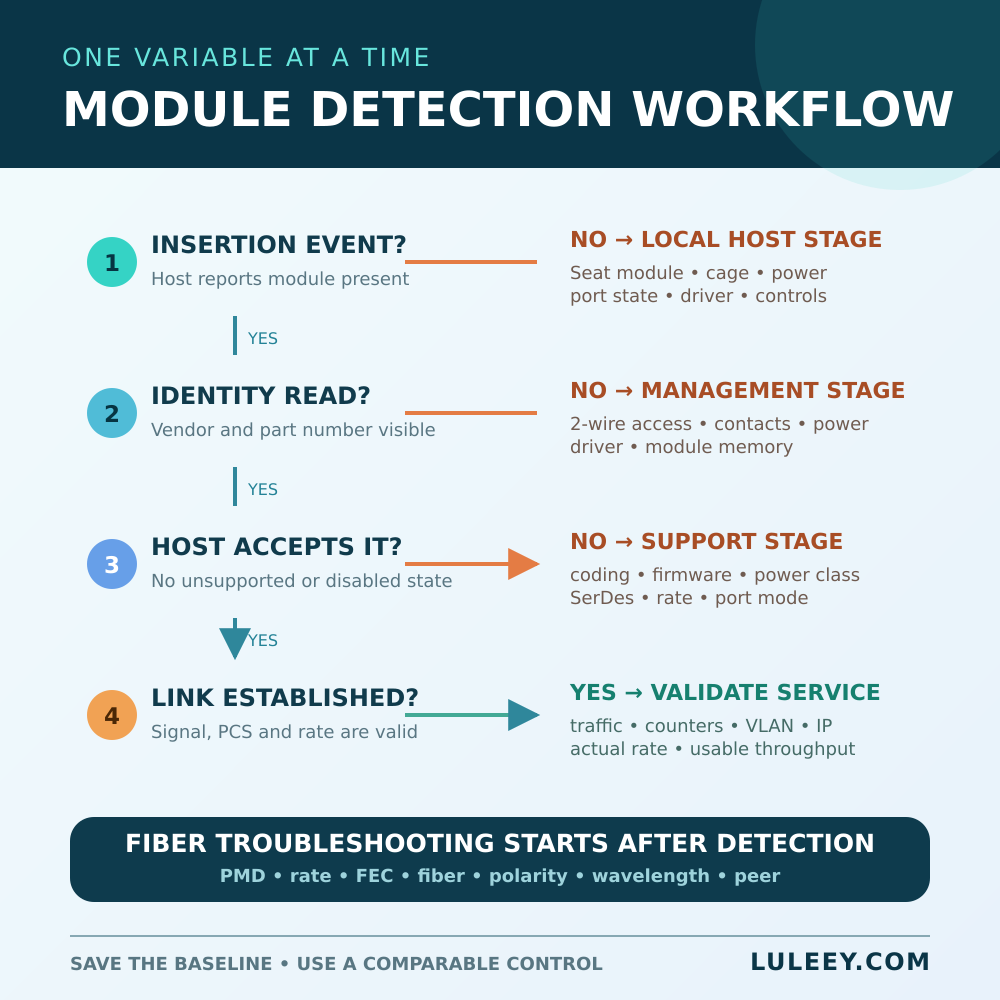
A Controlled Isolation Matrix
Use this matrix during a maintenance window, with one controlled change per test.
| Controlled result | Stronger next hypothesis | Still not proven |
|---|---|---|
| No supported module is detected in one cage | Cage, port power, port configuration, driver or host hardware | Every tested module is defective |
| Target module is unreadable in multiple compatible hosts, while controls work | Target module’s contacts, power behavior or management memory | Its optical transmitter is the cause |
| Target identity is readable everywhere but one host rejects it | Host support policy, coding, firmware, power or port mode | The cage cannot detect modules |
| Target is accepted and links in another identical setup | Original host mode, fiber path, peer or local environment | Universal compatibility with all ports |
| Identity is readable and accepted, but link is down at both ends | Optical PMD, rate, FEC, fiber, polarity, power or peer state | Detection is the problem |
Keep the controls genuinely comparable. A known-good 1G SFP does not prove that the same cage supports a 2.5G host mode, a high-power copper transceiver or a particular ONU Stick.
 SFP/SFP+ (1G/2.5G/5G/10G)
 SFP-T (1G/2.5G/10G)
 AOC Cable 10G/25G/40G/100G
 DAC Cable 10G/25G/40G/100G
 QSFP28 QSFP+ SFP28 100G/40G/25G
 Copper to Fiber Media Converters
 Fiber Media Converter PCBA Board
 OEO Fiber Media Converters
 Serial to Fiber Media Converters
 Video to Fiber Media Converters
 1000M GPON/EPON ONU
 10G EPON ONU/XG-PON/XGS-PON
 2.5G GPON/XPON STICK SFP ONU
 POE GPON/EPON ONU
 Wireless GPON/EPON ONT
 EPON OLT
 GPON OLT
 SFP PON Module
 Industrial Switches
 Managed Switches
 POE Switches
 Unmanaged Switches
 MTP/MPO Fiber Cables
 Fiber Optic Cassettes
 Fiber Optic Loopback
 Optic Cables and Fiber Pigtails
 Optical Splitters and Splitter Box
 Fiber Flange Connectors
 Optical Adapters
 Optical Attenuator
 Quick Connector and Connector Panel
 CATV Amplifier
 CATV Optical Receiver
 Visual Fault Locator
 OTDR
OTDR Optical Power Meter
 Fiber Optic Identifier
 Fiber Optic Cleaners
 Fiber Cleavers & Fiber Strippers
 Copper Tools


