Customs duties are the responsibility of customers, but standard logistics support DDP to most countries, duty-free such as US, DE, UK, CA, FR, IT, PL, AT, JP…





















































Yes—a 10G SFP+ Port Connect to 2.5G RJ45 connection can work when the copper transceiver supports 2.5GBASE-T on its RJ45 side and rate matching on its host side. It is not a universal feature of every 10G copper module or every SFP+ port.
The SFP+ host link may remain at 10G while the RJ45 link negotiates at 2.5G. The module sits between them, buffering traffic and managing the rate difference. Your operating system may therefore show a 10G SFP+ link even though end-to-end traffic is limited by the 2.5G copper connection.
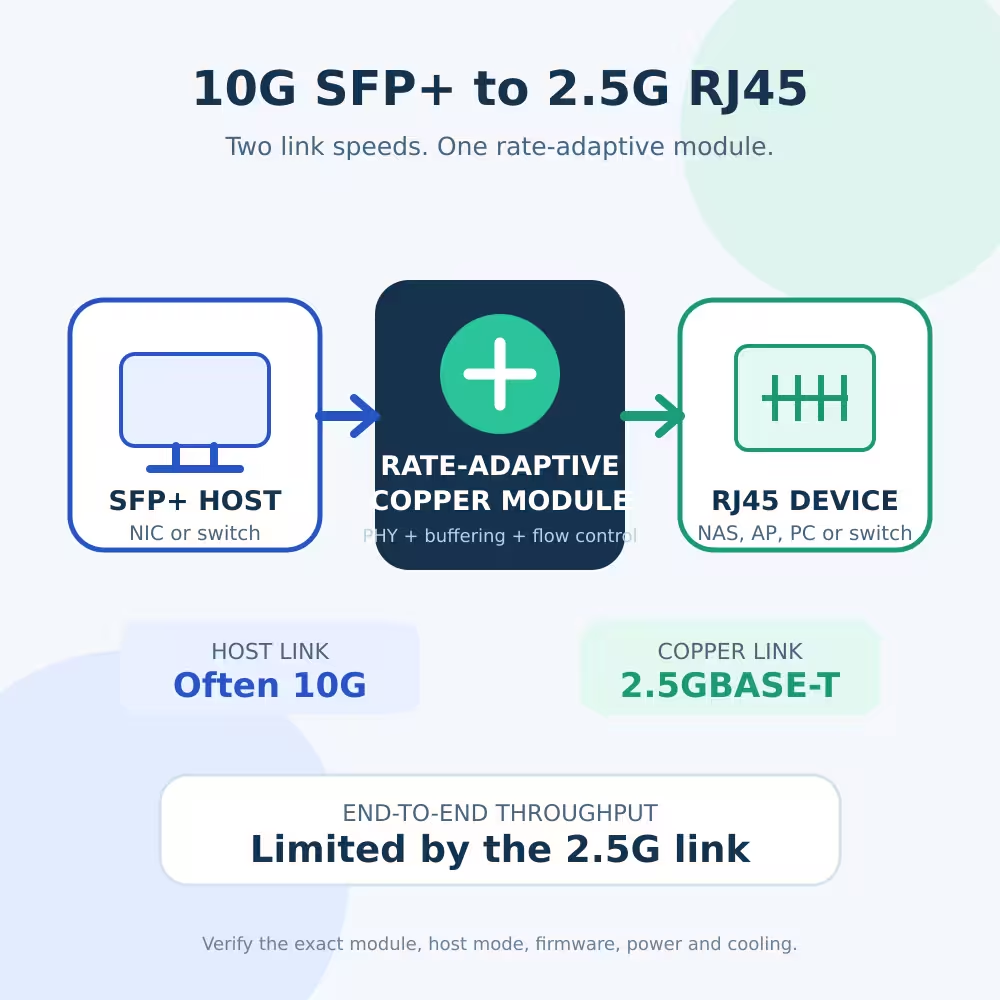
The Two Sides Can Run at Different Speeds
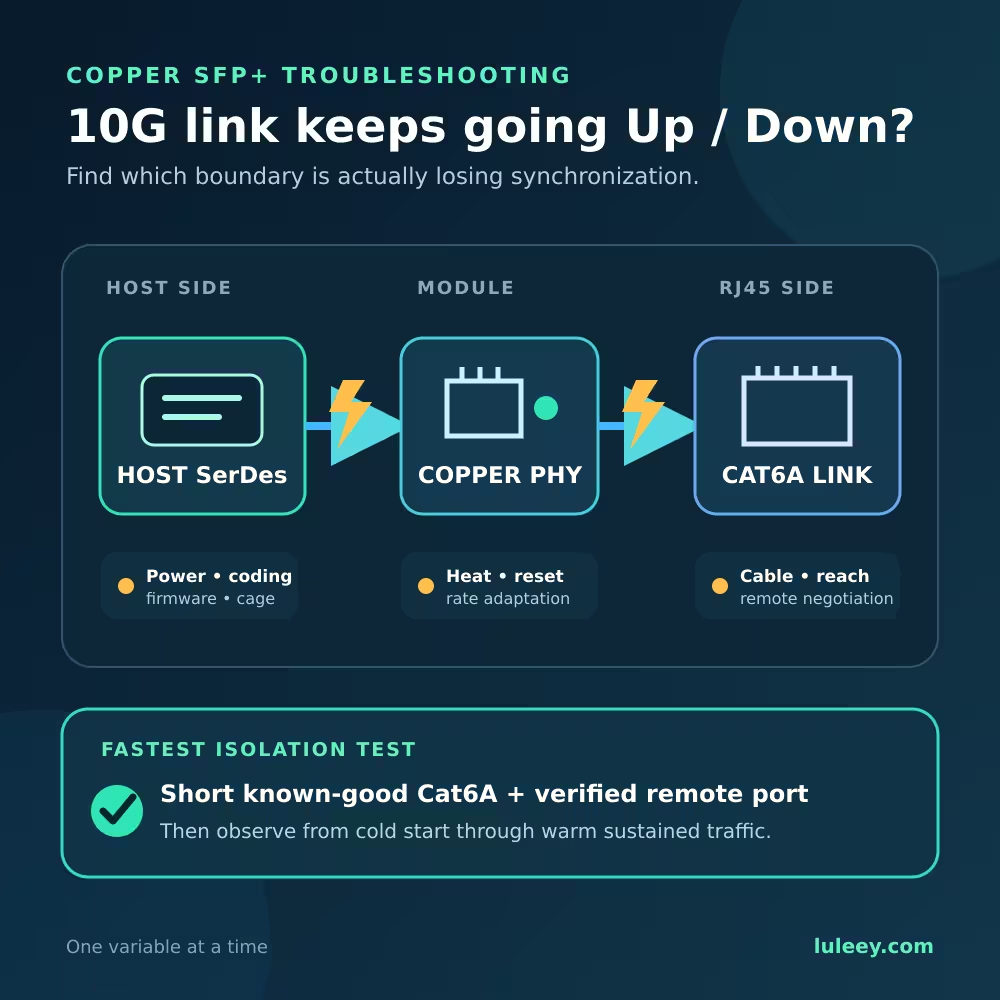
A copper SFP+ transceiver is more than a passive plug adapter. Inside the module is an Ethernet PHY connecting two separate links:
| Link | Example speed | What it connects |
|---|---|---|
| Host side | 10G | NIC or switch SFP+ cage to the module |
| Copper side | 2.5GBASE-T | Module RJ45 port to the 2.5GbE device |
| End-to-end path | Up to 2.5G | Limited by the slower link |
Imagine a server with a 10G-only SFP+ NIC and a NAS with a 2.5GbE RJ45 port. A suitable module can maintain a 10G host-side link and negotiate 2.5GBASE-T with the NAS. The module then performs rate matching between the two sides.
This is different from asking the NIC itself to operate its SFP+ SerDes at 2.5G. Whether the host can directly switch to a 2.5G SerDes mode is a separate, model-specific question.
How 10G SFP+ to 2.5G RJ45 Rate Matching Works
When traffic travels from the 2.5G device toward the 10G host, the faster host link can normally empty the module’s receive buffer quickly.
The more difficult direction is from the 10G host toward the 2.5G device. The host can send data faster than the copper side can transmit it.
A rate-matching PHY uses buffering and flow control to handle this mismatch. Marvell documents that its CUX3610 PHY supports XFI rate matching for 5G, 2.5G, 1G, 100M and 10M copper rates, with in-band flow control. It also lists XFI, USXGMII, 5GBASE-R, 2.5GBASE-X and SGMII host interfaces.
These capabilities explain how a properly designed module can support several link modes. They do not guarantee that every finished module exposes every mode on every host.
If the host continuously sends near 10Gbps toward a 2.5Gbps receiver, no finite buffer can absorb the difference forever. Ethernet pause handling, driver behavior and traffic patterns matter. Without working flow control or higher-layer congestion control, packet drops can occur under sustained oversubscription.
Why Your System May Report 10G
It can be normal for the two endpoints to report different rates:
- The server or switch reports 10G because that is its link to the module.
- The RJ45 device reports 2.5G because that is its negotiated copper link.
- A throughput test reaches less than 2.5Gbps because Ethernet, IP, TCP and test-system overhead reduce useful payload throughput.
A 10G status on the host is not proof of a 10Gbps end-to-end path. Check both endpoints and measure traffic in both directions.
Does Every Multi-Rate 10GBase-T SFP+ Module Work This Way?
No. “10G SFP+ copper” and even “multi-rate” are not enough information.
Some modules support a fixed 10G host link with lower copper rates through internal rate matching. Others expect the host to change its SerDes speed. Some hosts reject an otherwise capable module because of EEPROM coding, firmware policy, power limits or thermal constraints.
The exact chip also matters. On LuLeey’s 10GBASE-T SFP+ to RJ45 copper module page, the CUX3610 and CUX3510 variants are listed for 1.25G, 2.5G, 5G and 10G operation, while the 88X3310 variant is listed as 10G only. The variants should not be treated as interchangeable.
Even when the PHY silicon supports rate matching, the finished module’s firmware, board design and EEPROM configuration still matter. The host must accept the module and provide sufficient power and cooling.
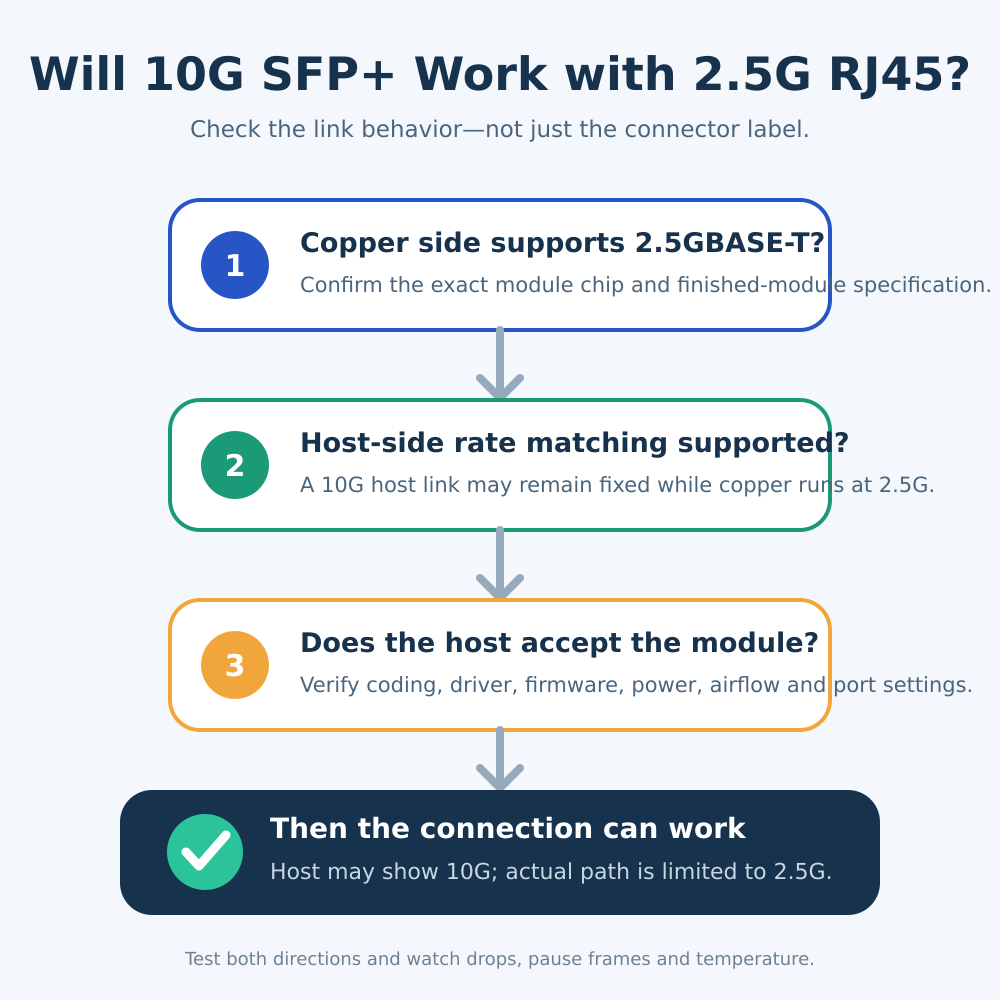
Check These Items Before You Buy
1. Identify the exact host
Record the NIC or switch model, hardware revision, firmware, driver and port configuration. “Intel 10G NIC” or “SFP+ switch” is not specific enough.
2. Confirm the copper-side rates
The module specification must explicitly include 2.5GBASE-T. A module that only supports 10G and 1G may not establish a 2.5G copper link.
3. Confirm the host-side behavior
Look for wording such as XFI rate matching, 10G host with multi-rate copper, or a verified compatibility statement for the exact host.
If the module requires 2.5GBASE-X or another 2.5G host mode, a 1G/10G-only host may not work.
4. Verify module coding and host policy
Some systems accept generic modules; others require supported vendor coding or display warnings. Coding acceptance is independent of the module’s electrical capability.
5. Check power and temperature
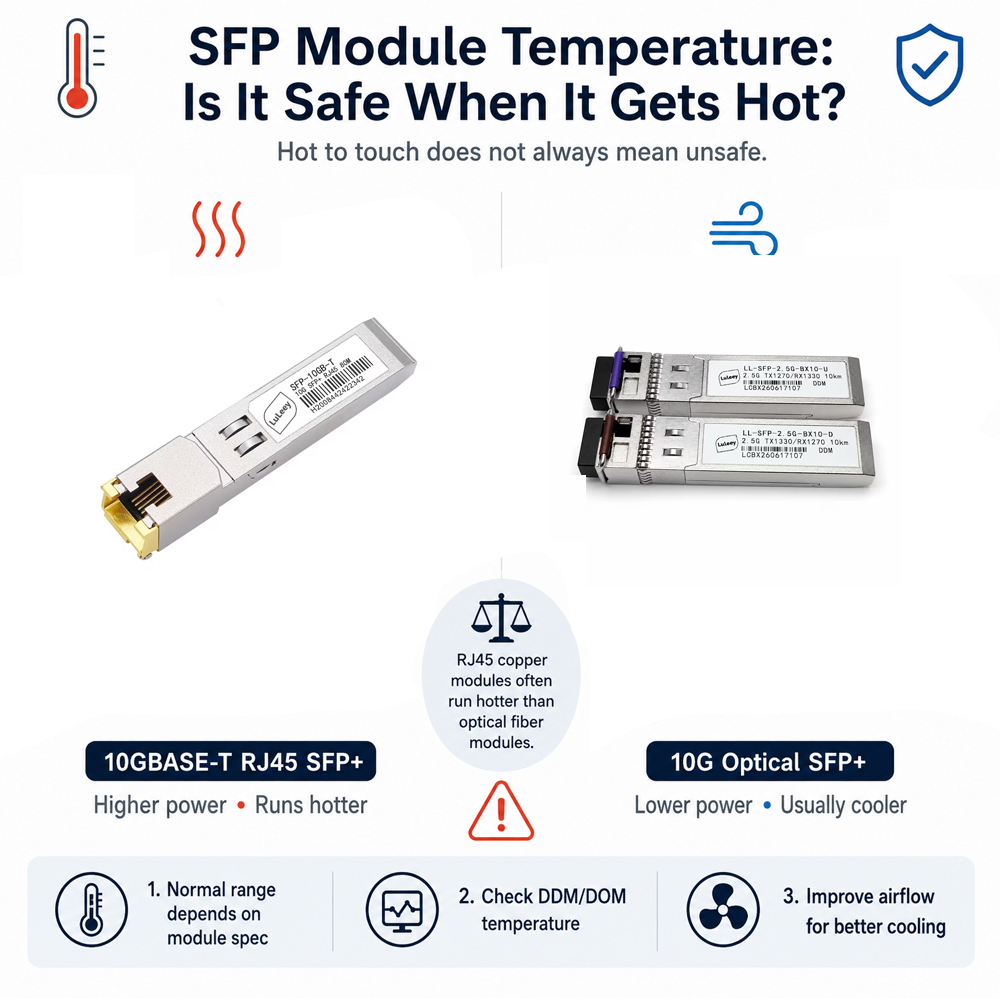
10GBASE-T copper modules generally consume more power and run hotter than optical SFP+ modules. Confirm:
- Per-cage power allowance
- Airflow requirements
- Supported ambient temperature
- Restrictions on using adjacent ports
6. Check flow control
Rate matching can depend on pause-frame behavior. Verify the module documentation and host flow-control settings instead of assuming that one universal configuration will work everywhere.
7. Use suitable cabling
IEEE 802.3bz defines 2.5GBASE-T and 5GBASE-T. These rates were designed to make better use of installed balanced twisted-pair cabling.
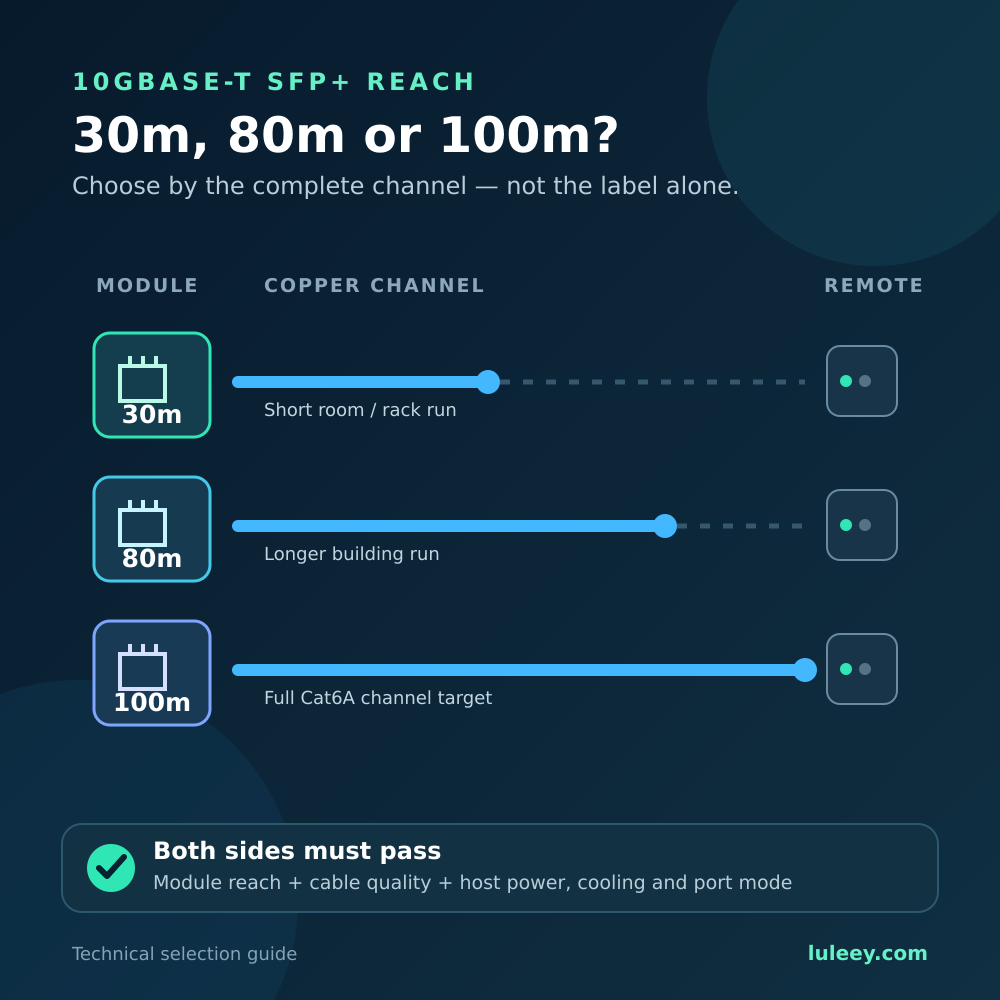
Cable condition, length, patch panels and the finished module’s specified reach still matter. Follow the finished module specification rather than applying the PHY chip’s theoretical maximum.
How to Test the Connection
- Check module detection. Confirm that the host detects the transceiver without unsupported-module or power warnings.
- Read both link rates. The host may show 10G while the RJ45 peer shows 2.5G.
- Test both directions. Run
iperf3from host to peer and then from peer to host. - Watch interface counters. Check drops, pause frames, CRC errors, retries and link flaps.
- Monitor temperature. Read module temperature if diagnostics are available or follow the host vendor’s thermal guidance.
- Repeat after rebooting. Confirm that the connection returns correctly after both endpoints restart.
The expected result is not “10G everywhere.” It is:
- A stable host-side link
- A stable 2.5G copper link
- Realistic sub-2.5Gbps application throughput
- No abnormal growth in error counters
What to Check If the Link Does Not Come Up
The host does not detect the module
Possible causes include unsupported coding, excessive power demand, incompatible firmware, a disabled port or a damaged cage.
Check the host’s transceiver policy and use only firmware approved for the exact device.
The host detects the module, but the RJ45 link stays down
Confirm that the selected module variant supports 2.5GBASE-T. Try a short, known-good cable and verify that the copper peer supports auto-negotiation and 2.5GbE.
The link works only at 1G
The module, peer, cable channel or configuration may be falling back. Test the peer with another known 2.5GbE port and inspect the module’s supported-rate table.
The link drops under load
Inspect temperature, airflow, pause counters, packet drops and the host’s power budget. A stable idle connection does not prove that rate matching will remain stable under sustained traffic.
When an External Media Converter Is Better
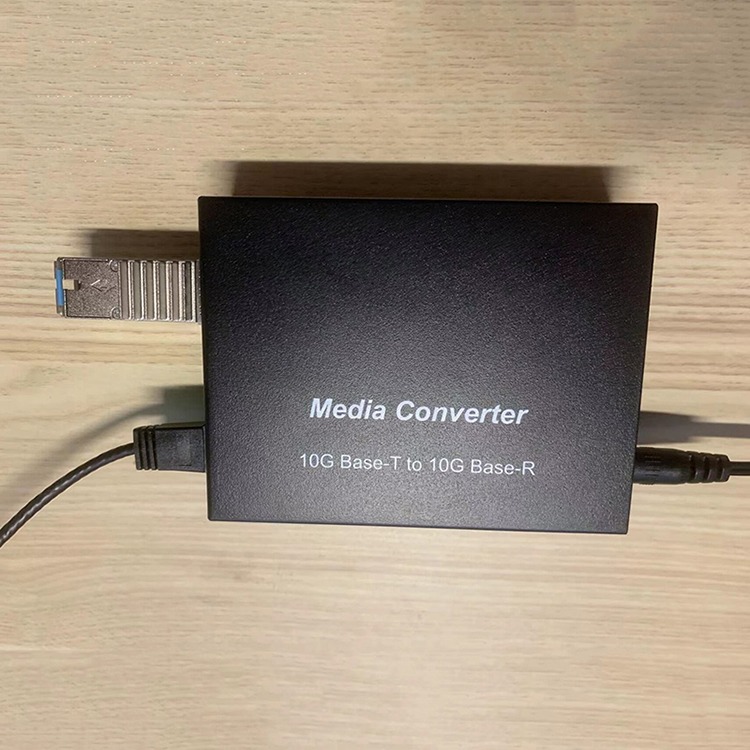
An external converter can be easier to cool and may expose clearer status indicators. It can also help when the host rejects copper SFP+ modules or cannot supply enough power.
However, both interfaces still require verification. LuLeey’s 10G SFP+ to RJ45 media converter lists a multi-rate RJ45 port and a 10G/2.5G SFP+ port.
Compatibility still depends on the installed optical module, AOC or ONU stick and the exact host mode. A converter does not remove the need to verify both links.
Final Answer
A 10G SFP+ port can connect to a 2.5G RJ45 device when the selected copper module supports 2.5GBASE-T and can match that copper rate to a host mode supported by the NIC or switch.
The host may remain linked at 10G, while the RJ45 side negotiates at 2.5G and limits usable throughput.
Before ordering, provide LuLeey with the exact host model, firmware or driver version, module variant, cable length and RJ45 peer model. That information is more useful than asking whether “SFP+ supports 2.5G” in general.
 SFP/SFP+ (1G/2.5G/5G/10G)
 SFP-T (1G/2.5G/10G)
 AOC Cable 10G/25G/40G/100G
 DAC Cable 10G/25G/40G/100G
 QSFP28 QSFP+ SFP28 100G/40G/25G
 Copper to Fiber Media Converters
 Fiber Media Converter PCBA Board
 OEO Fiber Media Converters
 Serial to Fiber Media Converters
 Video to Fiber Media Converters
 1000M GPON/EPON ONU
 10G EPON ONU/XG-PON/XGS-PON
 2.5G GPON/XPON STICK SFP ONU
 POE GPON/EPON ONU
 Wireless GPON/EPON ONT
 EPON OLT
 GPON OLT
 SFP PON Module
 Industrial Switches
 Managed Switches
 POE Switches
 Unmanaged Switches
 MTP/MPO Fiber Cables
 Fiber Optic Cassettes
 Fiber Optic Loopback
 Optic Cables and Fiber Pigtails
 Optical Splitters and Splitter Box
 Fiber Flange Connectors
 Optical Adapters
 Optical Attenuator
 Quick Connector and Connector Panel
 CATV Amplifier
 CATV Optical Receiver
 Visual Fault Locator
 OTDR
OTDR Optical Power Meter
 Fiber Optic Identifier
 Fiber Optic Cleaners
 Fiber Cleavers & Fiber Strippers
 Copper Tools


