Customs duties are the responsibility of customers, but standard logistics support DDP to most countries, duty-free such as US, DE, UK, CA, FR, IT, PL, AT, JP…





















































Choosing between a 30m vs 100m 10GBase-T SFP+ module is not just a matter of buying the longest reach. An 80m or 100m module must fit the host’s electrical, power, cooling, firmware and coding requirements, while the copper channel must support the requested data rate over its full length.
The safest rule is simple: measure the complete channel, choose a module rated for at least that distance, use cable appropriate for 10GBASE-T, and verify the exact host/module combination. A 100m rating in the Ethernet cabling standard does not automatically make a 30m SFP+ copper module a 100m module.
For a new 80m or 100m 10G installation, Cat6A is the practical baseline. For a short rack or room link, a 30m module may be sufficient, but only if every patch cord and horizontal-cable section fits inside that total.
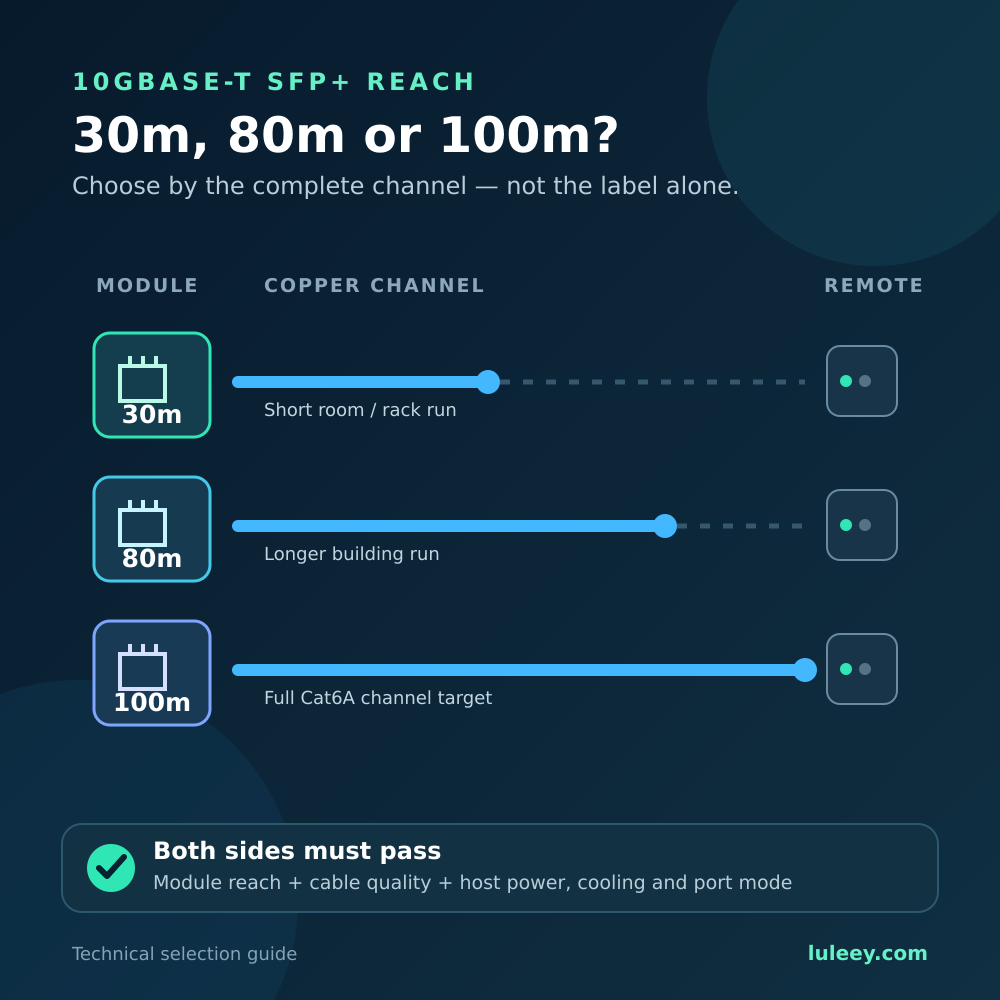
30m vs 100m 10GBASE-T SFP+: Quick Decision Table
| Your situation | Sensible starting point | What still needs verification |
|---|---|---|
| Same rack or nearby room, total channel under 30m | 30m module | Host support, Cat6A channel, airflow and negotiated rate |
| Building link between 30m and 80m | 80m module | Full route length, cable performance, host power and cooling |
| Cat6A channel between 80m and 100m | 100m module | Exact variant, host approval, certification and thermal margin |
| Existing Cat6 route longer than 55m | Do not assume reliable 10G | Test the channel or upgrade it to Cat6A |
| Far end supports only 2.5G or 5G | Multi-rate module may help | Copper negotiation, host SerDes and rate adaptation |
| Dense fanless switch | Distance alone cannot decide | Power allowance, airflow, cage density and chassis limits |
These are planning guidelines, not universal compatibility guarantees. A switch, router, NIC or media-converter manual can impose a shorter reach, power restriction or limit on adjacent copper modules.
Why 10GBASE-T Can Reach 100m but Some SFP+ Modules Cannot
IEEE 802.3an defines 10GBASE-T for balanced twisted-pair cabling. The Ethernet Alliance summarizes the familiar cabling targets as up to 55m on Category 6 and up to 100m on Category 6A, 7 or 7A.
These figures describe a compliant end-to-end 10GBASE-T channel—not every SFP+ transceiver that can produce a 10GBASE-T signal.
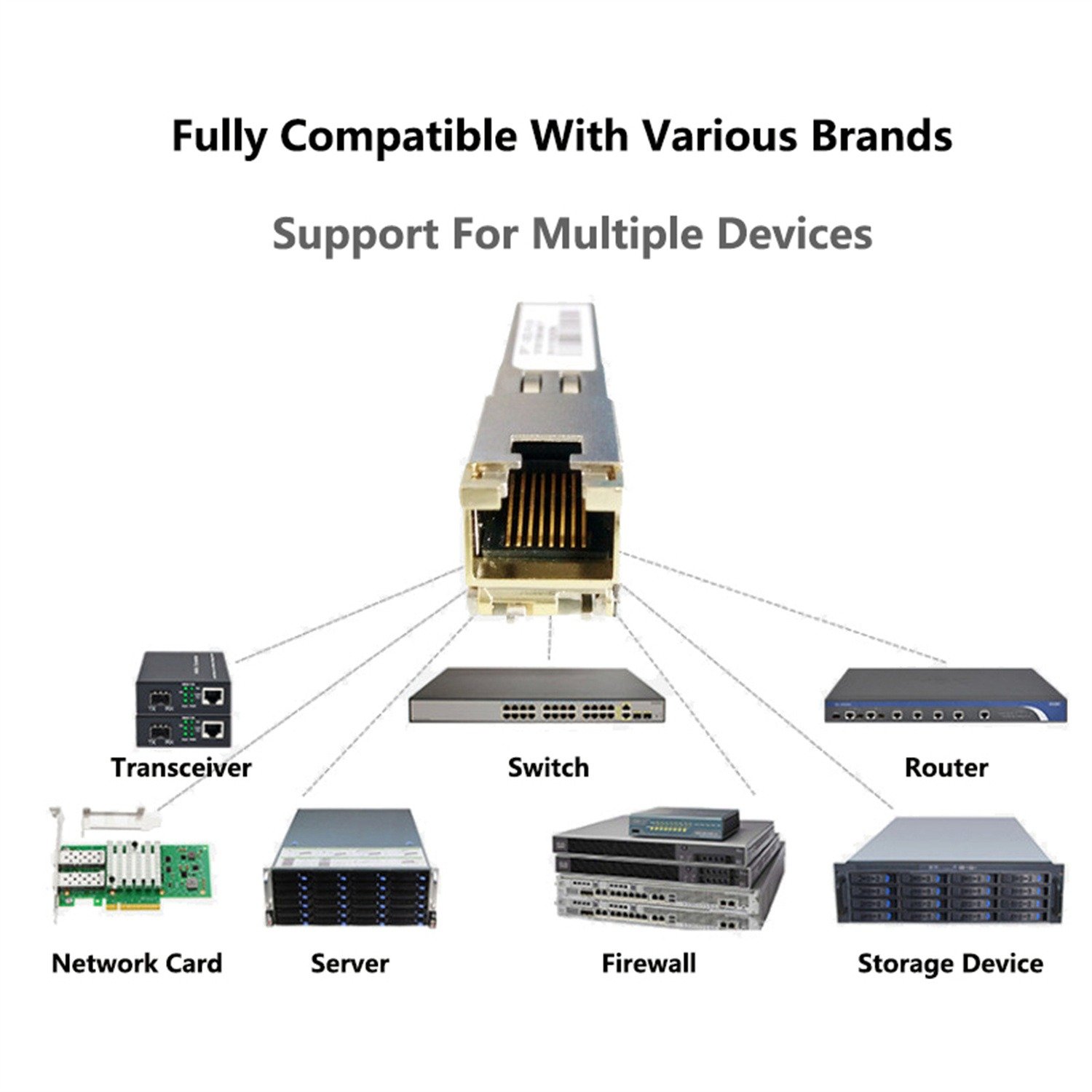
An RJ45 switch port has its PHY, magnetics, power delivery and heat-spreading design built into the chassis. A Copper SFP+ module must place much of that functionality inside a small pluggable enclosure and draw power through the SFP+ host interface.
The SFP+ specification therefore matters. SNIA’s SFF-8431 documentation defines host/module power levels and explicitly connects them with system power-supply and cooling capacity. Physical insertion alone does not establish enough power or cooling for a long-reach copper PHY.
Newer silicon and module designs can extend copper reach within the same form factor. That is why 30m, 80m and 100m products can all exist. The distance specified for the selected module remains its limit.
References: Ethernet Alliance: 10GBASE-T Revamped and SNIA SFF-8431 SFP+ specification.
What Does the 30m, 80m or 100m Rating Include?
Treat the reach as the maximum copper channel between the module’s RJ45 interface and the remote copper port. Count the whole path:
- Equipment cords at both ends
- Horizontal or in-wall cable
- Patch-panel connections
- Couplers or consolidation points
- Service loops remaining in the channel
Do not measure only the straight-line distance between rooms. A route that looks like 72m on a floor plan can exceed 80m after risers, cabinet routing and patch cords are included.
Distance is not the only cable variable. Performance depends on insertion loss, return loss, pair balance and crosstalk. Poor terminations, untwisted pairs, damaged cable, dense bundles or unsuitable patch cords can make a nominally short route fail.
For an 80m or 100m design, specify Cat6A components throughout and certify the installed channel. A continuity tester can find opens and wire-map errors, but it does not certify 10GBASE-T performance.
Can Cat6 Run 10GBASE-T for 80m or 100m?
Do not design a new 80m or 100m 10G link around ordinary Cat6.
The commonly cited Category 6 reach for 10GBASE-T is up to 55m under supported cabling conditions. Alien crosstalk and installation quality matter, so even 55m is not a promise for every older Cat6 route. Cat6A was developed to support the full 100m channel more consistently.
An existing Cat6 link may negotiate at 10G, but link-up is not certification. Check packet errors and retraining under sustained bidirectional traffic and normal temperature and interference conditions.
If replacing the cable is impossible, a stable 5G, 2.5G or 1G link may be more useful than an unstable 10G link. Whether the module and host support that fallback must be verified on both sides of the module.
A Longer-Reach Module Does Not Fix a Bad Channel
A 100m module cannot repair:
- A split pair or incorrect termination
- Excessive untwisting at a connector
- Damaged or sharply bent copper cable
- A mixed channel containing weak components
- Excessive alien crosstalk
- An unsupported SFP+ host
- Insufficient host power or airflow
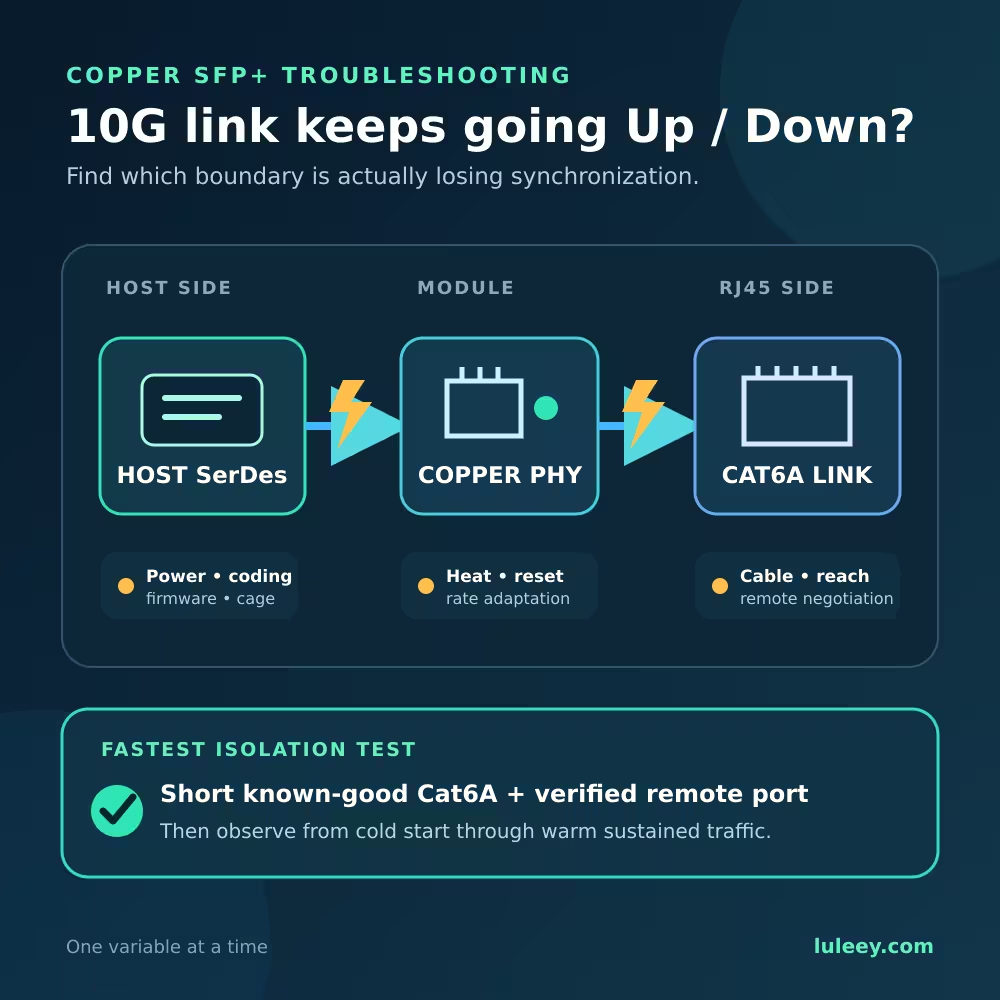
If a 30m route is unstable, buying a 100m module without testing the channel may hide the real issue. First verify the cable, remote port, negotiated speed, host logs and error counters.
Unlike long-reach optical modules, a longer copper reach label does not itself imply an optical receiver-overload risk on a short cable. A 100m copper module should still not be selected automatically because it may have different host power, cooling, coding or firmware requirements.
Does a 100m Copper SFP+ Always Run Hotter?
No conclusion can be drawn from reach or chip name alone.
Module temperature depends on the complete design:
- PHY generation and firmware
- Voltage regulation and board layout
- Magnetics and RJ45 implementation
- Negotiated copper speed
- Cable length and quality
- Host power mode
- Cage temperature and airflow
- Adjacent active modules
- Ambient temperature and traffic
A newer 100m design may be more efficient than an older short-reach design, while a dense fanless chassis can make either one run hot. Marketing terms such as “low power” or the presence of a particular PHY do not replace a controlled module-level test.
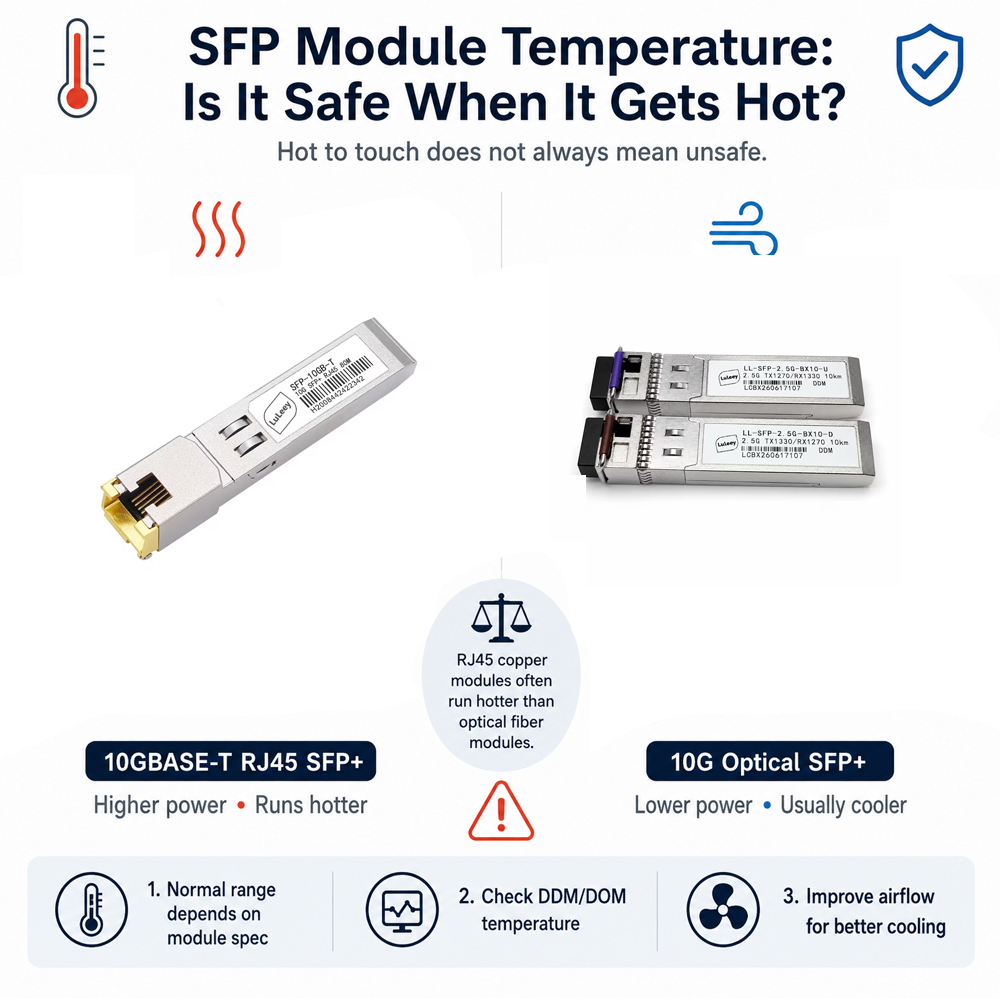
To compare two variants fairly, use the same host and cage, cable, remote port, negotiated rate, ambient temperature and warm-up period. Record temperature at the same case location, repeat at idle and under sustained traffic, monitor error counters, and swap test order or ports to reduce airflow bias.
If the host exposes a temperature reading, treat it as one input rather than proof. Sensor availability, placement, calibration and host interpretation can differ. LuLeey’s guide to SFP module temperature explains why a case feeling hot is not a complete pass/fail test.
Check Compatibility at Both Sides of the Module
A 10GBASE-T SFP+ is a bridge between two different interfaces:
- The host-side electrical interface inside the SFP+ cage
- The twisted-pair Ethernet interface at the RJ45 connector
Verify:
- Physical cage: The module fits an SFP+ form-factor port.
- Host SerDes: The port supports the electrical mode required by the module.
- Power and cooling: The chassis can power and cool the module at the intended cage density.
- Firmware and coding: The host accepts and enables the module correctly.
- Copper-side rates: The module supports the required Ethernet mode.
- Rate adaptation: The module supports any required difference between host-side and copper-side rates.
- Actual result: Confirm the negotiated rate and usable throughput.
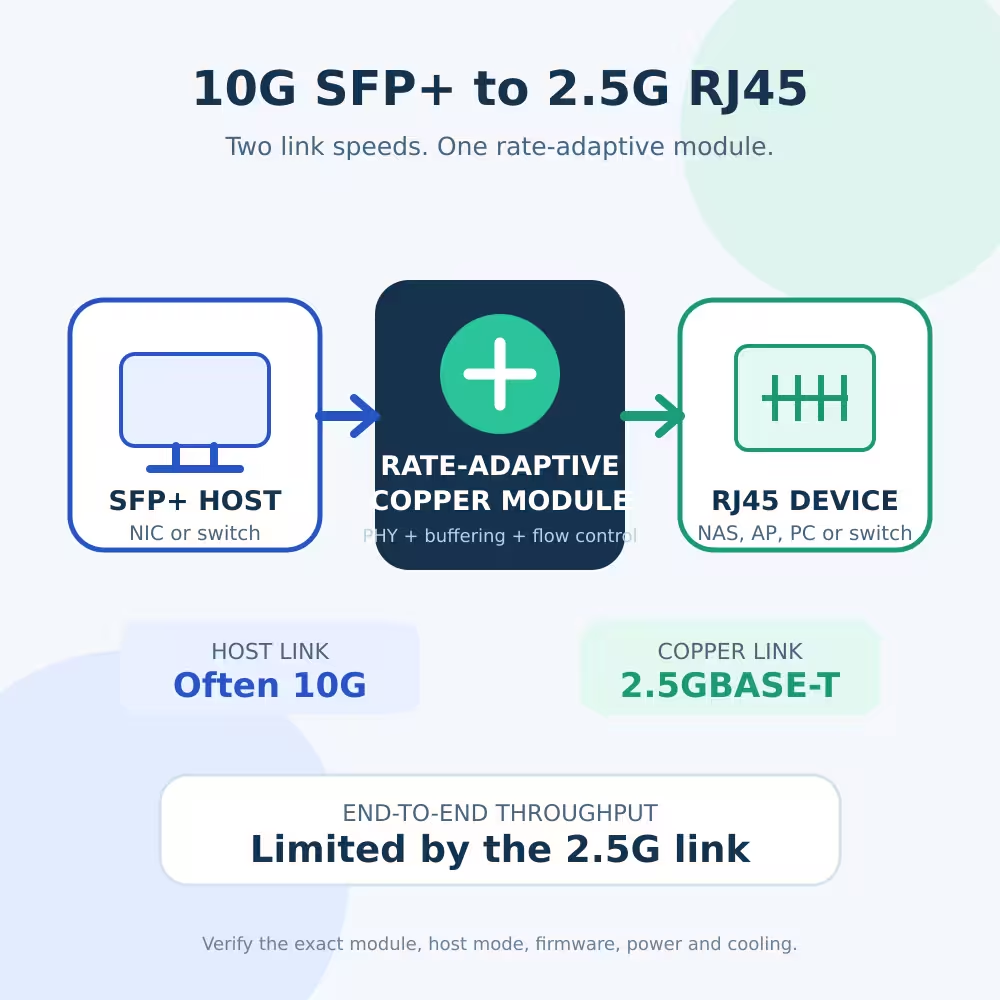
Some multi-rate copper modules maintain a 10G host-side connection while the RJ45 side negotiates a lower rate. Other combinations require a matching host mode or do not support the desired rate.
LuLeey’s article Can a 10G SFP+ Port Connect to 2.5G RJ45? explains this distinction.
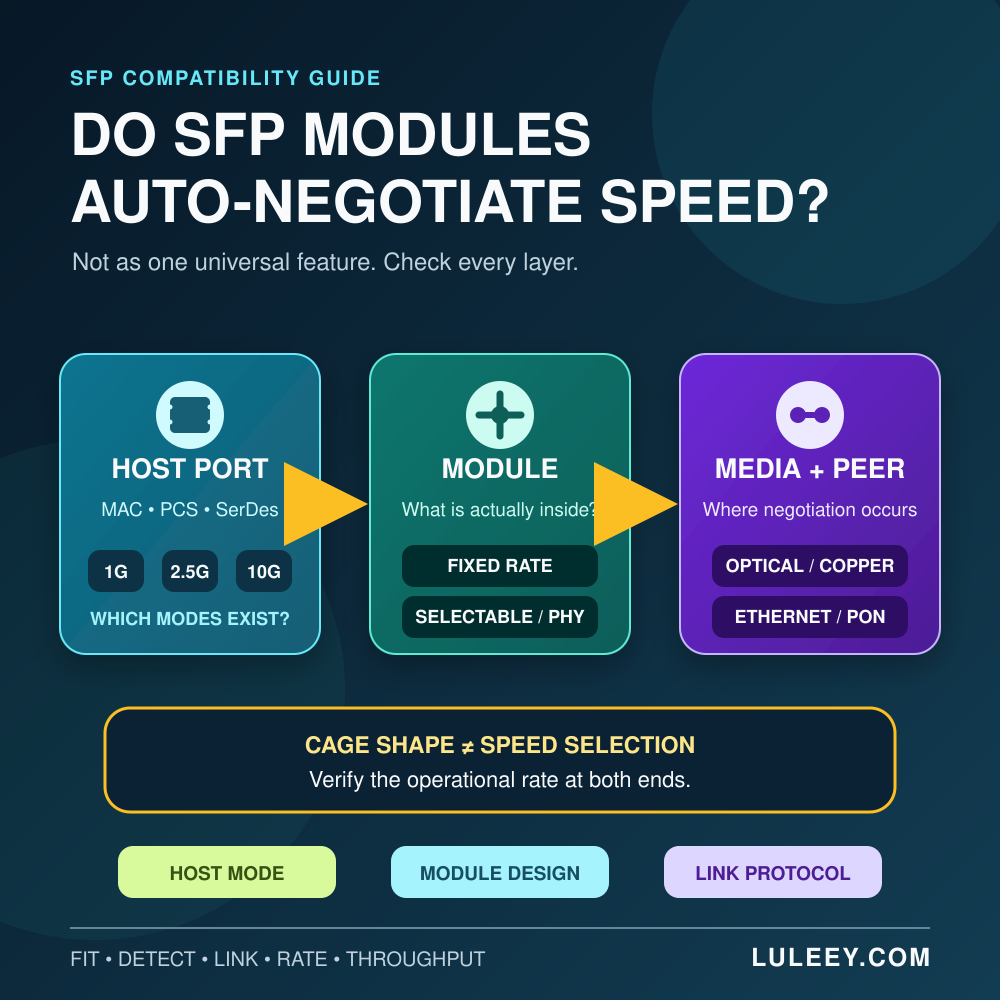
Module detection is not the same as a working data path. A switch may read the module EEPROM while the host SerDes, copper negotiation or rate adaptation remains incorrect.
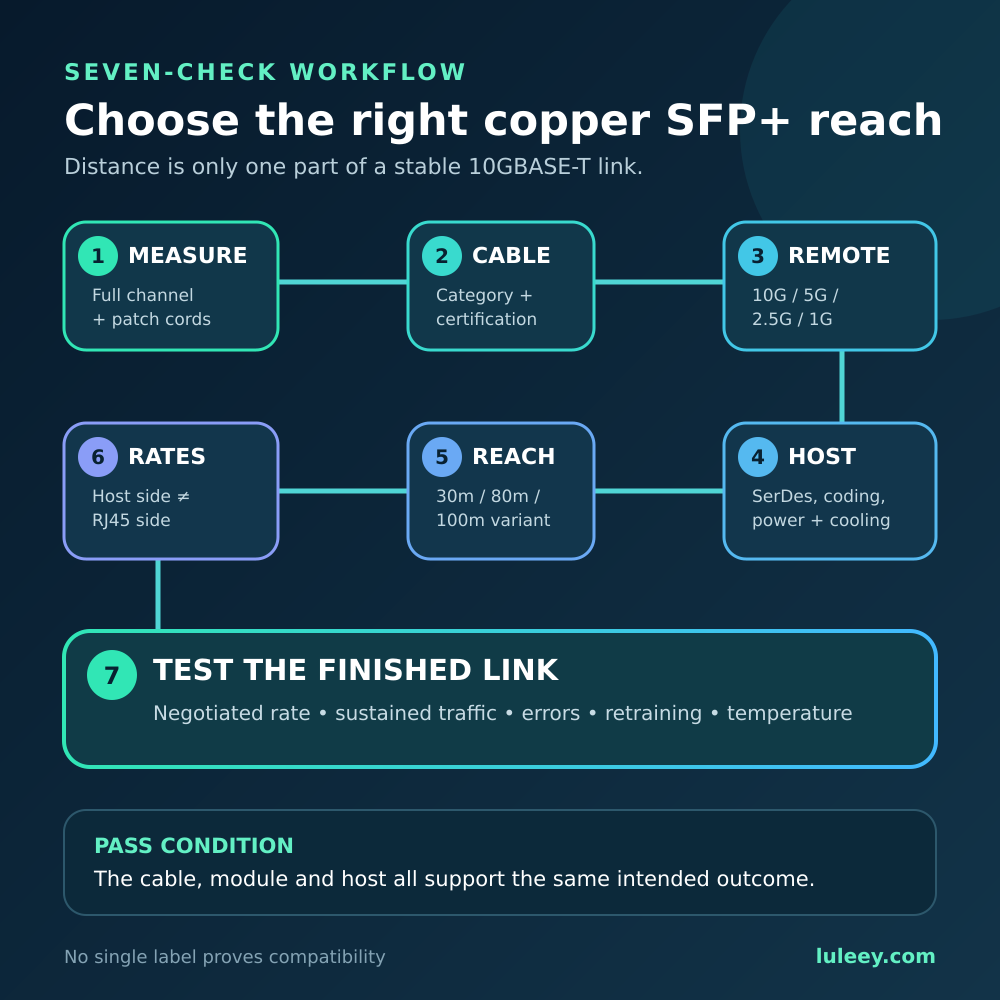
How to Choose the Right Reach in Seven Steps
Step 1: Measure the full channel
Include every patch cord, panel route and service loop. Add reasonable installation margin, but do not use margin as permission to exceed the module rating.
Step 2: Identify the cable category and condition
For new links approaching 100m, use Cat6A. For an existing route, obtain a cable-certification result rather than relying only on jacket printing.
Step 3: Confirm the remote port
Record whether the far end supports 10GBASE-T, 5GBASE-T, 2.5GBASE-T or 1000BASE-T and whether auto-negotiation is enabled.
Step 4: Verify the exact host
Check the device model, hardware revision and firmware. Confirm copper-SFP+ support, power allowance, cooling guidance and limits on adjacent cages.
Step 5: Select sufficient module reach
Choose 30m only when the complete channel remains within 30m. Choose 80m for channels beyond 30m but within its verified limit. Choose 100m when the route requires it and the host supports the exact module.
Step 6: Verify both interface rates
Do not stop at “SFP+” or “multi-rate.” Confirm the host SerDes mode, rate-adaptation behavior, remote copper rate and actual negotiation.
Step 7: Test the finished link
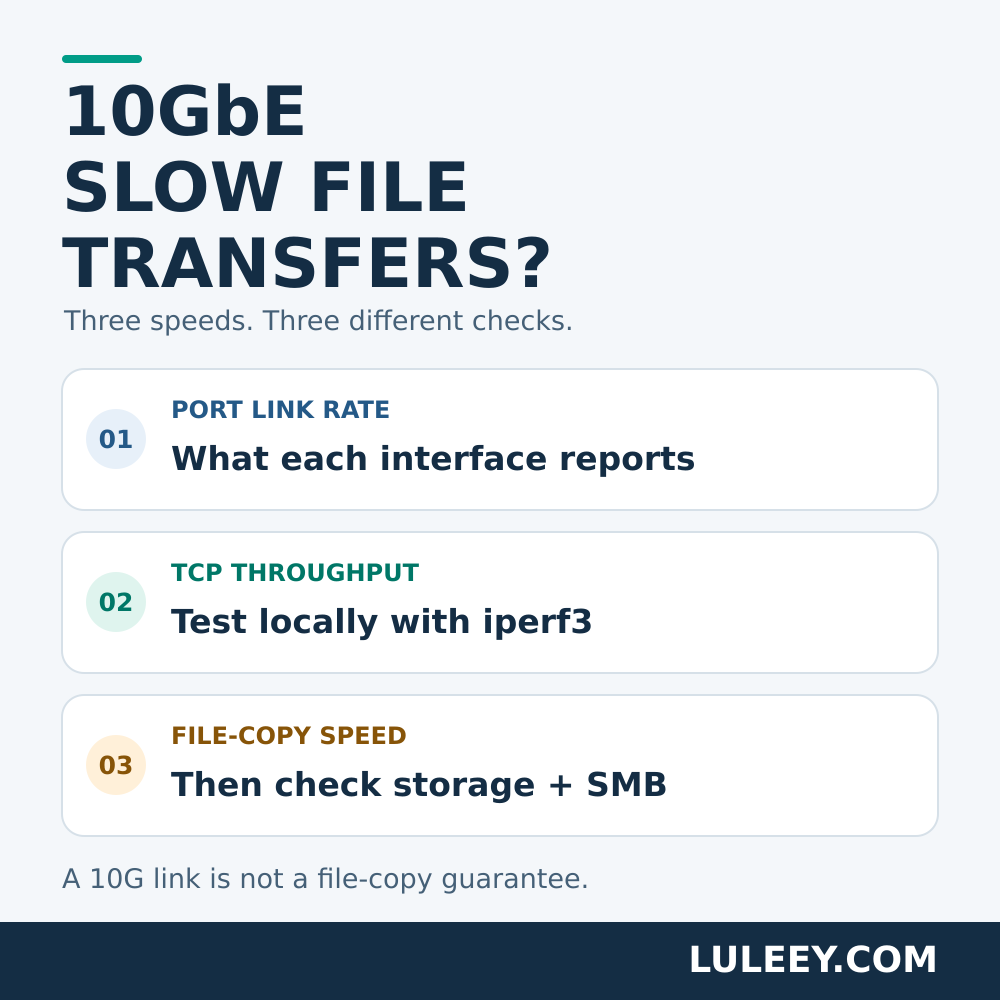
After warm-up, check negotiated speed, stability, packet errors, retraining, temperature alarms and sustained bidirectional throughput. A single speed-test result does not identify the limiting layer.
LuLeey 30m, 80m and 100m Options
LuLeey’s 10GBASE-T SFP+ to RJ45 product page currently lists these selectable combinations:
| Listed reach | Listed chip option |
|---|---|
| 30m | AQR113C |
| 30m | Marvell 88X3310 |
| 80m | Marvell CUX3510 |
| 100m | Broadcom BCM84891L |
| 100m | Marvell CUX3610 |
The page also lists an SFP+ package, RJ45 interface, 3.3V working voltage, Cat6A cabling, DDM support, a 0°C to +70°C working-temperature range, and 10G/5G/2.5G/1.25G data-rate values.
These page-level specifications do not prove that every chip option behaves identically in every host. The page does not publish a controlled, variant-by-variant idle/load power and case-temperature comparison.
Therefore, do not claim that BCM84891L or CUX3610 is always cooler without testing the complete modules under identical conditions.
Before ordering, provide LuLeey with:
- Exact host model, hardware revision and firmware
- Intended SFP+ port or slot
- Required RJ45-side speed
- Complete cable length and category
- Cable certification status
- Remote device and port capability
- Number of adjacent copper modules
- Chassis airflow and ambient temperature
- Required coding profile
Common Selection Mistakes
Buying 100m because more reach must be better
Extra reach helps only when the host can power, recognize and cool the exact module.
Counting only the in-wall cable
Patch cords and cabinet routing are part of the channel. An 80m permanent link can become an over-80m channel after both ends are connected.
Assuming all Cat6 supports 100m at 10G
The normal 100m target belongs to Cat6A or better for 10GBASE-T. Category 6 has a shorter 10G reach and is more sensitive to installation conditions.
Assuming an SFP+ cage supports every Ethernet rate
The cage shape does not reveal its supported SerDes modes or the module’s rate-adaptation behavior.
Treating link-up as proof of a good channel
A marginal link may retrain, accumulate errors or fail when traffic, temperature or nearby interference changes.
Final Answer
Choose a 30m, 80m or 100m 10GBASE-T SFP+ by combining four checks:
- Measure the full copper channel, including patch cords.
- Use cabling appropriate for the target speed and distance.
- Confirm that the host supports the exact module’s power, cooling, coding and SerDes behavior.
- Verify negotiated rate, error counters and sustained stability after installation.
A 100m Ethernet cabling standard does not extend a 30m module. A 100m module also does not repair poor cabling or an unsupported host.
Share the complete host and channel details with LuLeey before choosing a distance/chip option. That produces a more reliable answer than selecting by reach or chip name alone.


 SFP/SFP+ (1G/2.5G/5G/10G)
 SFP-T (1G/2.5G/10G)
 AOC Cable 10G/25G/40G/100G
 DAC Cable 10G/25G/40G/100G
 QSFP28 QSFP+ SFP28 100G/40G/25G
 Copper to Fiber Media Converters
 Fiber Media Converter PCBA Board
 OEO Fiber Media Converters
 Serial to Fiber Media Converters
 Video to Fiber Media Converters
 1000M GPON/EPON ONU
 10G EPON ONU/XG-PON/XGS-PON
 2.5G GPON/XPON STICK SFP ONU
 POE GPON/EPON ONU
 Wireless GPON/EPON ONT
 EPON OLT
 GPON OLT
 SFP PON Module
 Industrial Switches
 Managed Switches
 POE Switches
 Unmanaged Switches
 MTP/MPO Fiber Cables
 Fiber Optic Cassettes
 Fiber Optic Loopback
 Optic Cables and Fiber Pigtails
 Optical Splitters and Splitter Box
 Fiber Flange Connectors
 Optical Adapters
 Optical Attenuator
 Quick Connector and Connector Panel
 CATV Amplifier
 CATV Optical Receiver
 Visual Fault Locator
 OTDR
OTDR Optical Power Meter
 Fiber Optic Identifier
 Fiber Optic Cleaners
 Fiber Cleavers & Fiber Strippers
 Copper Tools


