Customs duties are the responsibility of customers, but standard logistics support DDP to most countries, duty-free such as US, DE, UK, CA, FR, IT, PL, AT, JP…



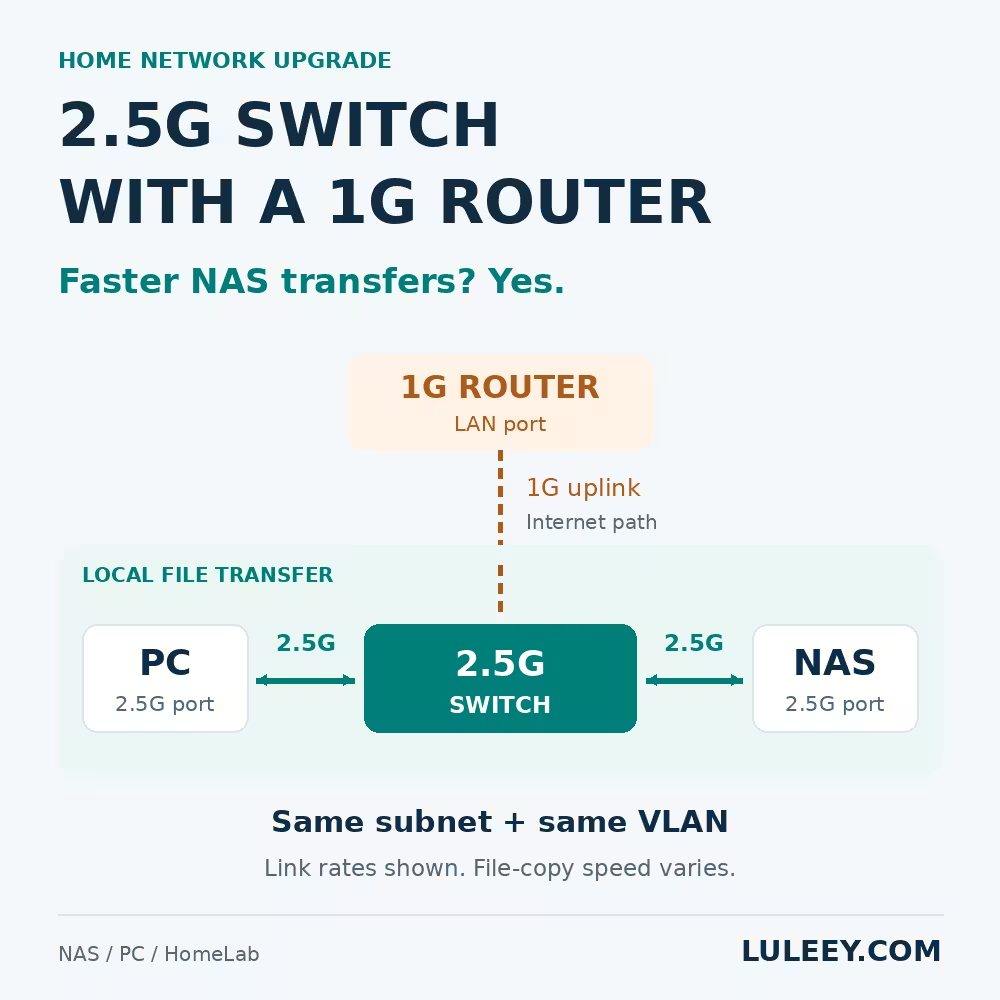
Yes. A 2.5G switch with a 1G router can speed up local PC-to-NAS transfers. Both devices must connect at 2.5G to that switch and share the same subnet and VLAN. Their local traffic stays on the switch; it does not need the router’s 1G uplink.
Your Internet connection still uses the router. That is a separate speed limit.
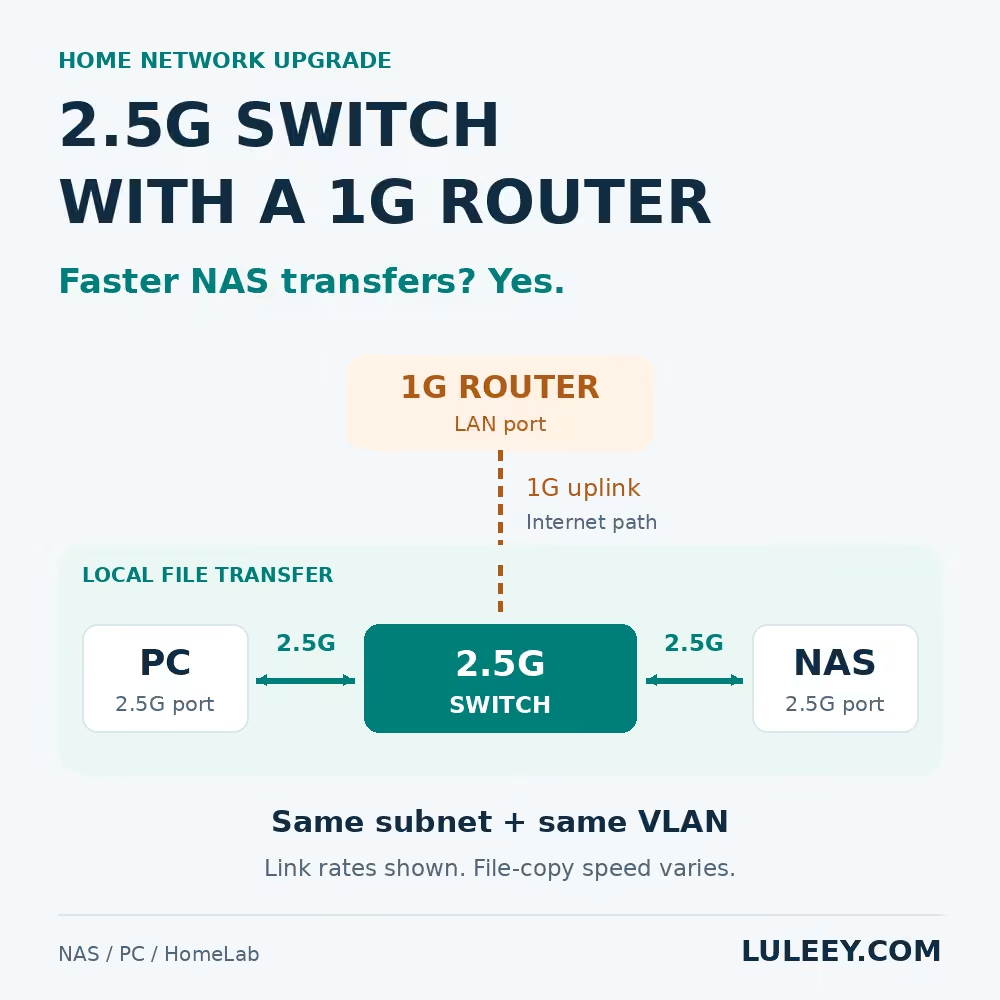
How to Connect a 2.5G Switch with a 1G Router
Use three Ethernet cables:
- Connect a router LAN port to the switch.
- Connect the PC’s 2.5G Ethernet port to the switch.
- Connect the NAS’s 2.5G Ethernet port to the same switch.
The router-to-switch link can remain at 1G. Check that the PC and NAS links each report 2.5Gbps in their network status.
The router can continue providing Internet access and IP addresses. Providing addresses does not mean it must forward every local file transfer. Normal local delivery follows the destination’s subnet, while the switch forwards Ethernet frames between its ports.
Access the NAS through its local IP address or local hostname. A cloud relay or remote-access service may take a different path.
What Gets Faster—and What Does Not?
| Connection | Effect of the upgrade |
|---|---|
| 2.5G PC to 2.5G NAS on the same switch and VLAN/subnet | Can exceed 1Gbps if the endpoints and storage keep up |
| PC to the Internet through the 1G router uplink | Still limited by that 1G path and the Internet service |
| PC to a NAS left on the router’s 1G LAN port | Still crosses a 1G link |
| PC to NAS in different VLANs, routed through the 1G router link | Limited by that routed path |
Move both fast devices onto the new switch. Moving only the PC leaves the NAS behind the old bottleneck.

Three Things to Check Before Buying
1. Both endpoints need a faster port. A NAS with only a 1G connection remains limited by that connection. A 2.5G switch cannot turn a 1G network adapter into a 2.5G adapter.
2. Check the path, not just the product labels. Confirm the negotiated speed at both endpoints. If either reports 1G, verify its supported modes and driver, then try a known-good cable suitable for the equipment. On a managed switch, also check VLAN membership and port isolation.
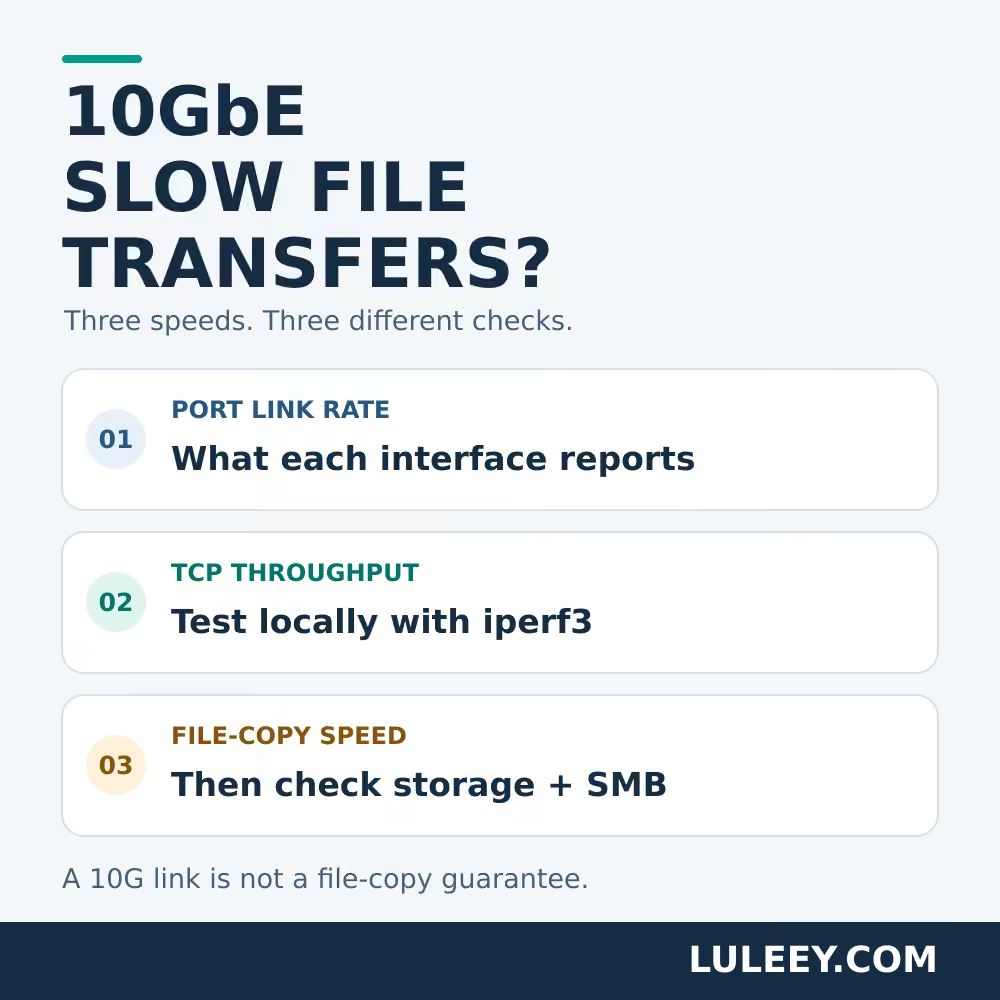
3. Storage can become the next limit. 2.5Gbps equals 312.5MB/s before protocol overhead. That is not a promised file-copy speed. Disk performance, small files, NAS CPU load and SMB settings can all reduce the result. Buy for the workload you actually use.
Test the LAN, Not Just Your Internet Speed
An Internet speed test cannot measure the full local PC-to-NAS path. If both devices can run iperf3, install it using their supported method and test their local addresses.
On the NAS or second computer:
iperf3 -sOn the PC, replace 192.168.1.20 with the server’s actual local IP:
iperf3 -c 192.168.1.20 -t 20
iperf3 -c 192.168.1.20 -t 20 -R
The second command tests the reverse direction. Allow the test through the local firewall if needed; the default TCP port is 5201. Stop the server when finished. See the official iperf3 instructions.
If this test exceeds 1Gbps but file copies remain slow, investigate storage and file-sharing performance. If it stays below 1Gbps, recheck the links, traffic path and endpoint load before replacing more equipment.
Which Switch Fits This Upgrade?
For a simple PC-and-NAS setup, LuLeey’s 4-port 2.5G unmanaged switch provides four 2.5G RJ45 ports plus two 10G SFP+ slots. The basic setup uses three RJ45 ports; no SFP+ module is required.
Choose the 2.5G managed switch if you need configurable VLANs and port settings. Need help checking your upgrade? Send LuLeey your router, PC and NAS models before ordering.


 SFP/SFP+ (1G/2.5G/5G/10G)
 SFP-T (1G/2.5G/10G)
 AOC Cable 10G/25G/40G/100G
 DAC Cable 10G/25G/40G/100G
 QSFP28 QSFP+ SFP28 100G/40G/25G
 Copper to Fiber Media Converters
 Fiber Media Converter PCBA Board
 OEO Fiber Media Converters
 Serial to Fiber Media Converters
 Video to Fiber Media Converters
 1000M GPON/EPON ONU
 10G EPON ONU/XG-PON/XGS-PON
 2.5G GPON/XPON STICK SFP ONU
 POE GPON/EPON ONU
 Wireless GPON/EPON ONT
 EPON OLT
 GPON OLT
 SFP PON Module
 Industrial Switches
 Managed Switches
 POE Switches
 Unmanaged Switches
 MTP/MPO Fiber Cables
 Fiber Optic Cassettes
 Fiber Optic Loopback
 Optic Cables and Fiber Pigtails
 Optical Splitters and Splitter Box
 Fiber Flange Connectors
 Optical Adapters
 Optical Attenuator
 Quick Connector and Connector Panel
 CATV Amplifier
 CATV Optical Receiver
 Visual Fault Locator
 OTDR
 Optical Power Meter
 Fiber Optic Identifier
 Fiber Optic Cleaners
 Fiber Cleavers & Fiber Strippers
 Copper Tools