Customs duties are the responsibility of customers, but standard logistics support DDP to most countries, duty-free such as US, DE, UK, CA, FR, IT, PL, AT, JP…






















































A PON ONU Stick media converter can work, but only when the Stick and converter support the same host interface and operating rate. The PON system, OLT authorization, service profile and RJ45 side must also match.
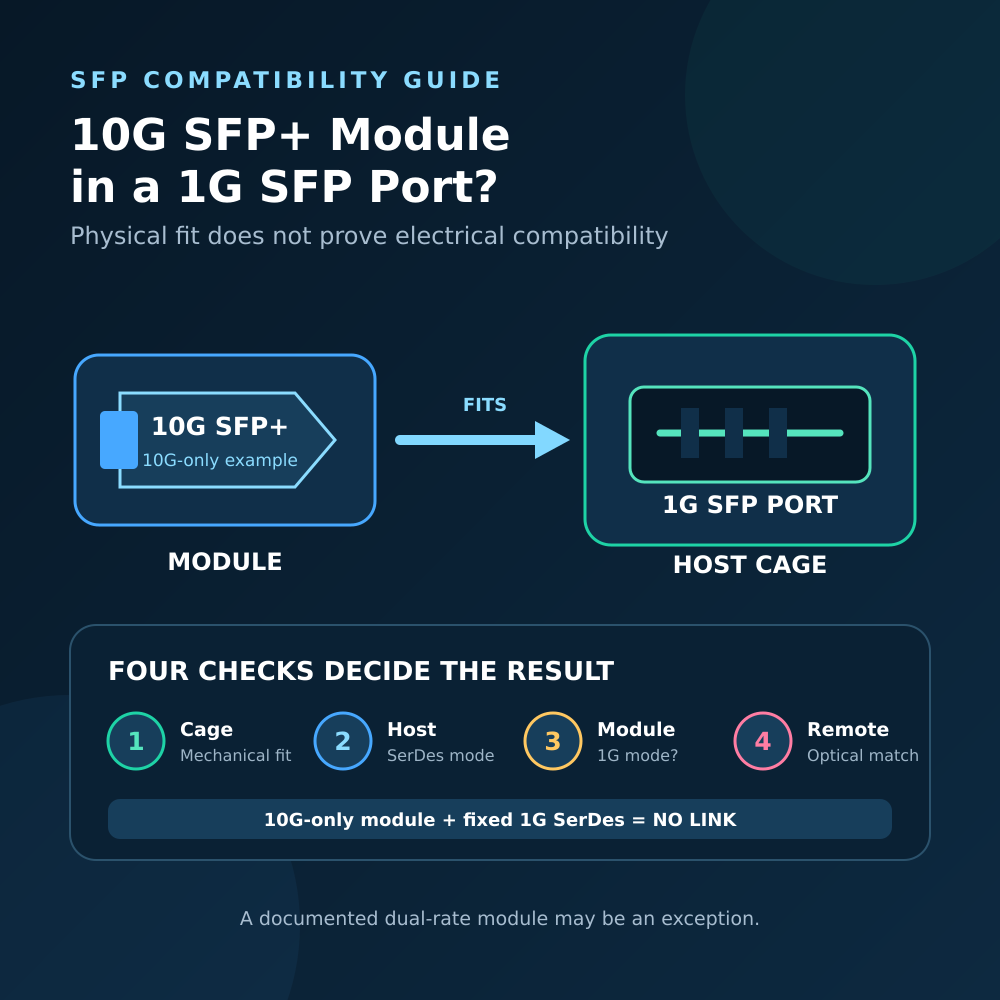
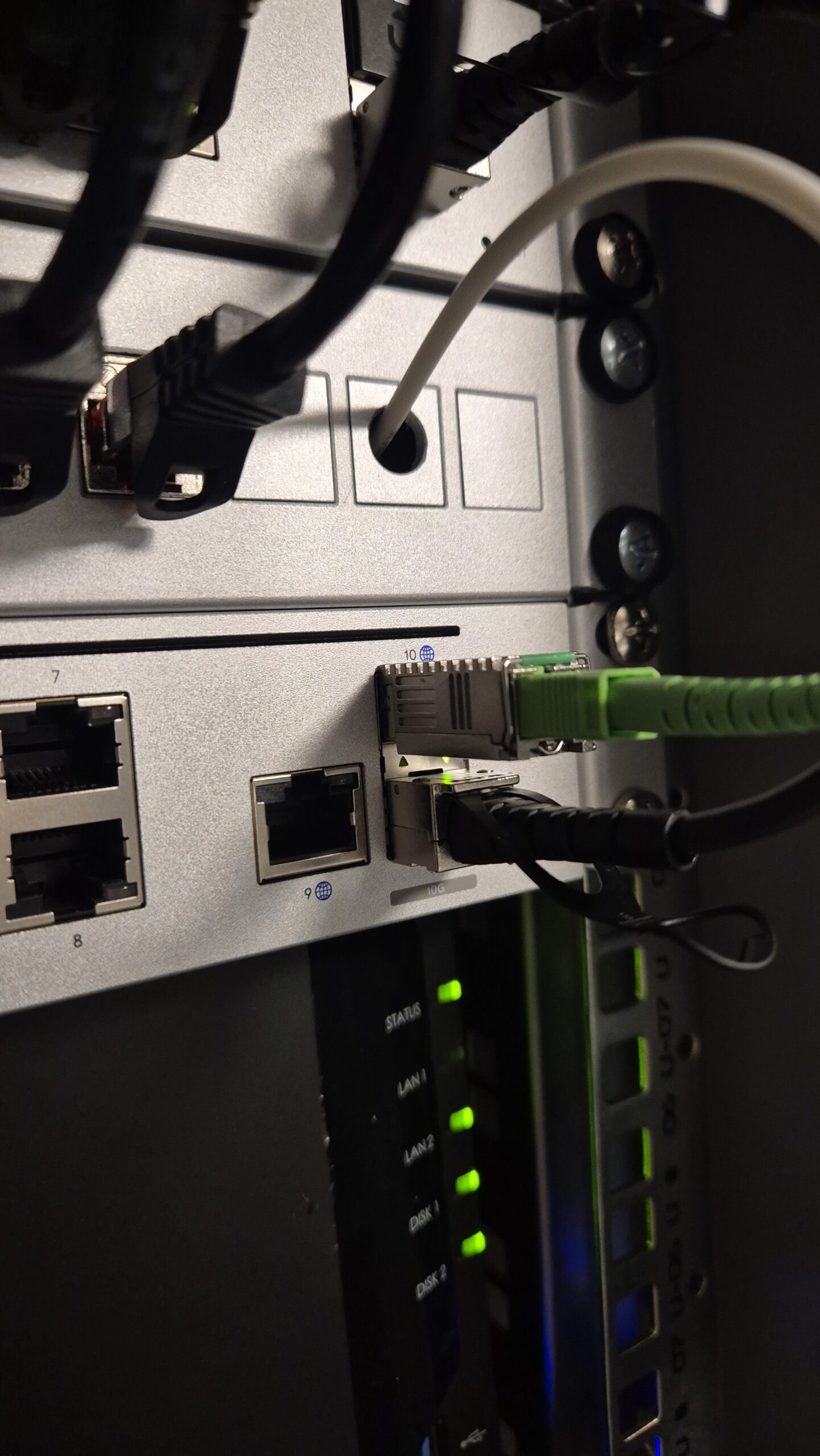
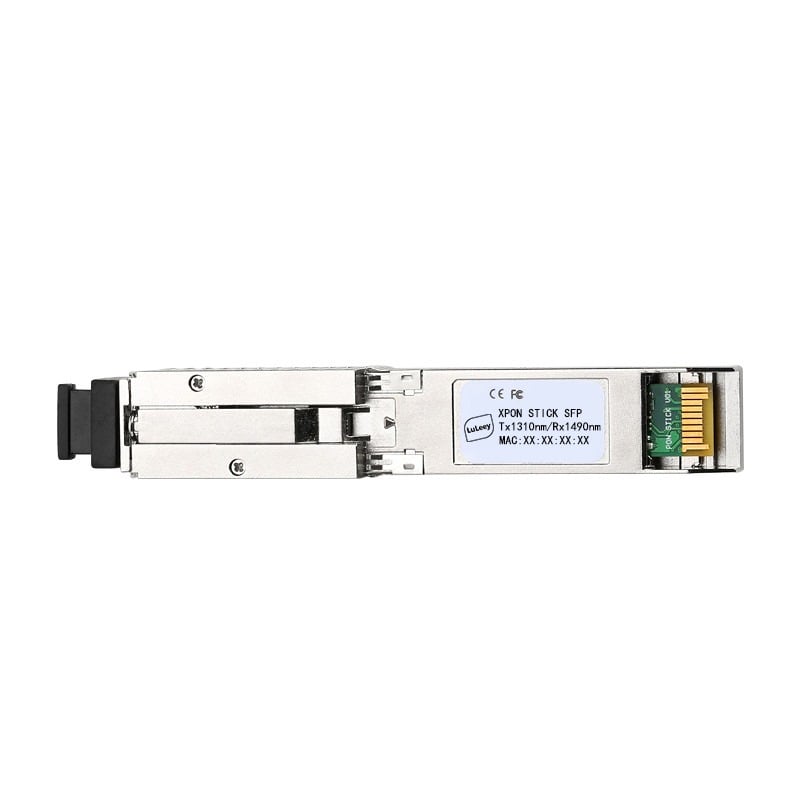
Physical fit is not enough. An ONU Stick is an optical network unit in an SFP-shaped case; it is not simply an ordinary Ethernet optical transceiver. A converter may power the Stick and show a link while PON registration, management access or user traffic still fails.
PON ONU Stick Media Converter: The Short Answer
Treat compatibility as a chain of separate checks.
| Observation | What it proves | What it does not prove |
|---|---|---|
| The Stick fits in the cage | The mechanical form factor fits | Correct electrical host mode, power or firmware support |
| The converter shows an SFP link | Some local interface condition was met | PON registration, bidirectional traffic or Internet access |
| The Stick reaches O5 | PON activation reached operation | Correct OMCI service, VLAN, DHCP, PPPoE or router settings |
| The RJ45 port links at 2.5G | The copper peers negotiated 2.5G | A 2.5Gbps service, PON capacity or application throughput |
The complete path is:
OLT and passive optical network → ONU Stick PON interface → Stick host interface → media-converter PHY → RJ45 link → router WAN and service configuration
Every boundary must work. A media converter changes the host connection to copper Ethernet; it does not translate a GPON ONU into an xgs-pon ONU or authorize it on an operator network.
1. Match the PON System Before the SFP Cage
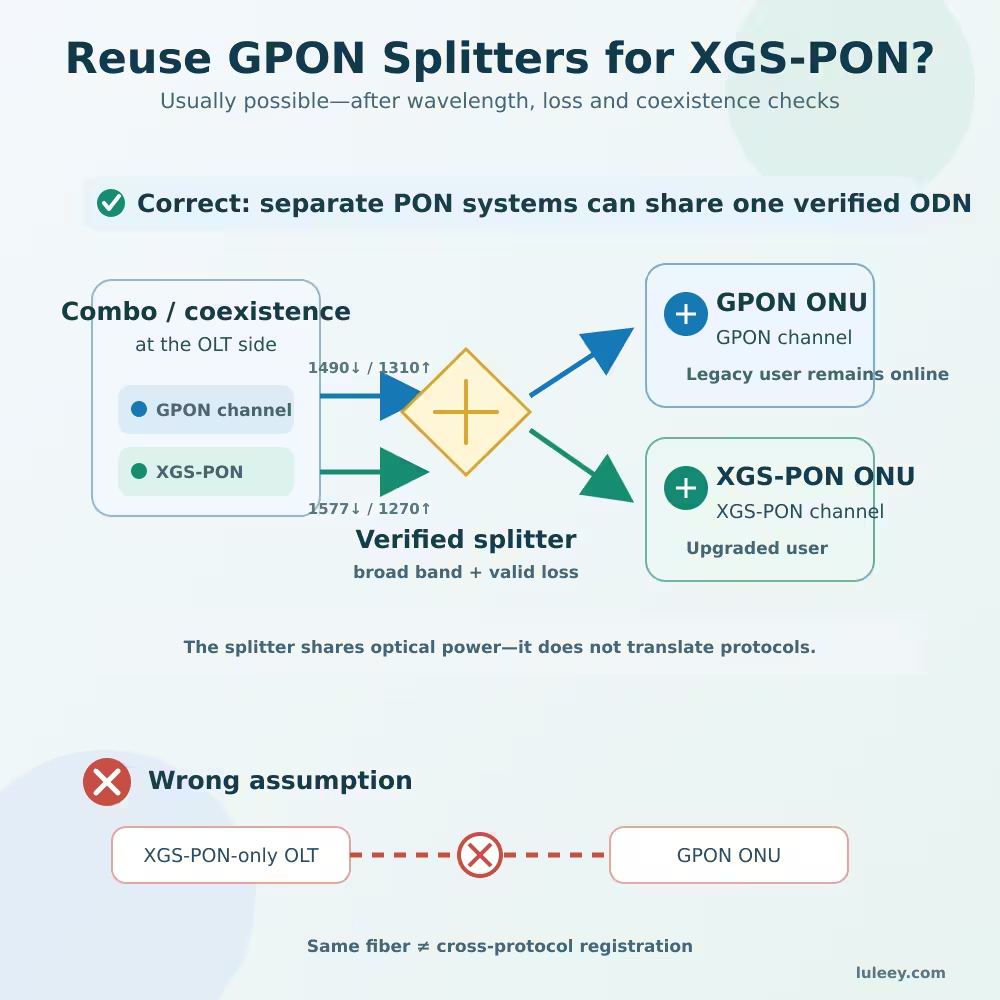
Start with the access network. GPON and XGS-PON are different systems, even when they coexist on an engineered passive optical distribution network. ITU-T G.984.2 defines the GPON physical-medium layer, while ITU-T G.9807.1 covers XGS-PON.
A GPON/EPON XPON Stick is not an XGS-PON Stick. A 10G media converter cannot upgrade the PON protocol inside a 2.5G GPON Stick. Likewise, putting an XGS-PON Stick in a converter does not make a GPON-only OLT channel accept it.
Confirm all of these from the exact Stick and network records:
- GPON, EPON, XG-PON or XGS-PON support
- OLT channel and permitted ONU type
- Connector and polish, such as SC/APC or SC/UPC
- Optical wavelength plan and exact transmit/receive operating window
- Authorized activation and provisioning method
Do not approve the optical path from a connector that fits or a generic dBm range. Use the data sheets for the selected optical class and measure at the correct point.
2. Match the Stick Host Mode to the Converter
The SFP shell does not define the electrical signal presented to the host. Depending on the exact Stick and firmware, its host interface may require a particular 1G, 2.5G, SGMII, 1000BASE-X or 10G-family mode. The media converter must implement the same mode, not merely have a slot with the right shape.
Record the following before purchase:
- Stick model, hardware revision, firmware and module coding
- Required host electrical/SerDes mode at each supported rate
- Converter model, PHY/chipset, firmware and mode-switch position
- Module power and thermal requirements
- Host handling of module presence, LOS, TX disable and management access
Do not decide from SFP, SFP+, 2.5G or 10G in the product name. Some SFP+ hosts support only 1G and 10G; others can support 2.5G with the right chipset, firmware and configuration.
A 2.5G PON Stick may operate through a 1G path only when both the Stick and host support a compatible 1G mode. In that case, the host path is limited to 1G-class operation.
3. Follow the Four Different Rates
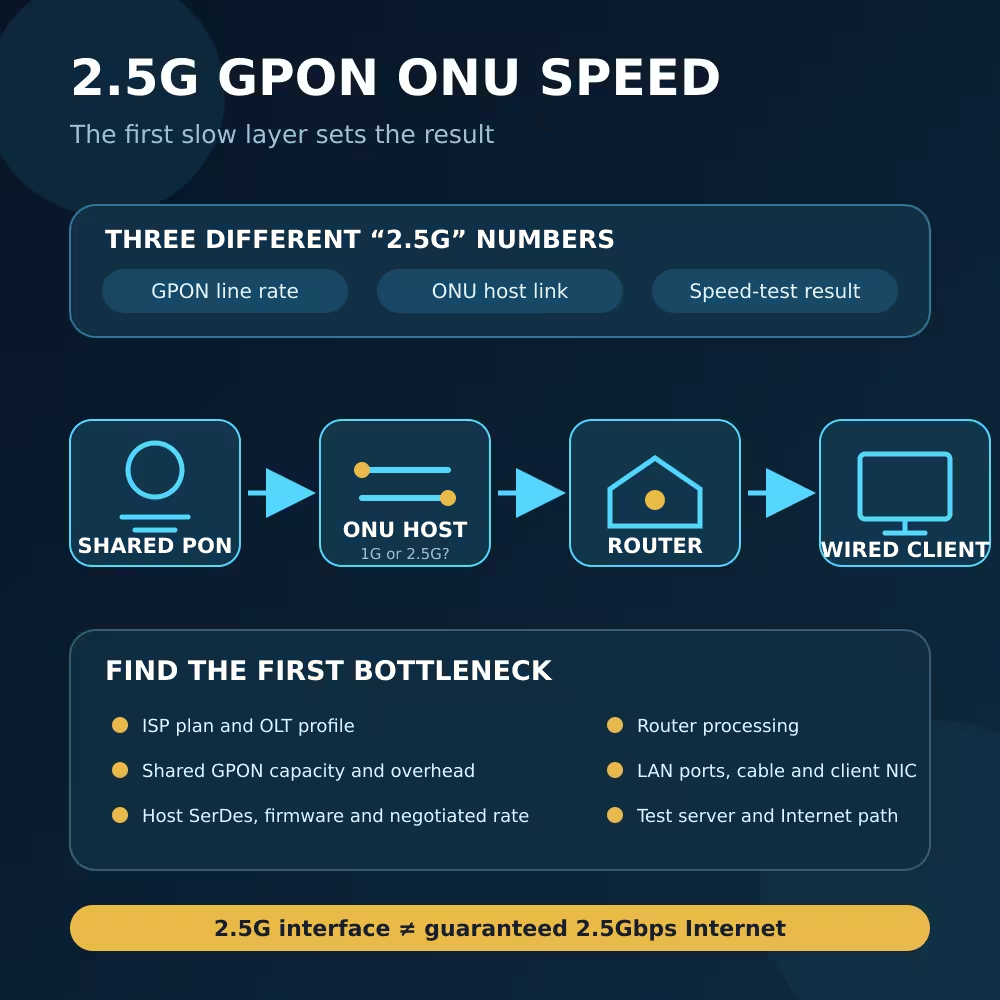
“2.5G Stick” can refer to more than one side of the device. Keep these values separate:
- PON line rate: the optical access-system rate shared and scheduled by the OLT.
- Stick host rate: the electrical interface between the ONU Stick and its host.
- Converter RJ45 rate: the rate negotiated with the router, switch or NIC.
- Usable throughput: what an application achieves after framing, service limits, traffic conditions and endpoint constraints.
The slowest supported segment limits the path. A converter with a 1G RJ45 output cannot deliver 2.5Gbps to the router. Conversely, a 2.5G RJ45 link does not prove that the Stick host interface is running at 2.5G or that the ISP has provisioned a service above 1Gbps.
Check the actual negotiated rate at the RJ45 peer. Do not infer it from an LED color unless the exact manual defines that color.
4. PON Registration and Internet Service Are Separate
The converter does not perform ONU authentication or create the subscriber service. The Stick must be permitted by the network owner and provisioned for the OLT.
Use only an authorized, unique ONU identity and the operator-approved activation process. Do not copy or spoof another subscriber’s identity.
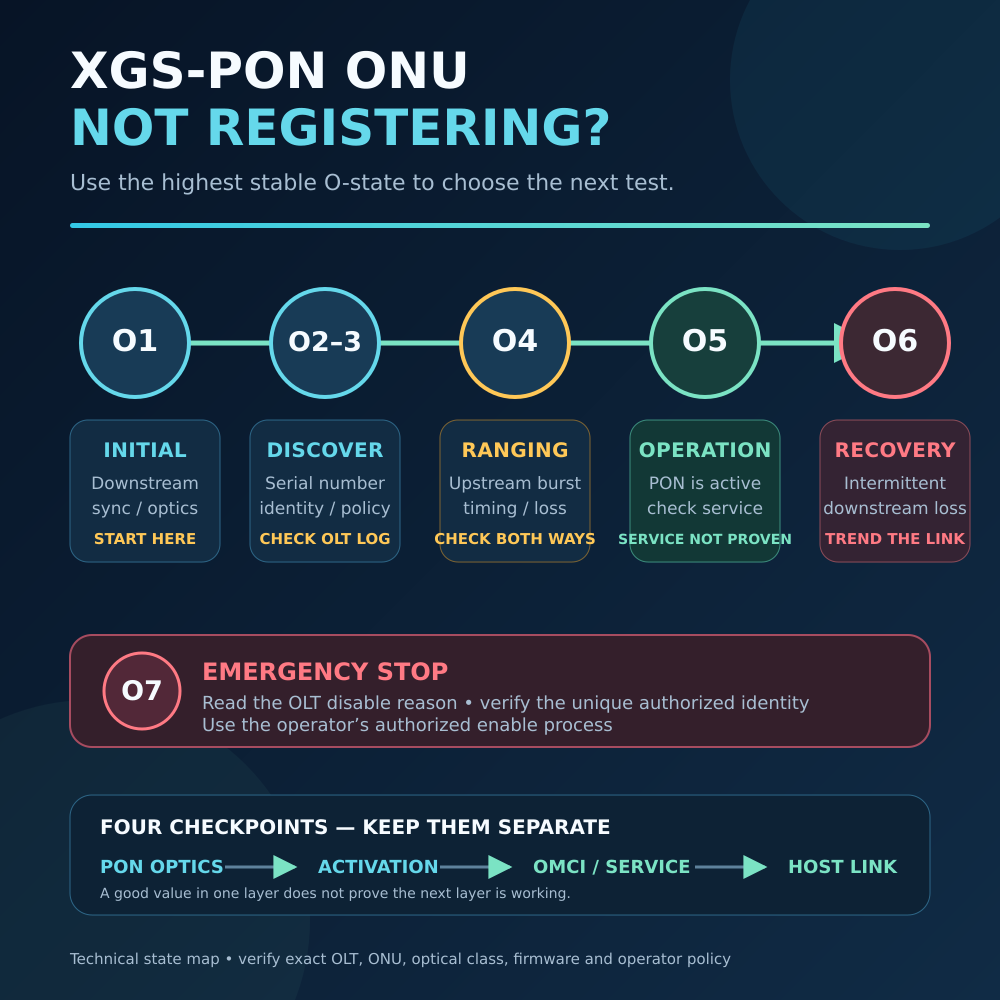
On GPON, XG-PON or XGS-PON, service can still fail after the Stick reaches O5. OMCI configuration, T-CONT/GEM resources, VLAN handling, DHCP or PPPoE, and router WAN settings may remain incomplete. ITU-T G.988 is the current OMCI specification record; a converter link LED does not report whether that service configuration succeeded.
EPON uses a different control model, so follow its exact OLT and ONU documentation instead of applying OMCI terms to it.
| Current result | Check next |
|---|---|
| No power or no module detection | Converter power budget, cage contacts, coding, control signals and supported host mode |
| Module detected, but its management page is unreachable | Converter mode, local addressing, VLAN behavior, management subnet and Stick firmware |
| Management works, but PON remains below O5 | PON generation, optical path, OLT authorization and activation logs |
| PON reaches O5, but there is no Internet | OMCI/service profile, VLAN, DHCP/PPPoE and router WAN configuration |
| Service works, but speed stops near the 1G path | Stick host mode, converter mode, RJ45 negotiation, service plan and test method |
Change one variable at a time. Link, PON state and Internet service are three different checkpoints.
5. Choose the Converter from the Exact Stick Mode
LuLeey’s LL-25SFMC 2.5G SFP-to-RJ45 media converter page lists manual 1G and 2.5G SFP modes and an RJ45 port supporting 100M, 1G and 2.5G operation.
The page says it supports selected GPON, EPON and XPON Sticks—not every Stick or ISP network. Set the switch for the mode required by the exact Stick, then confirm the resulting RJ45 rate.
For higher-rate deployments, the LL-SFPMC10GRTL 10G SFP+-to-RJ45 converter page lists:
- A 10G/2.5G SFP+ port
- A multi-rate RJ45 port from 10M through 10G
- An RTL8261C controller
- DIP-switch protocol adaptation
It also states that ONU Stick use depends on PON type, OLT, authentication, VLAN and Stick compatibility. The page does not publish a tested mode matrix for every Stick revision, so confirm the exact combination before ordering.
LuLeey’s LL-XS2510 2.5G XPON ONU Stick page lists an RTL9601D chipset, GPON/EPON operation, SC/APC or SC/UPC options, bridge mode, DDM and 2.5G Ethernet capability.
Those specifications do not prove compatibility with every converter, OLT, firmware or ISP. Its broad compatibility and editable-identity wording should not be treated as operator authorization.
A Seven-Step Check Before You Buy or Deploy
- Identify every exact model. Record Stick and converter model, hardware revision, chipset/PHY and firmware.
- Confirm the PON network. Match the Stick to the OLT system, optical class, connector/polish and approved activation method.
- Obtain the host-interface requirement. Ask for the supported electrical mode at 1G, 2.5G or 10G and any required coding or control-signal behavior.
- Match the converter mode. Verify that its PHY and firmware support that exact host mode. Set any manual or DIP switch according to its documentation.
- Check power and temperature. Confirm the converter can power the Stick continuously and keep it within its specified temperature range.
- Verify the copper side. Confirm the router or NIC supports the intended RJ45 rate and record the actual negotiation result.
- Test in layers. Check module detection, management access, PON state, service/VLAN, bidirectional counters and application throughput separately.
Save the original settings and make one controlled change per test. Do not repeatedly hot-plug equipment unless both product procedures allow it. Never look into a fiber or optical port.

 SFP/SFP+ (1G/2.5G/5G/10G)
 SFP-T (1G/2.5G/10G)
 AOC Cable 10G/25G/40G/100G
 DAC Cable 10G/25G/40G/100G
 QSFP28 QSFP+ SFP28 100G/40G/25G
 Copper to Fiber Media Converters
 Fiber Media Converter PCBA Board
 OEO Fiber Media Converters
 Serial to Fiber Media Converters
 Video to Fiber Media Converters
 1000M GPON/EPON ONU
 10G EPON ONU/XG-PON/XGS-PON
 2.5G GPON/XPON STICK SFP ONU
 POE GPON/EPON ONU
 Wireless GPON/EPON ONT
 EPON OLT
 GPON OLT
 SFP PON Module
 Industrial Switches
 Managed Switches
 POE Switches
 Unmanaged Switches
 MTP/MPO Fiber Cables
 Fiber Optic Cassettes
 Fiber Optic Loopback
 Optic Cables and Fiber Pigtails
 Optical Splitters and Splitter Box
 Fiber Flange Connectors
 Optical Adapters
 Optical Attenuator
 Quick Connector and Connector Panel
 CATV Amplifier
 CATV Optical Receiver
 Visual Fault Locator
 OTDR
OTDR Optical Power Meter
 Fiber Optic Identifier
 Fiber Optic Cleaners
 Fiber Cleavers & Fiber Strippers
 Copper Tools


