Customs duties are the responsibility of customers, but standard logistics support DDP to most countries, duty-free such as US, DE, UK, CA, FR, IT, PL, AT, JP…





















































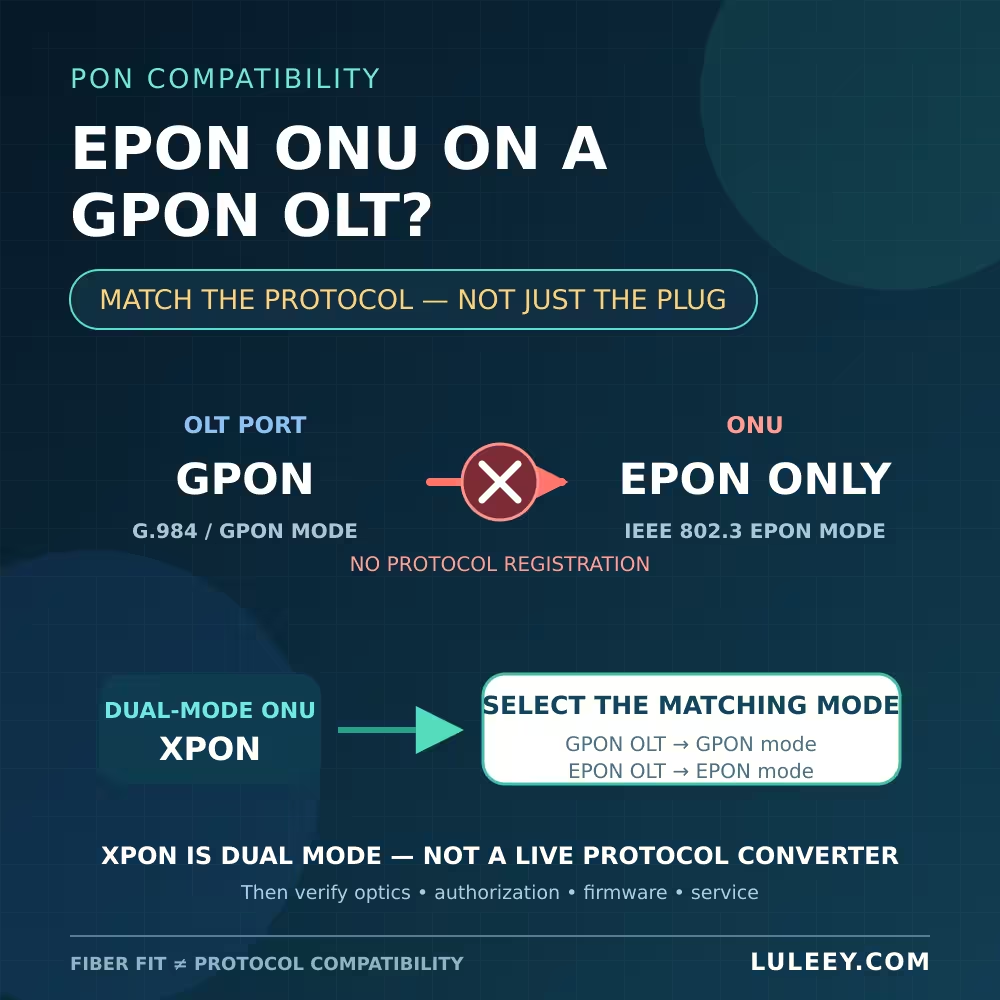
An epon ONU on a GPON OLT will not normally register when the ONU supports only EPON and the OLT port supports only GPON. The connector may fit, optical power may be present, and both products may use a passive optical network, but the endpoints still speak different access protocols.
A dual-mode XPON ONU may solve the equipment-selection problem if it can run the exact PON mode required by the OLT. It does not translate EPON into GPON. It selects or starts one supported protocol and must still pass the OLT’s authorization, optical, firmware and service checks.
EPON ONU on a GPON OLT: The Short Answer
| ONU and OLT combination | Expected result | Condition |
|---|---|---|
| GPON ONU + GPON OLT port | Normal design | Optical class, authorization and service profile must match |
| EPON ONU + EPON OLT port | Normal design | Optical class, registration and service profile must match |
| EPON-only ONU + GPON-only OLT port | No protocol registration | A passive adapter or media converter cannot fix the protocol mismatch |
| Dual-mode XPON ONU + GPON OLT | Potentially workable in GPON mode | Exact ONU, firmware, OLT and provisioning must be supported |
| Dual-mode XPON ONU + EPON OLT | Potentially workable in EPON mode | Exact ONU, firmware, OLT and provisioning must be supported |
| GPON/EPON XPON ONU + XGS-PON port | Do not assume compatibility | GPON/EPON support does not mean XGS-PON support |
The key question is not whether both devices are called PON equipment. It is whether the same PON protocol is running at both ends of that specific OLT port.
Why EPON and GPON Do Not Interoperate Directly
GPON and EPON are separate standards families. ITU-T G.984.3 specifies the GPON transmission-convergence layer, including mechanisms used for ONU activation and traffic transport. GPON service management commonly uses the ONU Management and Control Interface defined by ITU-T G.988.
EPON was introduced through IEEE 802.3ah and later incorporated into the broader IEEE 802.3 standard. The official IEEE 802.3ah record describes an Ethernet passive optical network with its own MAC, physical-layer and management extensions.
In practical terms, the systems expect different frame structures, discovery and registration exchanges, upstream scheduling identifiers and management behavior. An EPON-only ONU cannot answer the GPON activation process simply because it receives light. A GPON OLT cannot provision that ONU through GPON management messages when the ONU implements only EPON.
This is also why a simple media converter does not help. A converter can change a customer-side electrical or Ethernet interface. It does not turn the PON protocol inside an EPON ONU into GPON.
The Same Fiber or Connector Is Not a Compatibility Test
Several physical facts can look encouraging while protocol registration remains impossible:
- The SC connector fits.
- The connector polish is the same.
- The route uses single-mode fiber and a passive splitter.
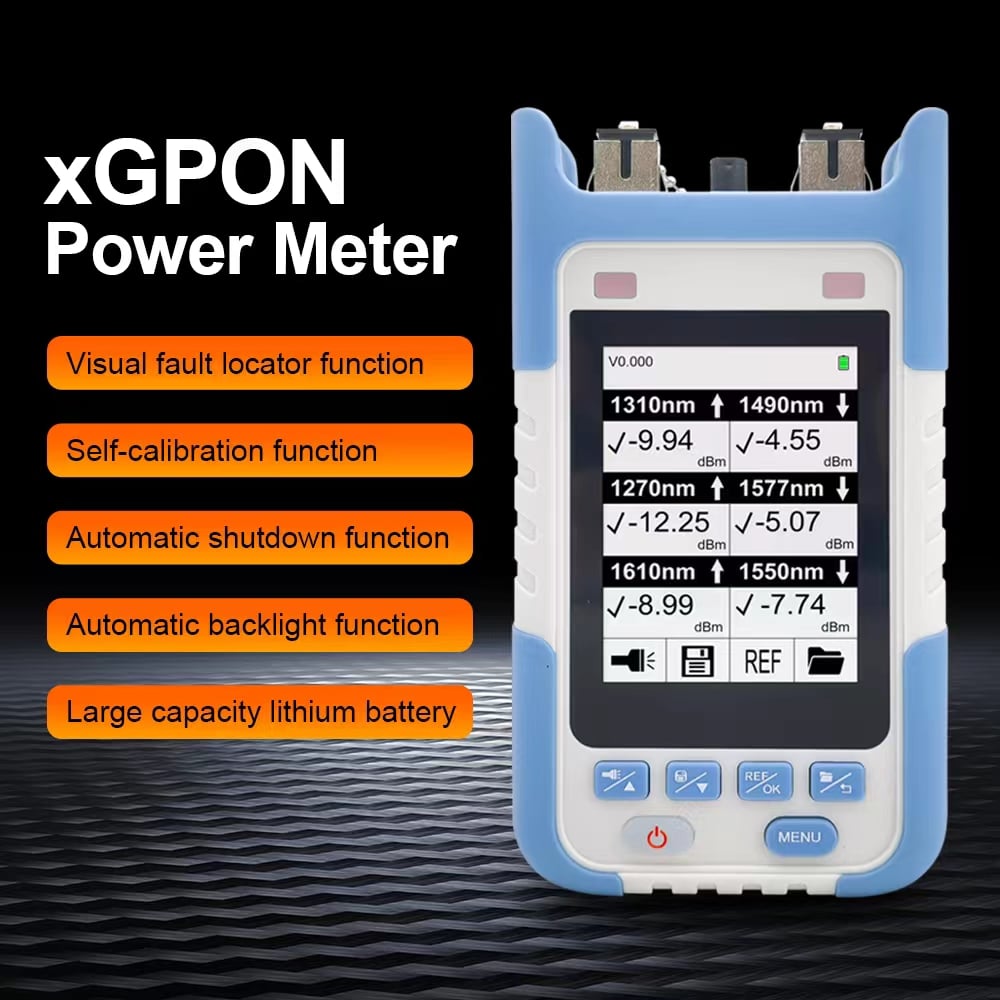
- An optical power meter shows light.
- The ONU’s power or LOS indicator changes.
These observations describe only part of the optical path. They do not prove that the OLT and ONU use the same protocol, optical class, direction-specific power window, activation process or service configuration.
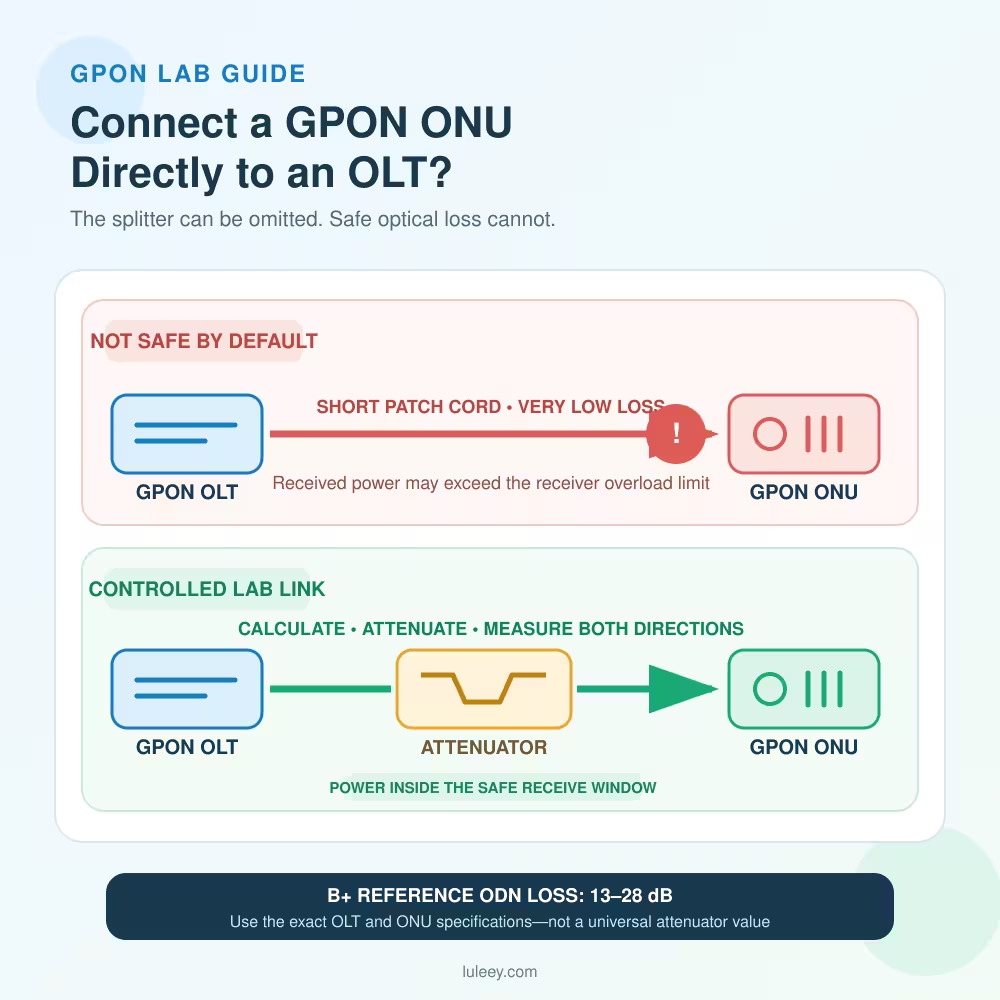
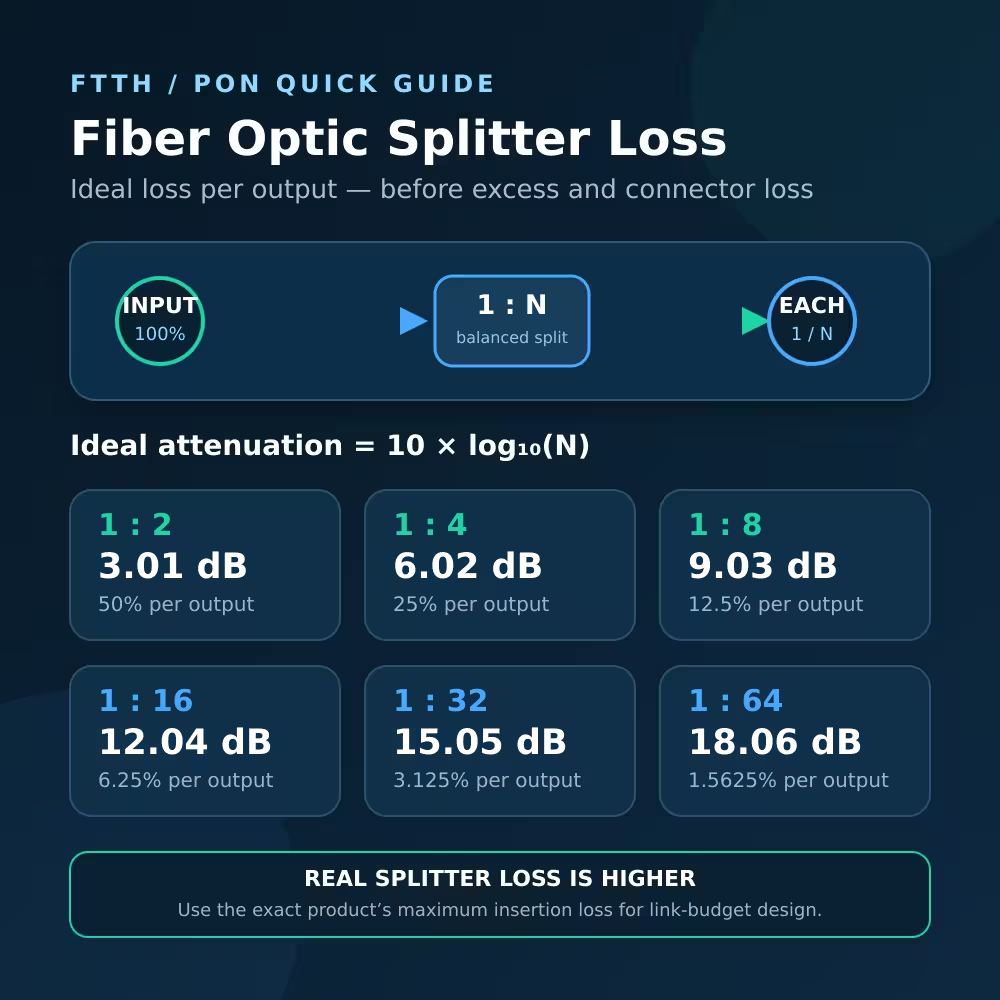
Do not connect APC and UPC interfaces merely because both use the SC family. Verify the exact polish, optical class and power budget for each direction. A distance label such as “20 km” is not a substitute for calculating real route loss and comparing it with the selected transmitter and receiver specifications.
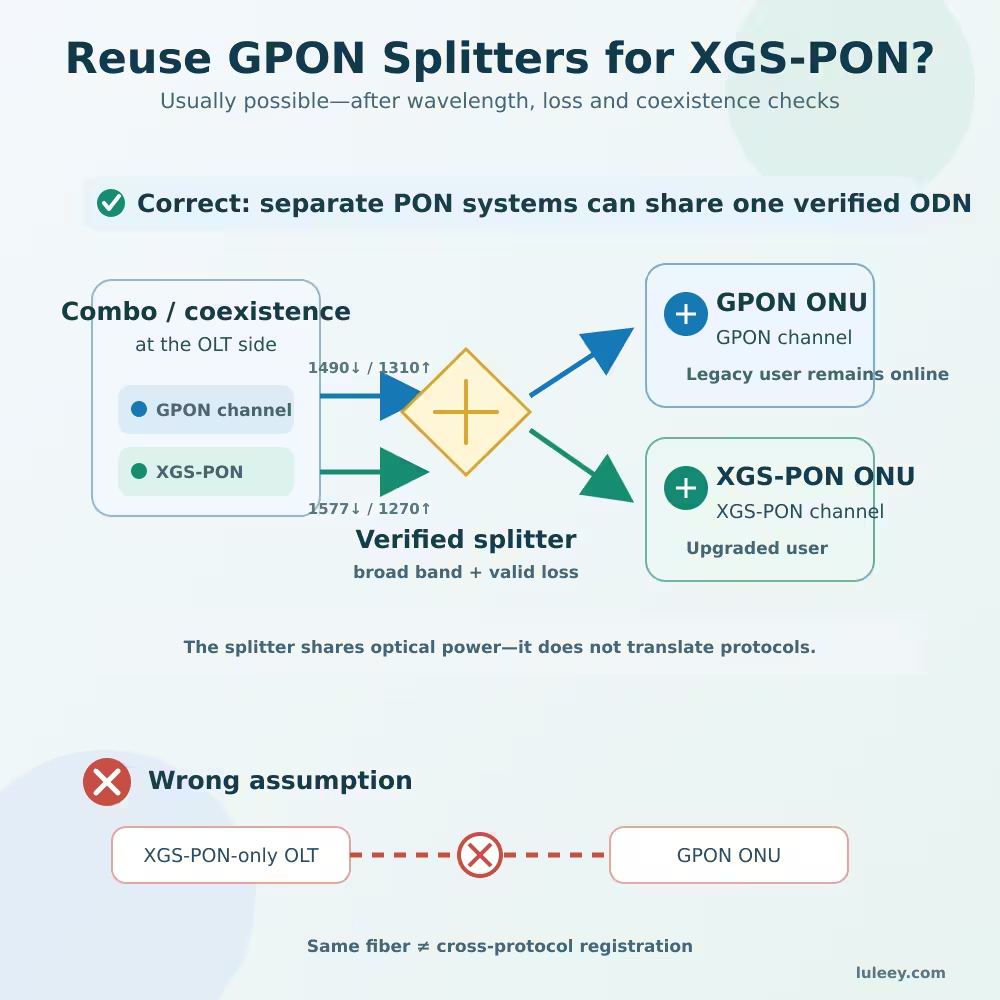
If an operator is migrating from EPON to GPON, the passive distribution network may be reusable only after its splitter plan, loss, connectors, coexistence design and maintenance procedures are reviewed. Reusing fiber does not make an EPON-only ONU a GPON ONU.
What an XPON ONU Actually Does
In many product listings, XPON means that one ONU supports both GPON and EPON operating modes. It is not a third protocol that makes every OLT compatible, and it is not a live EPON-to-GPON gateway.
Depending on the exact chipset and firmware, a dual-mode ONU may detect the OLT type or may need an operating-mode setting. Once the mode is selected, it behaves as the corresponding GPON or EPON ONU. It normally uses one PON mode at a time on one optical interface.
Before choosing an XPON device, confirm:
- The exact OLT port protocol—not only the chassis or marketing name.
- The ONU model, hardware revision and firmware-supported PON modes.
- Whether protocol selection is automatic, fixed or configurable.
- The required optical class, connector polish and receive-power limits.
- The OLT’s approved registration and provisioning method.
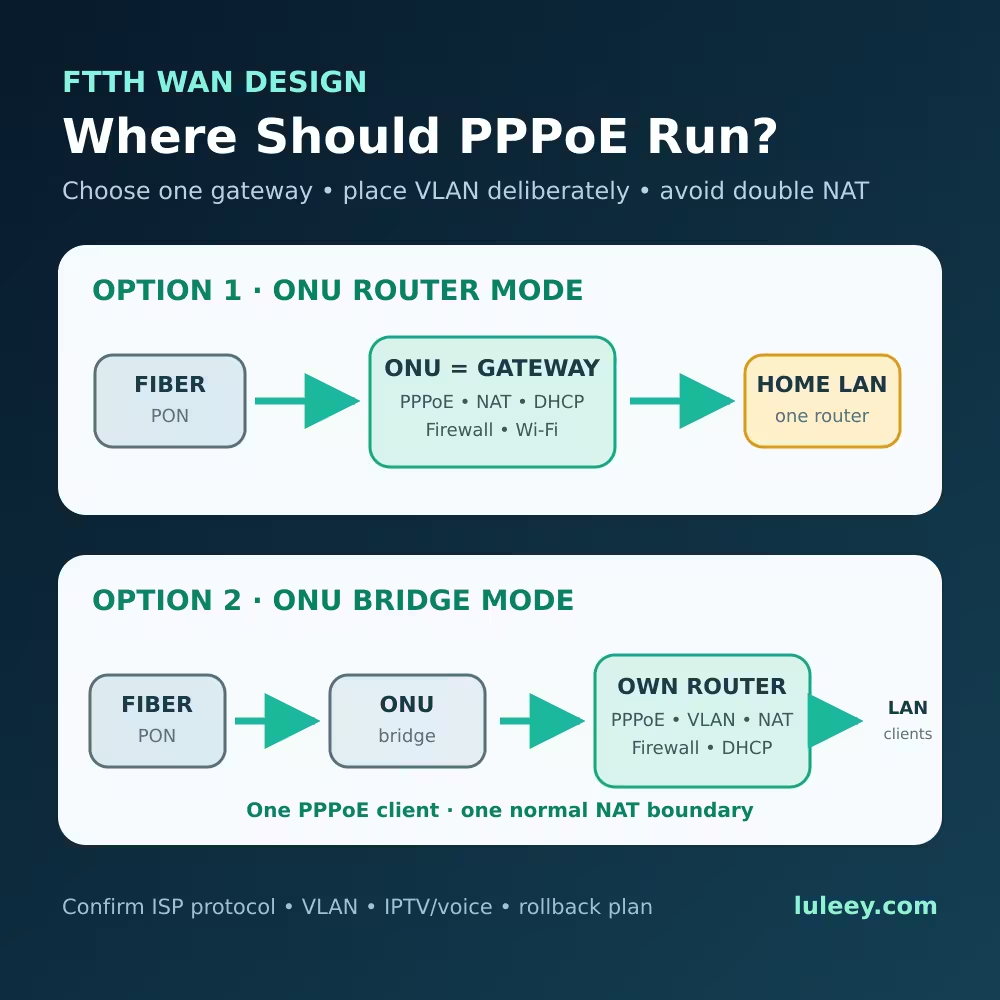
- The required service profile, VLAN and customer-side operating mode.
An OLT chassis can also contain different line cards or port types. A claim that the platform “supports GPON and EPON” does not prove that one individual port accepts both at the same time. Check the exact card, port, software release and configured mode.
Registration and Internet Service Are Different Checkpoints
A protocol match is necessary, but it is not the whole deployment.
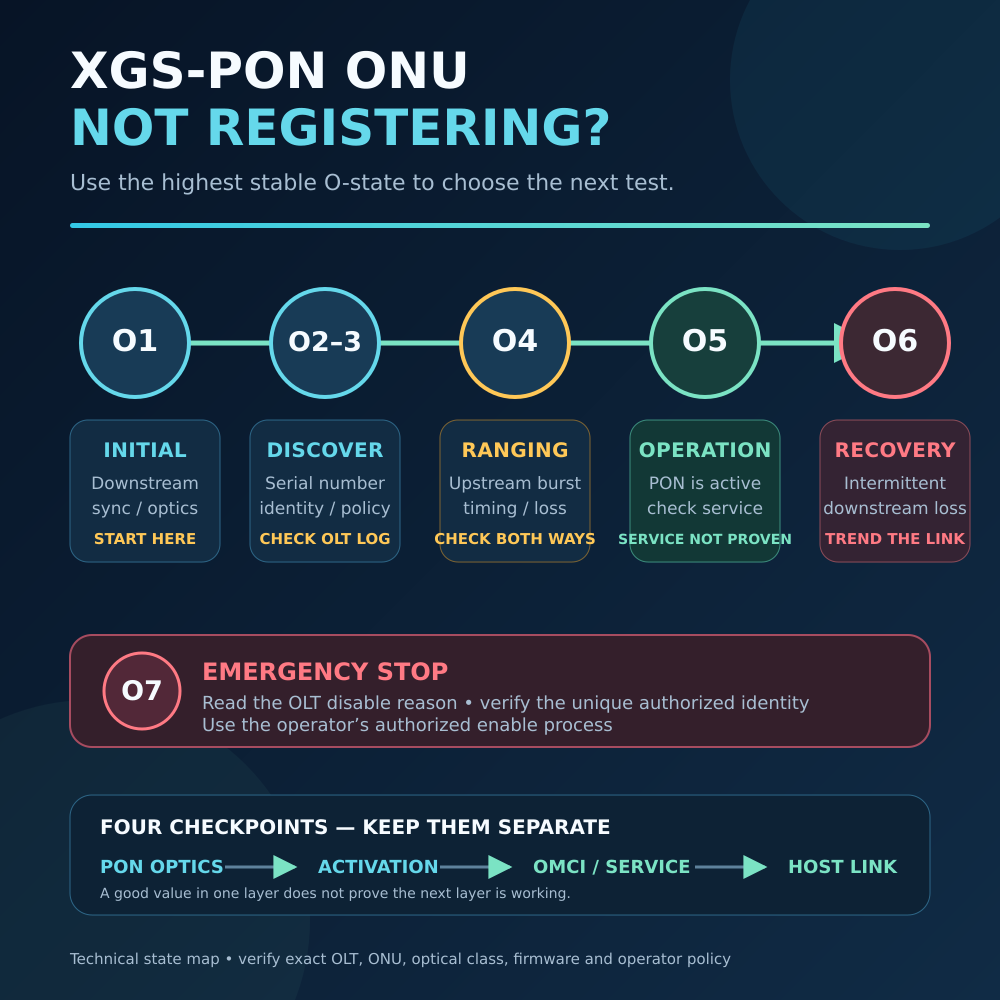
For GPON, the ONU must complete activation and be authorized by the network owner. Reaching O5 means that GPON activation has reached the operation state; it does not prove that the Internet service, VLAN, DHCP or PPPoE configuration is correct.
EPON does not use GPON’s O1-to-O5 state names. Read the EPON OLT’s own discovery, registration and authorization status instead of describing every online ONU as O5.
Use only a unique ONU identity and an activation process authorized for the line. Do not copy or spoof another subscriber’s identity.
| Current observation | What to check next |
|---|---|
| No received optical signal | Connector/polish, route, splitter, transmitter state and optical budget |
| Optical signal present, but no discovery | GPON versus EPON mode, optical class, OLT port mode and ONU firmware |
| ONU is discovered but rejected | Authorized identity, whitelist/profile, software support and operator procedure |
| GPON ONU reaches O5 but has no Internet | OMCI/service profile, VLAN, WAN mode, DHCP or PPPoE |
| EPON ONU is registered but has no service | EPON profile, VLAN, OAM/vendor provisioning and WAN settings |
For the GPON-specific post-registration case, LuLeey’s O5 but no DHCP checklist separates activation from VLAN, WAN mode, DHCP, PPPoE and service provisioning.
Do Not Confuse PON Mode with an SFP Host Mode
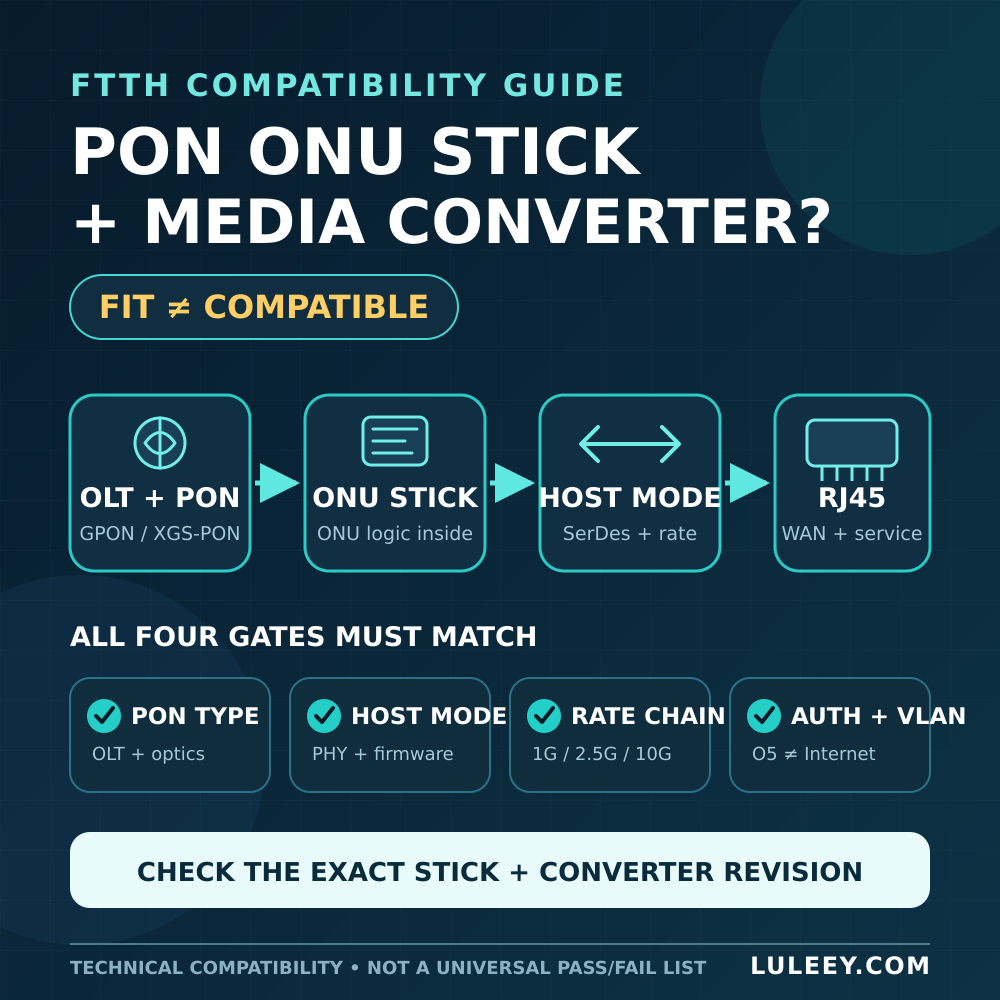
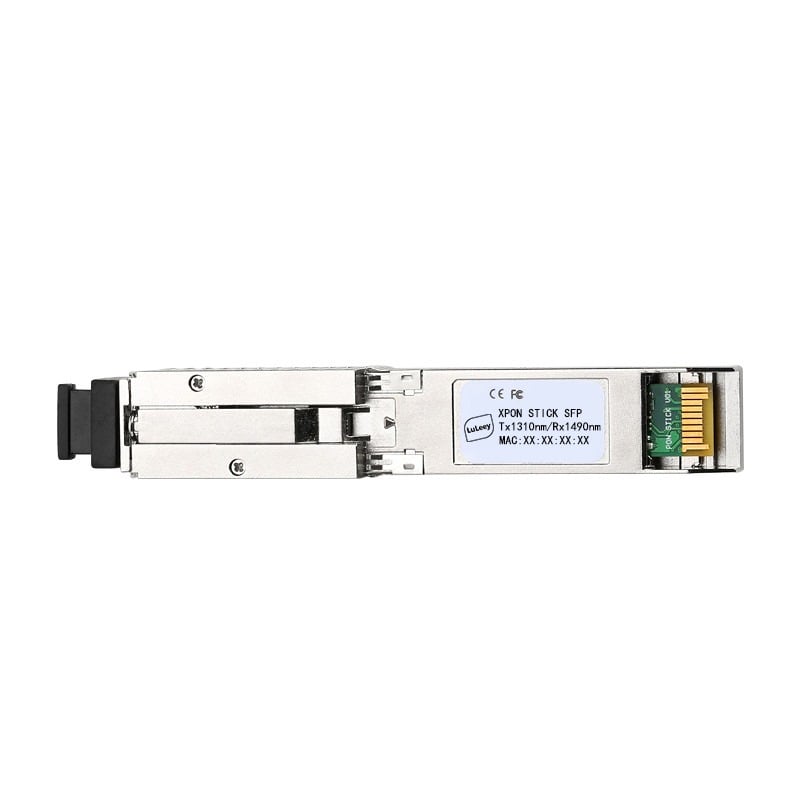
An ONU Stick adds another compatibility boundary. Its optical side must match the OLT’s PON protocol, while its electrical side must match the router, switch, NIC or media converter hosting the Stick.
Keep these checks separate:
- Physical fit in the SFP-family cage
- Host chipset or PHY and supported SerDes mode
- Stick hardware revision, firmware and module coding
- Port configuration and actual host-side rate
- PON protocol and registration state
- Customer-side service and usable throughput
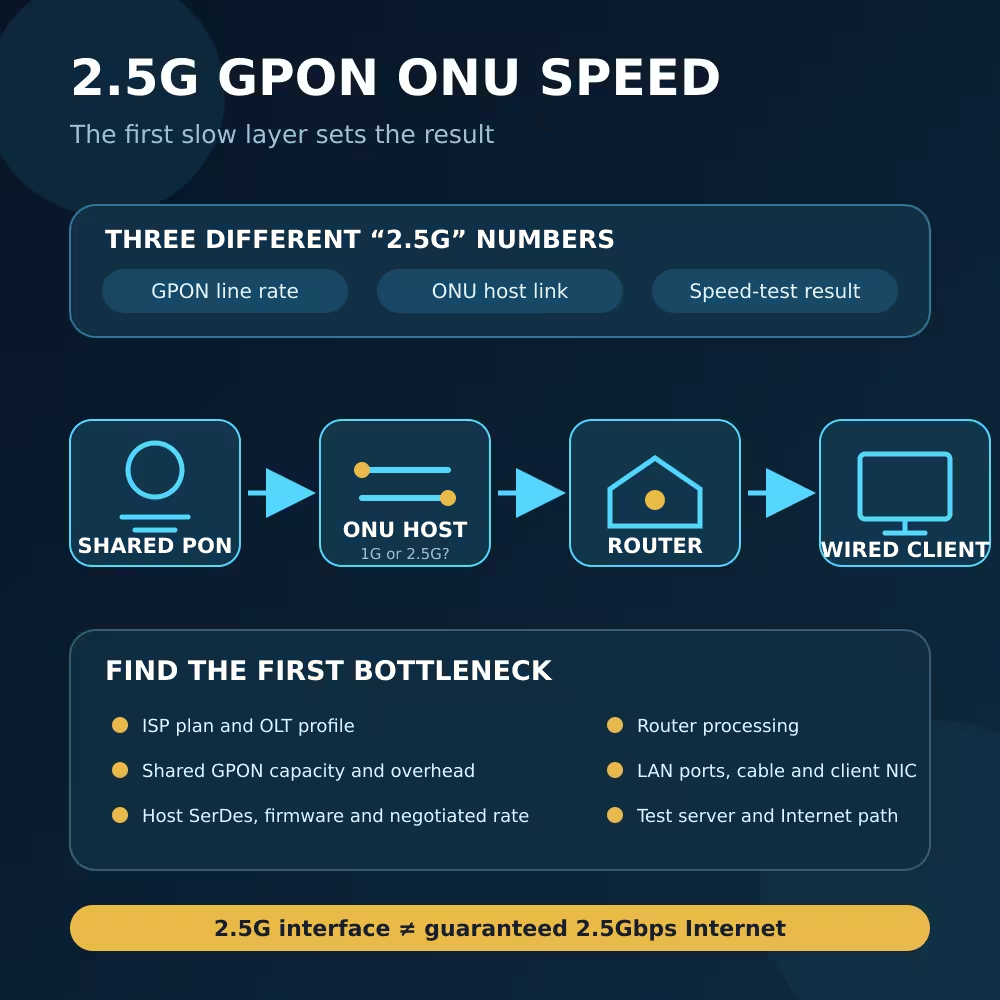
A 2.5G PON ONU Stick can work through a 1G host path only when both the Stick and host support a compatible 1G mode; the host side is then limited to 1G-class operation. Some SFP+ ports may support 2.5G with a suitable chipset or PHY, firmware or driver, port setting, module coding and Stick host mode. The SFP+ label alone proves none of these points.
Likewise, a host detecting the Stick does not prove PON registration, and PON registration does not prove maximum customer throughput.
Choosing a LuLeey GPON/EPON Device
LuLeey’s LL-XP1GE 1GE XPON ONU page lists GPON/EPON dual-mode operation, one 10/100/1000 Mbps RJ45 port, SC/APC or SC/UPC options, OMCI/OAM management and VLAN support. Those specifications make it a dual-mode candidate, not a universal guarantee for every OLT or operator.
For an SFP-shaped option, the LL-XS2510 XPON ONU Stick page lists an RTL9601D chipset, GPON and EPON operation, SC/APC or SC/UPC options, DDM, and different GPON and EPON line-rate descriptions. It does not publish a tested matrix for every OLT, host port, firmware and ISP network.
The LL-XS2510 page also contains broad replacement and identity-editing language. Treat that as configuration capability, not permission to duplicate another subscriber’s identity or proof that an operator will authorize the device.
Before ordering either type, send LuLeey the exact OLT make, model, line card, port mode and software release; required PON protocol and optical class; connector polish; authorized registration method; desired bridge/router behavior; and, for a Stick, the host model, chipset/PHY, firmware and required electrical mode.
A Seven-Step Pre-Deployment Check
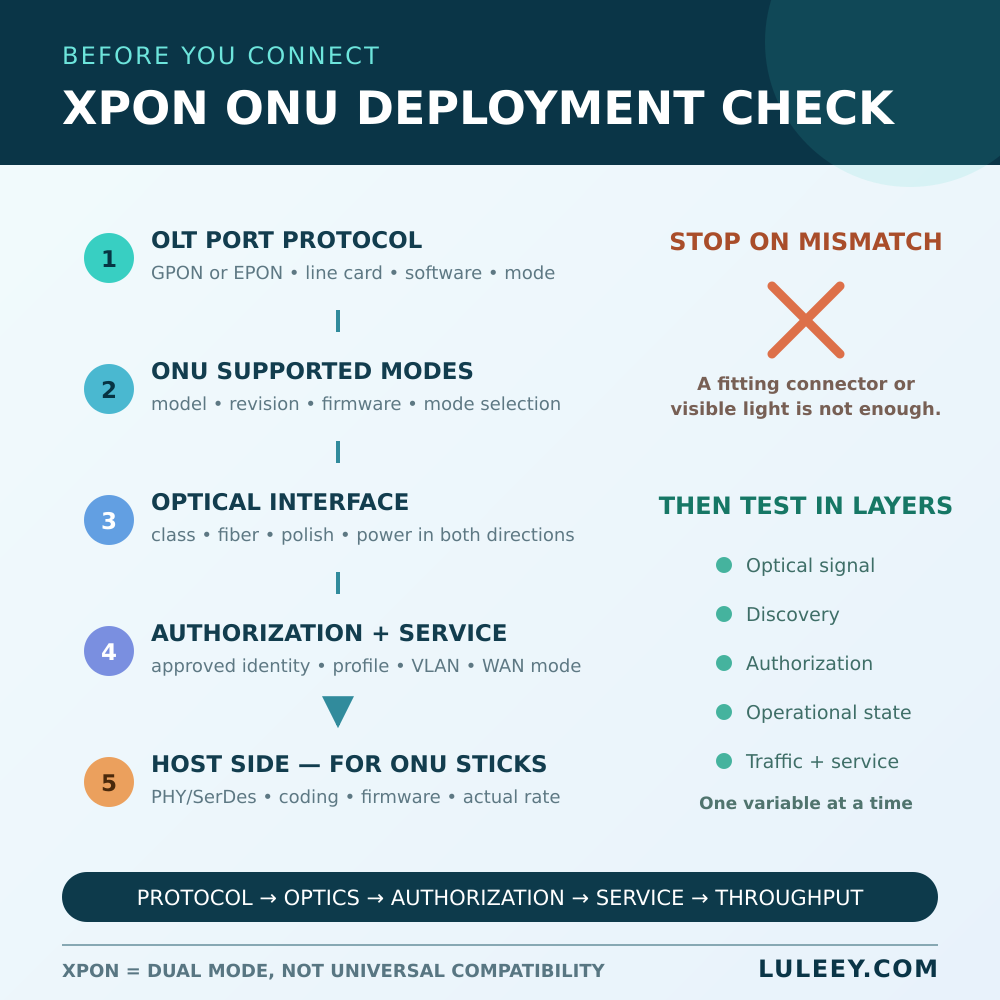
- Identify the OLT port. Record the exact OLT, line card, port and configured GPON or EPON mode.
- Identify the ONU. Confirm whether it is GPON-only, EPON-only or genuinely dual-mode, including hardware revision and firmware.
- Match the optical interface. Check fiber, connector polish, optical class and both directions of the power budget.
- Confirm authorization. Use the network owner’s approved identity and provisioning process.
- Check the service profile. Record VLANs, bridge/router mode, DHCP or PPPoE, and multicast or voice requirements.
- Check the customer-side interface. For an ONU Stick, verify host SerDes/PHY mode, coding, power, temperature and actual rate.
- Test in layers. Observe optical signal, protocol discovery, authorization, operational state, bidirectional counters and real service separately.
Change one variable at a time and save the original configuration. Never look into a fiber or optical port; use the correct inspection and measurement equipment.

 SFP/SFP+ (1G/2.5G/5G/10G)
 SFP-T (1G/2.5G/10G)
 AOC Cable 10G/25G/40G/100G
 DAC Cable 10G/25G/40G/100G
 QSFP28 QSFP+ SFP28 100G/40G/25G
 Copper to Fiber Media Converters
 Fiber Media Converter PCBA Board
 OEO Fiber Media Converters
 Serial to Fiber Media Converters
 Video to Fiber Media Converters
 1000M GPON/EPON ONU
 10G EPON ONU/XG-PON/XGS-PON
 2.5G GPON/XPON STICK SFP ONU
 POE GPON/EPON ONU
 Wireless GPON/EPON ONT
 EPON OLT
 GPON OLT
 SFP PON Module
 Industrial Switches
 Managed Switches
 POE Switches
 Unmanaged Switches
 MTP/MPO Fiber Cables
 Fiber Optic Cassettes
 Fiber Optic Loopback
 Optic Cables and Fiber Pigtails
 Optical Splitters and Splitter Box
 Fiber Flange Connectors
 Optical Adapters
 Optical Attenuator
 Quick Connector and Connector Panel
 CATV Amplifier
 CATV Optical Receiver
 Visual Fault Locator
 OTDR
OTDR Optical Power Meter
 Fiber Optic Identifier
 Fiber Optic Cleaners
 Fiber Cleavers & Fiber Strippers
 Copper Tools


