Customs duties are the responsibility of customers, but standard logistics support DDP to most countries, duty-free such as US, DE, UK, CA, FR, IT, PL, AT, JP…





















































If you are deciding whether to configure PPPOE on the ONU or router, use one simple rule: the device that terminates the Internet connection should hold the PPPoE username and password.
In ONU Router Mode, the ONU normally establishes the PPPoE session and also handles routing, NAT, firewall rules and local DHCP. In ONU Bridge Mode, the ONU forwards the Ethernet service to your Own Router, so the external router normally establishes PPPoE and becomes the network gateway.
Neither design is universally better. Router mode is simpler when one ONU provides the complete home network. Bridge mode is usually cleaner when you want your own router or security gateway to control routing, Wi-Fi, VPNs, vlans and port forwarding.
The difficult part is that PPPoE is only one layer. The ISP may also require a service VLAN, a specific ONU registration method, separate IPTV or voice profiles, and a supported ONU/OLT combination. Confirm those requirements before changing a working installation.
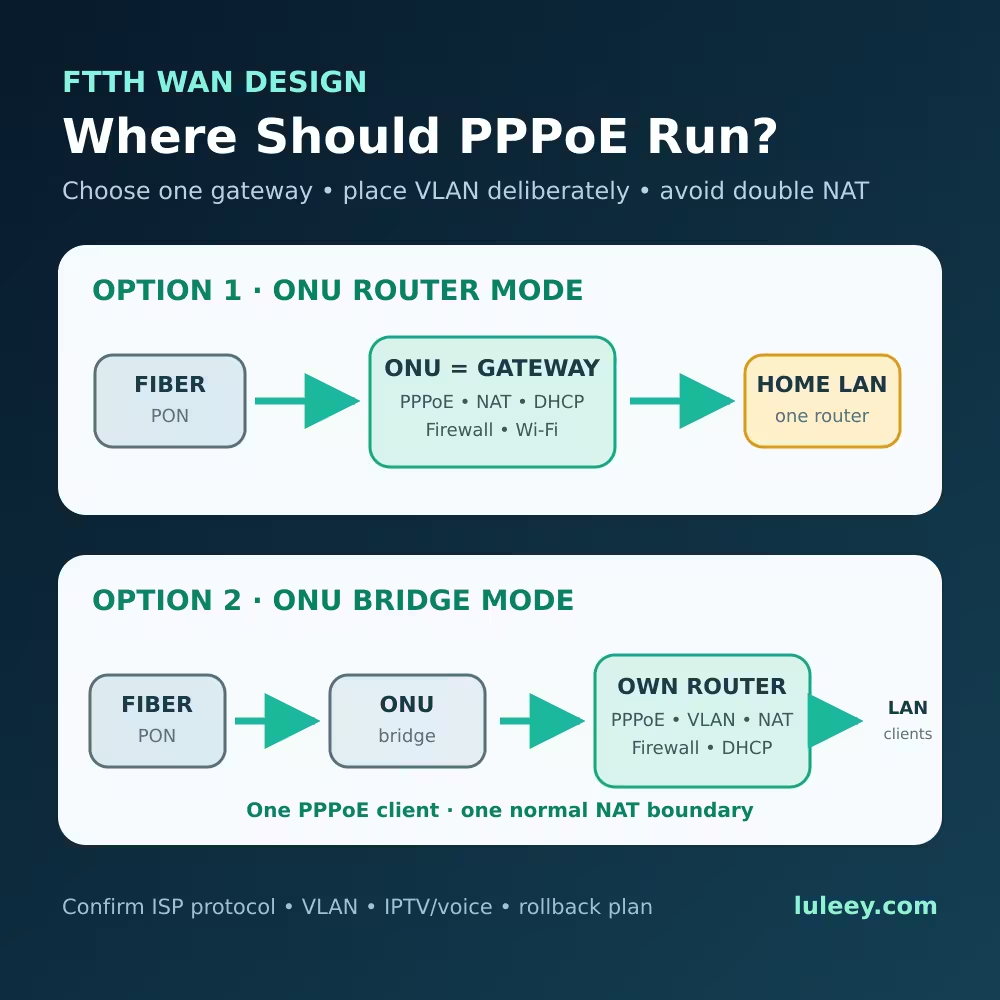
PPPoE on ONU or Router: Quick Decision Table
| Network design | Where PPPoE normally runs | Where NAT and LAN DHCP run | Typical reason |
|---|---|---|---|
| One all-in-one ONU/ONT provides Wi-Fi and LAN | ONU in router mode | ONU | Fewest devices and simplest support |
| ONU plus your own router or firewall | Own router; ONU in bridge mode | Own router | One routing policy and no avoidable Double NAT |
| ISP gateway cannot be bridged | ISP gateway | ISP gateway; downstream device often uses AP mode | Preserve ISP-managed services |
| ONU Stick in a router or gateway | Usually the host router, if the Stick passes service frames transparently | Host router | Direct fiber handoff to a capable gateway |
| Multiple services such as Internet, IPTV and voice | Service-specific | Depends on each service profile | One WAN profile may be bridged while another remains routed |
This is a planning table, not a universal configuration recipe. The exact behavior depends on the ONU firmware, OLT provisioning and ISP policy.
What PPPoE Actually Does
PPPoE carries a PPP session over Ethernet. The client first discovers an access concentrator, then establishes a session in which authentication and network parameters can be negotiated. RFC 2516 defines this discovery and session model.
The PPPoE client must therefore sit on a path that can reach the ISP’s access concentrator at Layer 2. A transparent bridge can forward those Ethernet frames. A routing/NAT boundary normally cannot forward them as though it were a transparent segment.
This is why a common bridge-mode design looks like this:
Fiber → bridged ONU → router WAN port → PPPoE session → NAT/firewall → home LAN
The ONU still performs its PON-side optical and protocol functions. “Bridge mode” does not turn a GPON ONU into a passive optical adapter, and it does not remove the need for valid ONU registration with the OLT.
Option 1: Run PPPoE on the ONU
In router mode, the ONU acts as a residential gateway. It can establish the ISP connection and provide a private LAN to connected devices.
Typical functions on the ONU include:
- PPPoE, DHCP or static WAN connectivity
- NAT
- Firewall rules
- LAN DHCP server
- Wi-Fi, on models with wireless radios
- Port forwarding and UPnP
- IPv4 and IPv6 routing, depending on the model and ISP profile
Ubiquiti’s official UISP Fiber documentation describes ONU router mode as routing and translating client traffic with NAT, with WAN options including DHCP, PPPoE and static addressing. It lists bridge mode with an additional gateway as the alternative architecture. UISP Fiber: ONU Router Mode
When router mode makes sense
Use router mode when:
- You want one device to provide fiber access, routing and Wi-Fi.
- The ISP manages the ONU and does not permit bridge mode.
- Voice, IPTV or remote-management services depend on the supplied gateway profile.
- You do not need advanced features from a separate router.
- The ONU has enough routing and NAT performance for your service plan.
The common mistake: adding another router behind it
If the ONU performs NAT and a second router also performs NAT, clients are behind two routing boundaries. This is double NAT.
Basic web access may still work, but incoming connections, VPNs, gaming, remote access and port forwarding can become more complicated. The external router’s WAN address will often be private rather than the address assigned by the ISP.
If the ONU must remain in router mode, consider running the downstream Wi-Fi system in access-point mode. That leaves the ONU as the only router. If you must keep both devices routing, document both subnets and understand that some inbound services require configuration on both layers.
Do not confuse double NAT with carrier-grade NAT. If the ISP itself assigns an address from a shared or private range, bridge mode cannot create a public IPv4 address that the ISP has not provided.
Option 2: Run PPPoE on Your Own Router
In this design, the ONU is configured to bridge the Internet service to a selected Ethernet port or host interface. Your router becomes the PPPoE client and the only normal gateway for the home or office LAN.
The topology is:
Fiber → ONU bridge → own router PPPoE/VLAN → NAT/firewall/DHCP → LAN and Wi-Fi
This arrangement is useful when your router provides better firewall policy, multi-WAN, VPN, traffic monitoring, VLAN segmentation, Wi-Fi management or faster routing.
When the upstream ONU and downstream router both perform NAT, the design creates two routing boundaries. Putting the Internet WAN into a verified bridge and letting the downstream router establish the connection normally reduces that design to one NAT boundary.
What moves to the router
When a pure bridge is used for the Internet service, the external router normally needs:
- The correct WAN connection type: PPPoE, DHCP or static IP
- PPPoE username and password when required
- The correct service VLAN behavior
- IPv4 and IPv6 settings supplied by the ISP
- MTU/MRU settings appropriate for the service
- Any ISP-required client options or identifiers
Do not assume every FTTH service uses PPPoE. Some use DHCP/IPoE, static addressing or region-specific mechanisms. Copying PPPoE settings from another ISP is not a valid test.
Where Should the Internet VLAN Be Configured?
There is no universal answer. The VLAN tag can be handled by the ONU, the external router, or by an ISP-provisioned combination of both.
Three common designs are:
- ONU strips or translates the service VLAN. The router receives untagged Ethernet and should not add that ISP VLAN again.
- ONU passes the VLAN transparently. The router WAN interface must apply the ISP’s required VLAN tag.
- OLT/OMCI provisions a service mapping. The visible local settings may not tell the complete story, and manual changes can conflict with the downloaded profile.
If the VLAN is placed on the wrong device, PPPoE discovery may never receive a reply even though the ONU is registered and optical power is normal.
Do not tag the same service twice unless the ISP explicitly uses stacked VLANs and provides the outer and inner IDs. An accidental extra tag is not a harmless duplicate.
Before changing anything, record:
- Internet VLAN ID and priority, if used
- Whether the ONU port is tagged, untagged or transparent
- Which LAN port is bound to the Internet WAN profile
- Whether IPTV or voice uses separate VLANs
- Whether the settings are created locally or delivered by the OLT
Why Bridge Mode Can Break IPTV or Voice
An ISP gateway may contain several WAN services at once. Internet traffic may use one VLAN and PPPoE profile, IPTV another multicast profile, and voice a separate managed connection.
Changing the whole ONU to an undifferentiated bridge can remove routing, SIP configuration, multicast proxying or other functions used by those services.
A safer design may bridge only the Internet WAN to one LAN port while leaving managed voice or IPTV profiles unchanged. Whether that is possible depends on the exact ONU firmware and ISP provisioning.
Do not delete WAN profiles you cannot reconstruct. Save a configuration backup when the device supports it, photograph or export the current settings, and confirm the provider’s supported design.
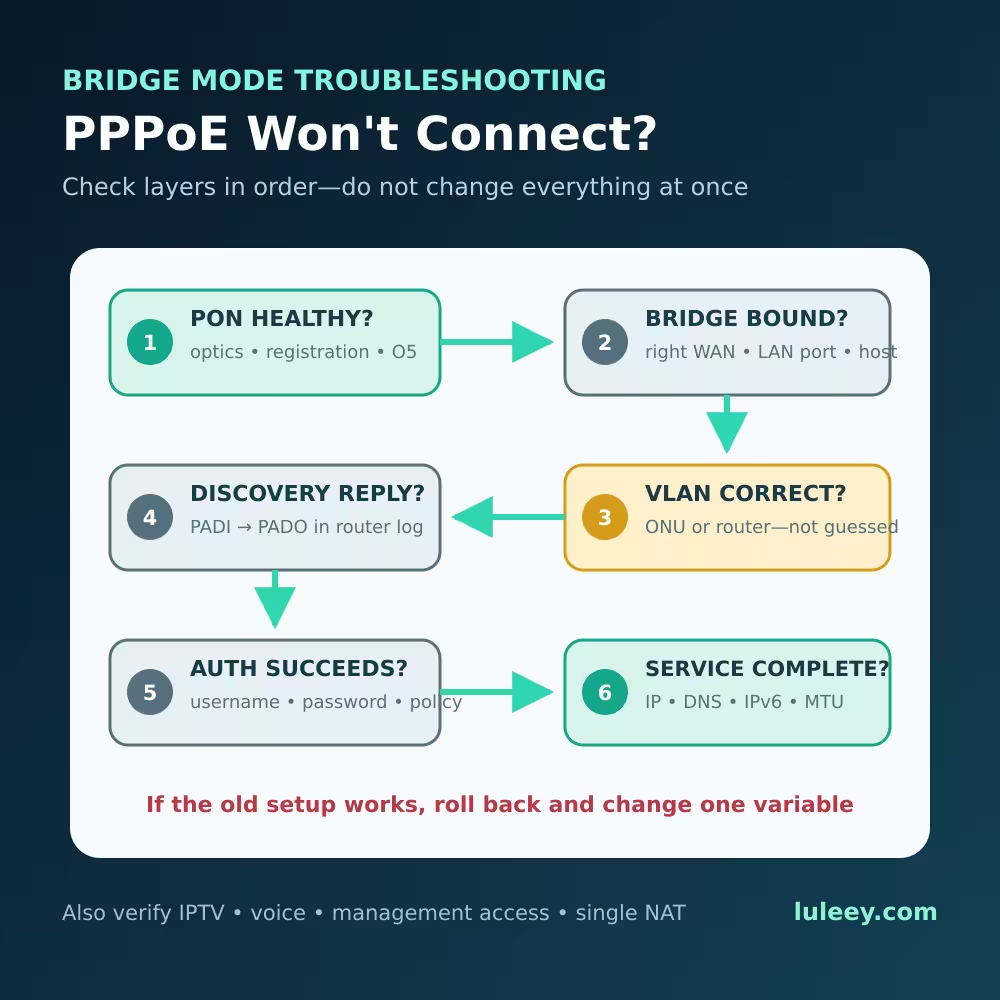
How to Avoid Double NAT Without Breaking the Network
Use this decision sequence:
1. Identify the current gateway
Connect to the existing network and determine which device holds the PPPoE session or ISP WAN address. Check the ONU WAN status and the external router’s WAN page.
If the external router receives a private address from the ONU, the ONU is probably routing. That alone does not prove CGNAT or an ISP fault.
2. Decide which device should be the only normal router
- Keep the ONU routing if simplicity and ISP-managed services matter most.
- Use the ONU as a bridge if your own gateway must control the network and the ISP permits the design.
- If bridge mode is unavailable, use the downstream system as an access point where practical.
3. Confirm the WAN protocol and service VLAN
Ask the ISP whether the service uses PPPoE, DHCP/IPoE or static addressing. Obtain the authorized credentials and VLAN requirements.
Do not guess a VLAN from another provider or copy identifiers from equipment you are not authorized to replace.
4. Preserve PON registration
Bridge/router mode concerns the subscriber-facing service path. GPON registration is a separate requirement involving the OLT and ONU.
An ONU can reach the GPON operation state yet still have no Internet because PPPoE, DHCP, VLAN or service provisioning is wrong. ITU-T G.984.3 defines the transition from ranging state O4 to operation state O5 at the GPON transmission-convergence layer; it does not define O5 as proof of a subscriber’s Internet session. ITU-T G.984.3 Conversely, correct PPPoE credentials cannot fix an ONU that is not registered on the PON.
5. Move one function at a time
During a maintenance window:
- Back up the current ONU and router settings.
- Record the working optical status, PON state and WAN details.
- Configure the intended bridge and LAN-port binding.
- Configure PPPoE or the correct WAN protocol on the external router.
- Put the service VLAN on the correct side of the bridge.
- Disable conflicting WAN profiles only when the new path is ready.
- Reconnect and verify the PPPoE discovery, session state and assigned addresses.
Changing mode, VLAN, credentials and firmware simultaneously makes failures much harder to isolate.
Bridge Mode Troubleshooting Checklist
If the ONU shows a healthy PON state but your router cannot connect, check in this order:
- Physical and PON status: Verify fiber condition, optical power and ONU registration.
- Bridge binding: Confirm the Internet service is bridged to the exact LAN port or Stick host interface in use.
- Router WAN mode: Make sure the router is actually configured as a PPPoE client rather than DHCP, or vice versa.
- Credentials: Re-enter the authorized username and password without hidden spaces.
- VLAN placement: Verify the required VLAN is applied exactly where the service design expects it.
- PPPoE discovery: Check router logs for PADI/PADO or timeout information. No discovery response often points to the Layer 2 path, service binding or VLAN rather than a bad password.
- Authentication result: If discovery succeeds but authentication fails, verify the account format and ISP policy.
- IP and DNS: If the session is up, confirm an address, gateway, DNS and IPv6 prefix are assigned as expected.
- MTU: Traditional PPPoE commonly uses an MTU of 1492 because of its overhead. RFC 4638 permits larger PPPoE payloads only when the path and both endpoints support the extension. Do not force 1500 without verification.
- Other services: Test IPTV and voice separately; Internet success does not prove their profiles survived the change.
If the old configuration works, restore it before continuing broad experiments. A controlled rollback is useful diagnostic evidence.
Special Case: PPPoE with an ONU Stick
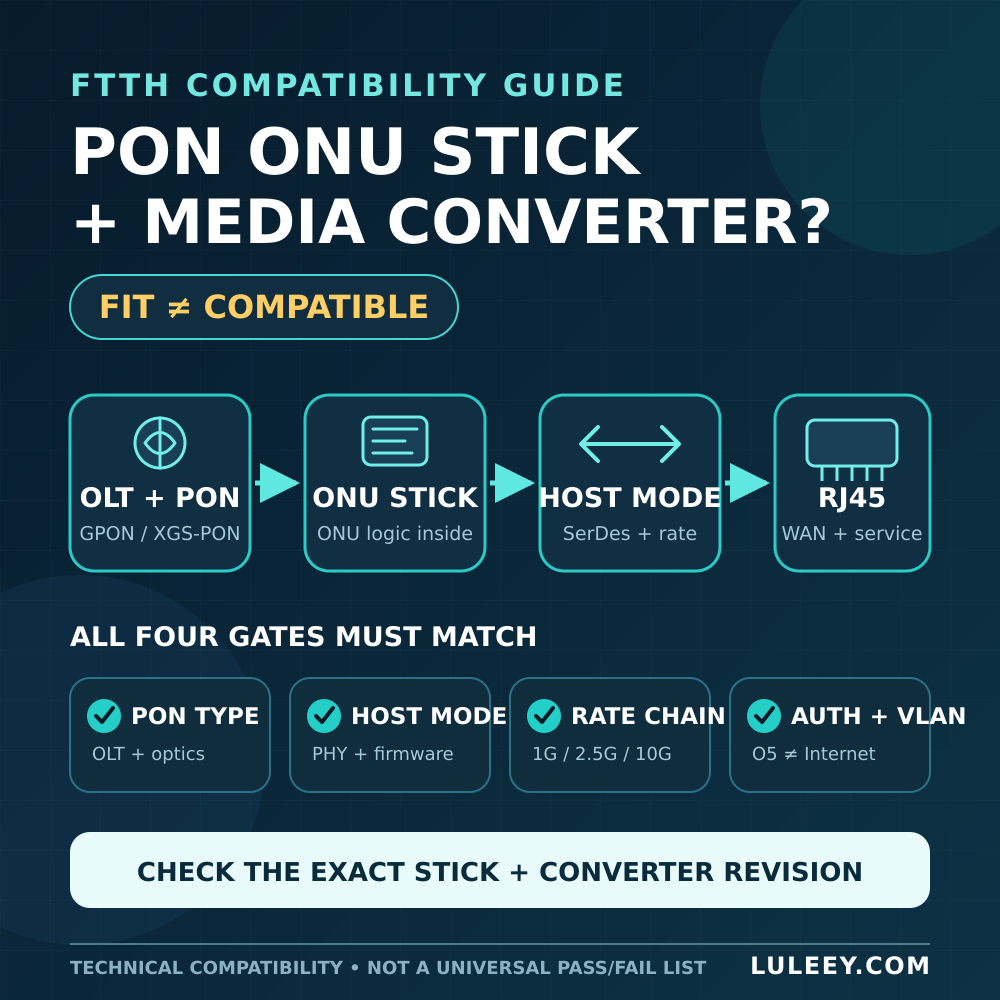
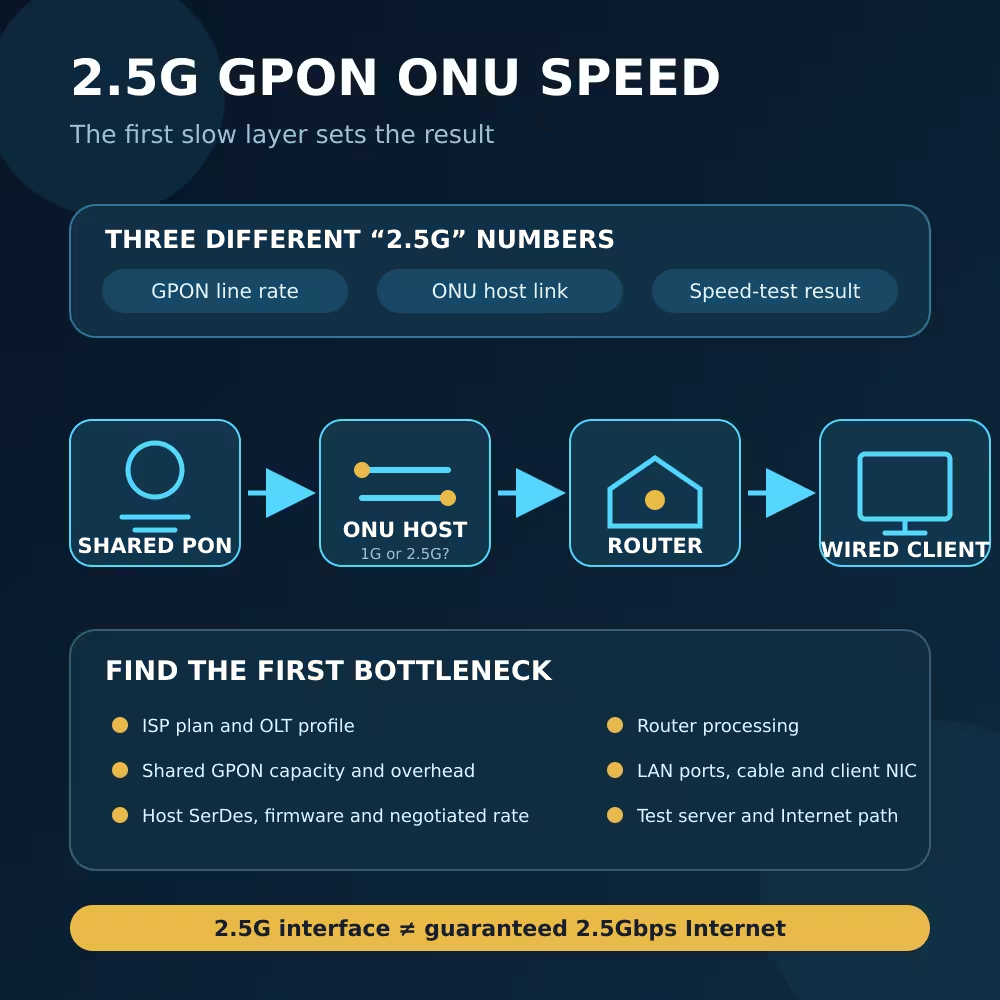
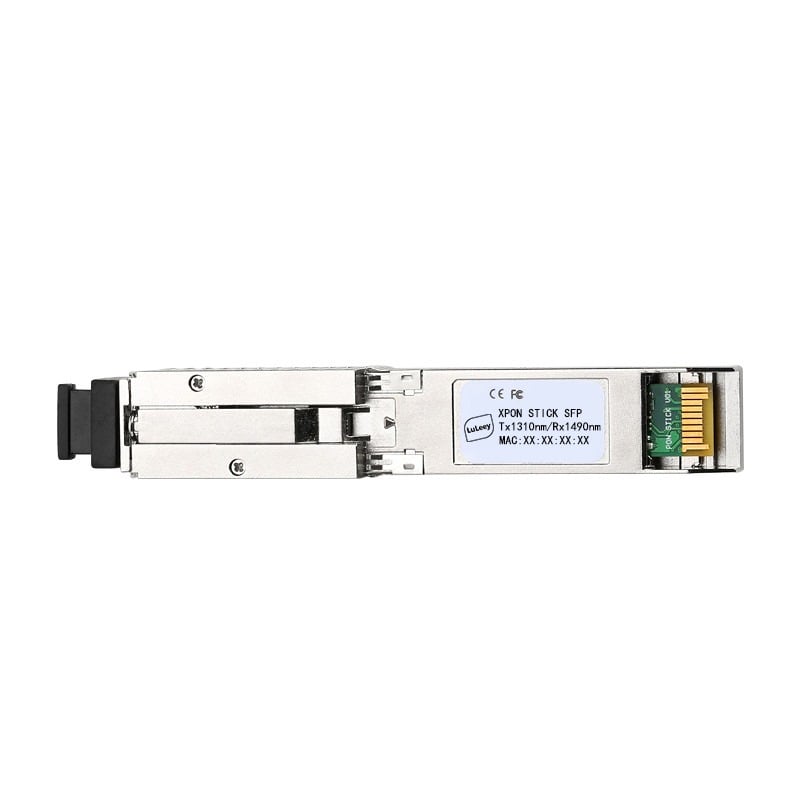
An ONU Stick can combine PON termination and a pluggable host interface, but its optical registration and host-side Ethernet link are separate checks.
Even when the Stick reaches a GPON operational state, verify:
- The host port’s actual SerDes modes
- The Stick’s configured host mode
- Firmware and driver support
- Port speed settings
- Module coding acceptance
- The negotiated host-side rate
- VLAN pass-through or translation behavior
- Where PPPoE terminates
Do not infer compatibility from the words SFP, SFP+ or “2.5G” alone. Some hosts support only 1G and 10G, some support native 2.5G with suitable hardware and firmware, and some Sticks can use a compatible 1G host mode with lower maximum throughput.
LuLeey’s LL-XS2510 operating guide documents separate PON status, network-access settings and VLAN settings. That separation is useful during diagnosis: an optical/PON success does not prove that the host-side VLAN and PPPoE path are correct.
Choosing a LuLeey ONU for the Intended Role
If you want one device to provide routing and Wi-Fi, LuLeey’s LL-XP4GW1800C Wi-Fi 6 XPON ONU lists Route PPPoE/DHCP/Static IP and Bridge mode, four Gigabit RJ45 ports, dual-band Wi-Fi, NAT, DHCP-server and firewall functions.
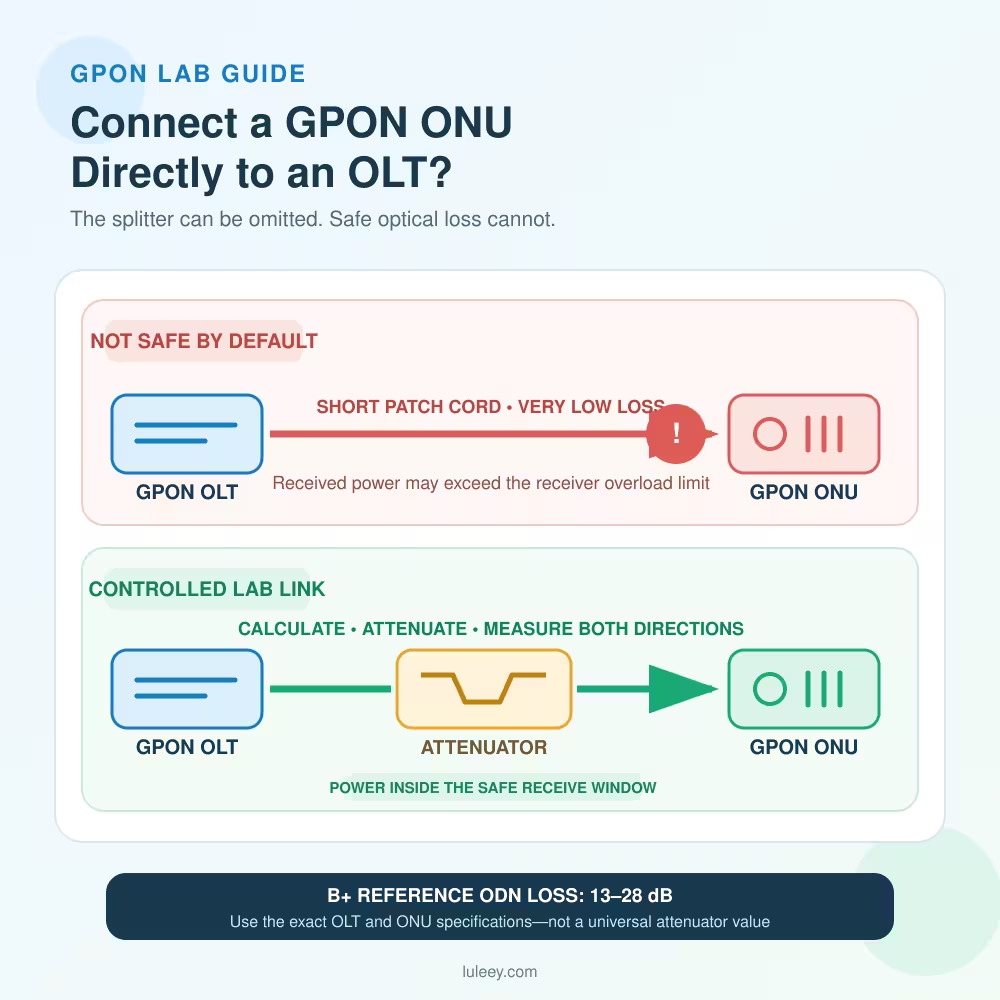
Those features do not guarantee compatibility with every OLT or ISP profile. Before ordering, confirm the PON protocol, authentication method, OMCI requirements, service VLANs, voice/IPTV needs, connector, optical budget and provider authorization.
For an external-router design, provide LuLeey with:
- ISP and access technology
- Existing ONU model and authorized registration fields
- PPPoE, DHCP/IPoE or static WAN method
- Internet, IPTV and voice VLAN requirements
- Required bridge or router role
- External router model and WAN interface
- Desired host-side speed
- Firmware and management-access requirements
Final Answer
Run PPPoE on the ONU when the ONU is your main router. Run PPPoE on your own router when the ONU transparently bridges the Internet service to it.
For most installations, avoid having both devices perform routing and NAT. Place the service VLAN on the device specified by the ISP design, preserve separate IPTV or voice profiles, and treat GPON registration as a different layer from PPPoE.
Before switching modes, save the working configuration and confirm the authorized credentials, VLAN behavior, bridge-port binding and rollback plan. The best result is not merely a successful PPPoE login; it is a stable Internet, IPv6, voice and IPTV service with one clearly defined gateway.

 SFP/SFP+ (1G/2.5G/5G/10G)
 SFP-T (1G/2.5G/10G)
 AOC Cable 10G/25G/40G/100G
 DAC Cable 10G/25G/40G/100G
 QSFP28 QSFP+ SFP28 100G/40G/25G
 Copper to Fiber Media Converters
 Fiber Media Converter PCBA Board
 OEO Fiber Media Converters
 Serial to Fiber Media Converters
 Video to Fiber Media Converters
 1000M GPON/EPON ONU
 10G EPON ONU/XG-PON/XGS-PON
 2.5G GPON/XPON STICK SFP ONU
 POE GPON/EPON ONU
 Wireless GPON/EPON ONT
 EPON OLT
 GPON OLT
 SFP PON Module
 Industrial Switches
 Managed Switches
 POE Switches
 Unmanaged Switches
 MTP/MPO Fiber Cables
 Fiber Optic Cassettes
 Fiber Optic Loopback
 Optic Cables and Fiber Pigtails
 Optical Splitters and Splitter Box
 Fiber Flange Connectors
 Optical Adapters
 Optical Attenuator
 Quick Connector and Connector Panel
 CATV Amplifier
 CATV Optical Receiver
 Visual Fault Locator
 OTDR
OTDR Optical Power Meter
 Fiber Optic Identifier
 Fiber Optic Cleaners
 Fiber Cleavers & Fiber Strippers
 Copper Tools


