Customs duties are the responsibility of customers, but standard logistics support DDP to most countries, duty-free such as US, DE, UK, CA, FR, IT, PL, AT, JP…





















































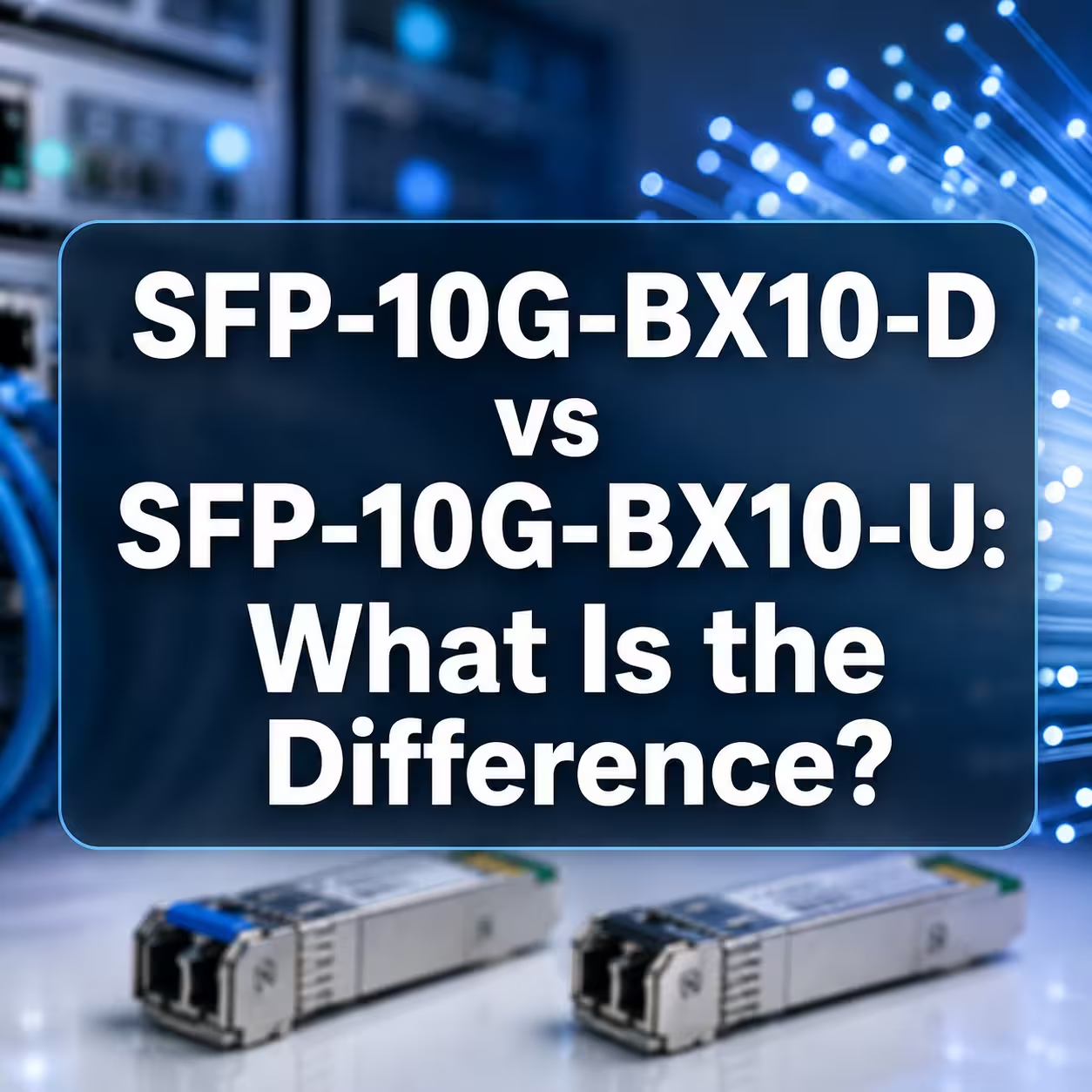
In most common single-fiber Ethernet links, two identical BiDi SFP modules will not work together. If both modules transmit at the same wavelength and listen at the same other wavelength, neither receiver sees the signal it is designed to receive.
You normally need a complementary pair. For example, a module marked TX1310nm/RX1550nm needs an opposite module marked TX1550nm/RX1310nm.
The modules must also match in data application, line rate, reach class, connector and fiber type. Both host ports must support the required electrical mode and module coding.
“A/B,” “U/D” and colored labels can help, but the safest method is to compare the actual TX and RX wavelength specifications.
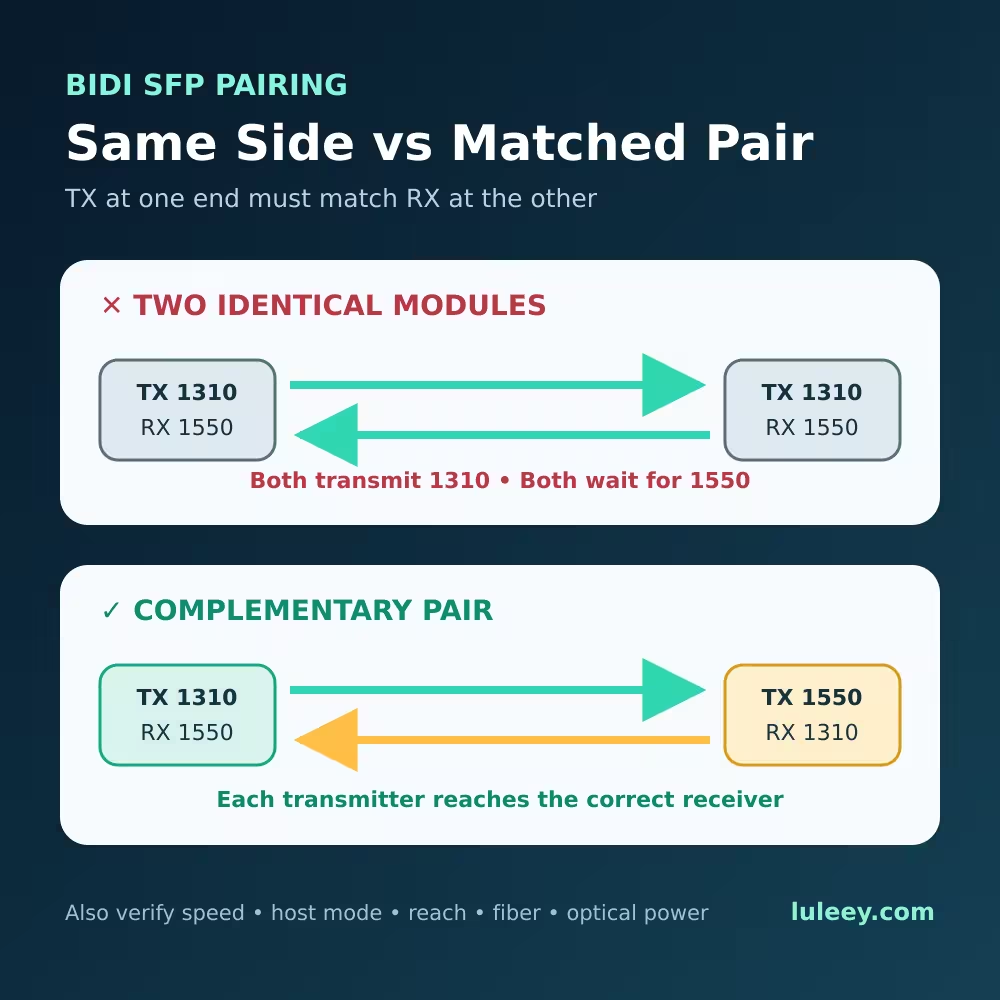
Two Identical BiDi SFP Modules: Quick Answer
| Local module | Remote module | Wavelength result | Expected outcome |
|---|---|---|---|
| TX1310/RX1550 | TX1310/RX1550 | Both transmit 1310; both listen for 1550 | No normal link |
| TX1310/RX1550 | TX1550/RX1310 | Each TX matches the other RX | Wavelength pairing is correct |
| TX1270/RX1330 | TX1330/RX1270 | Each TX matches the other RX | Wavelength pairing is correct |
| TX1310/RX1550 at 1G | TX1550/RX1310 at 2.5G | Wavelengths complement, rates do not | No normal link |
| Complementary wavelengths but different power classes | Wavelengths may match | Optical budget may be invalid | Verify exact specifications |
Correct wavelengths are necessary but not sufficient. A real link also depends on host SerDes mode, application rate, module coding, fiber, connector condition and received power.
How a BiDi SFP Uses One Fiber Strand
A normal duplex optical link uses one fiber for each direction. A single-fiber BiDi module combines its transmitter and receiver onto one fiber through an internal wavelength-selective optical component.
One wavelength travels from Side A to Side B while a different wavelength travels from Side B to Side A.
For one common vendor-specific pair:
- Side A transmits at 1310nm and receives at 1550nm.
- Side B transmits at 1550nm and receives at 1310nm.
Other products use different wavelength plans. Cisco documents 1000BASE-BX10-U as TX1310/RX1490 and BX10-D as TX1490/RX1310. Its 10G BXU/BXD products use 1270nm and 1330nm in opposite directions. Cisco 1G BiDi specifications, Cisco 10G BiDi specifications
Do not assume that every BiDi pair uses 1310/1550nm. Read the exact datasheet and label.
Why Two Same-Side Modules Usually Fail
Suppose both ends use TX1310/RX1550 modules.
At the local end, the receiver is filtered for 1550nm. The remote module sends 1310nm, so the local receiver does not receive its intended wavelength.
The same mismatch happens in the other direction. Both transmitters send 1310nm, while both receivers wait for 1550nm.
The switch may still:
- Detect the module EEPROM
- Display the vendor and part number
- Report temperature, voltage or TX power
- Show that the laser is enabled
None of these proves that the remote optical wavelength reaches the correct receiver. Module detection and DDM communication are separate from successful optical traffic.
Does “Identical” Always Mean the Link Cannot Work?
For the common fixed-wavelength BiDi SFPs discussed here, two identical same-side modules normally do not form a link.
However, this should not be turned into a universal statement about every product called “BiDi.” Some advanced transceivers use multiple lanes, tunable wavelengths, automatic role selection or proprietary architectures.
The reliable field rule is:
For a fixed-wavelength single-fiber module, compare TX at one end with RX at the other in both directions.
Do not decide only from the words SFP, SFP+, BiDi, WDM, A, B, U or D.
A/B and U/D Labels Are Not Universal Definitions
Suppliers may use:
These names help identify a matched set, but they are not universal wavelength mappings.
Cisco’s 1G BX10-U/D pair uses 1310nm and 1490nm, while its 10G BXU/D pair uses 1270nm and 1330nm. A third-party 1.25G product may use 1310nm and 1550nm.
Never pair modules only because one says “A” and the other says “B.” Verify both TX/RX wavelength lines, rate, reach and optical specifications.
What Else Must Match Besides Wavelength?
1. Data application and actual line rate
Both modules and both hosts must operate in the same required mode. A complementary 1G module and 2.5G module do not create a working link merely because their wavelengths match.
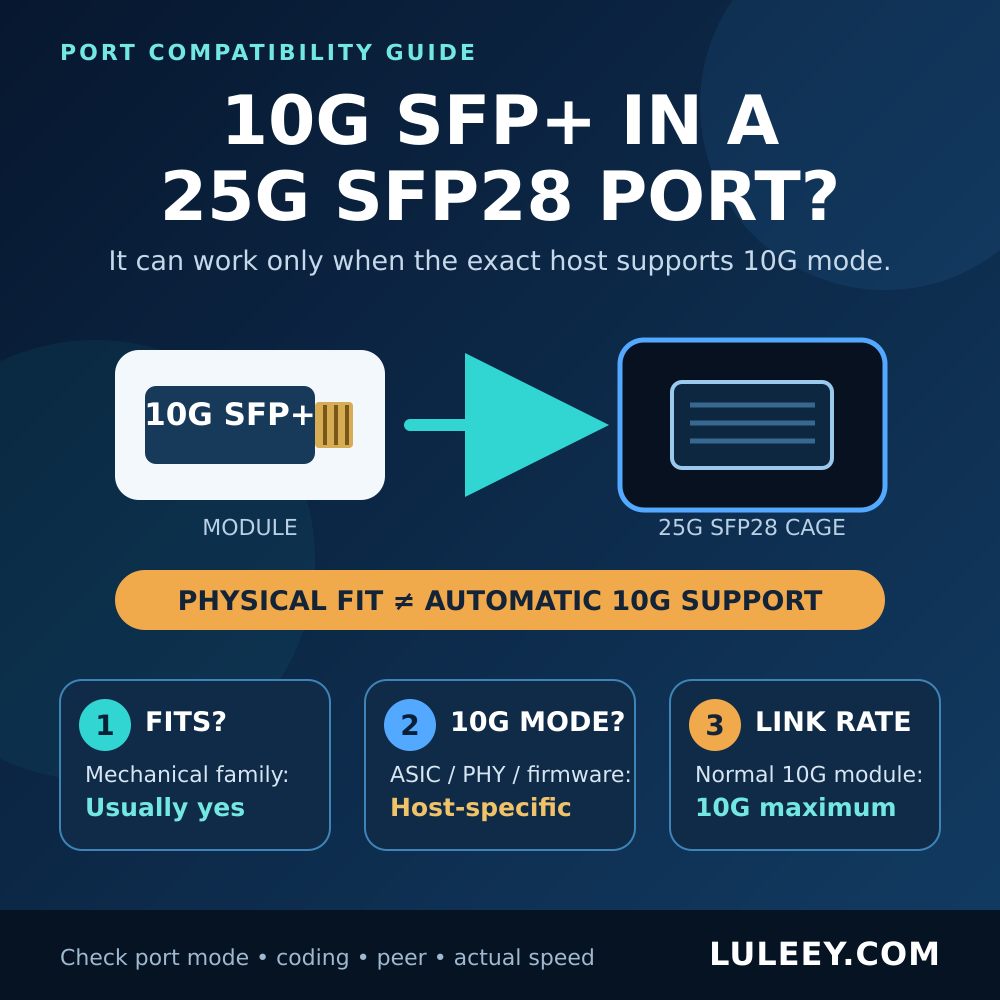
Physical SFP or SFP+ cage fit does not establish rate compatibility. Check the host SerDes mode, firmware, driver and port setting.
2. Fiber type
The LuLeey modules referenced here are specified for single-mode fiber. Do not substitute multimode fiber based only on connector fit.
3. Connector type and polish
LC simplex and SC simplex are different physical interfaces. UPC and APC end faces must not be directly mated.
4. Reach class and optical budget
Distance labels such as 10km, 20km and 40km describe an intended reach class, not a guarantee for every route.
Check:
- Minimum and maximum transmitter output
- Receiver sensitivity
- Receiver overload or maximum input
- Actual fiber, connector and splice loss
- Any required minimum attenuation
Do not pair modules solely because both packages say “20km.”
5. Host recognition and coding
Some switches accept general coding; others warn about or reject unsupported transceivers. Verify the exact switch, router, NIC or media-converter model and firmware.
6. Operating environment
Commercial and industrial modules may have different temperature ratings. Match the actual installation environment, not only the wavelength.
How to Read a BiDi Module Label
Consider this example:
1.25G, TX1310nm/RX1550nm, SMF, 20km, LC, DDM
Read it as six separate checks:
- 1.25G: intended application and host rate.
- TX1310nm: wavelength leaving this module.
- RX1550nm: wavelength this module expects.
- SMF: single-mode fiber requirement.
- 20km: reach class under its specified budget.
- LC and DDM: connector and diagnostic capability.
The opposite module should normally read TX1550nm/RX1310nm while matching the other required conditions.
If the label shows only one wavelength, find the full datasheet. A single marketing wavelength may refer only to the transmitter.
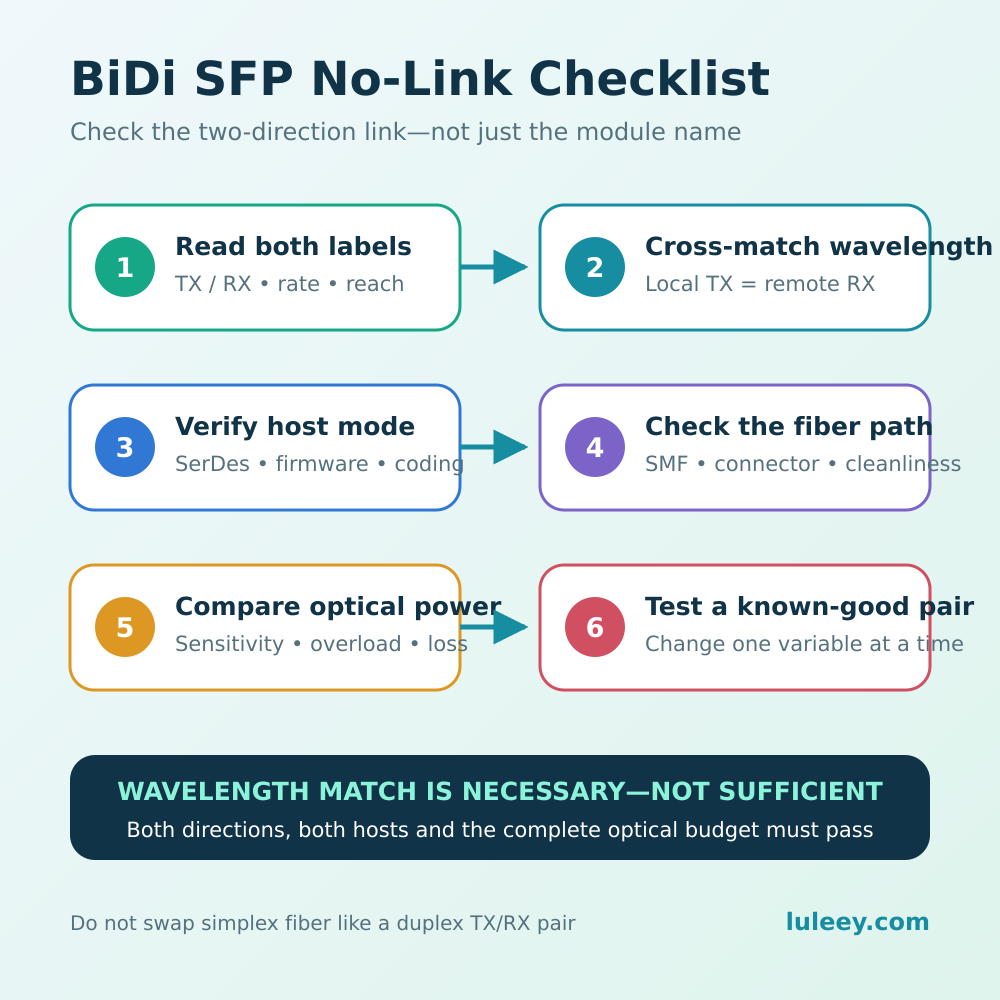
BiDi SFP No-Link Troubleshooting
Step 1: Record both exact part numbers
Do not write only “two 1G BiDi modules.” Record both labels, host models, firmware and configured speeds.
Step 2: Build a two-direction wavelength table
| Direction | Transmitter | Receiver | Match? |
|---|---|---|---|
| Local to remote | Local TX | Remote RX | Yes/No |
| Remote to local | Remote TX | Local RX | Yes/No |
Both rows must match.
Step 3: Verify rate and host mode
Check the configured and actual port speeds. Confirm that both hosts provide the mode required by the modules.
For 2.5G modules, do not assume that an SFP+ cage provides 2.5G. The host chipset or PHY, firmware, driver and port configuration must support that SerDes mode.
Step 4: Check the fiber path
Confirm that the cable is single-mode, reaches the intended endpoint and does not pass through an incompatible splitter, filter or PON network.
A point-to-point Ethernet BiDi pair is not a substitute for a GPON or XGS-PON ONU and OLT pair.
Step 5: Inspect and clean both connectors
Use an inspect-clean-inspect process with tools matching LC or SC and the connector polish. Never look into an active fiber.
Step 6: Read DDM in the correct direction
Compare the remote module’s TX reading with the local module’s RX reading. Repeat in the opposite direction.
An RX value reported as no signal or very low can support the diagnosis, but DDM accuracy depends on the module and host.
Step 7: Compare power with exact limits
If wavelengths and rates are correct, compare RX power with the receiver sensitivity and overload limits. Too little or too much light can prevent reliable operation.
Step 8: Test a verified pair
Use a known-good complementary pair with the correct coding and reach. Change one variable at a time and record the result.
Example with LuLeey BiDi SFP Modules
LuLeey’s 1.25G SC BiDi SFP pair for 10km is listed as a matched 1310/1550nm pair using one single-mode fiber, an SC simplex interface and DDM. Its page states that TX1310/RX1550 must pair with TX1550/RX1310.
For a 2.5G host, LuLeey’s 2.5G SC BiDi SFP for 20km is listed for a 1310/1550nm complementary pair, SC simplex and single-mode fiber.
The 2.5G product page also states that the host must support 2.5G SFP operation. Do not order it for a fixed 1G port or assume every 10G SFP+ port supports native 2.5G.
Before ordering, provide:
- Both host models and firmware
- Required data rate
- Local and remote coding requirements
- Fiber type and available core count
- Connector and polish at each end
- Route distance and estimated loss
- Required temperature range
Final Answer
Two identical fixed-wavelength BiDi SFP modules normally will not work together because their TX and RX wavelength directions are the same.
Use a complementary pair in which:
- Local TX equals remote RX.
- Remote TX equals local RX.
- Both ends use the same application rate.
- Both hosts support the required SerDes mode and coding.
- Fiber, connector, reach and optical power are compatible.
Matching the words “BiDi” and “20km” is not enough. The complete two-direction link must match.

 SFP/SFP+ (1G/2.5G/5G/10G)
 SFP-T (1G/2.5G/10G)
 AOC Cable 10G/25G/40G/100G
 DAC Cable 10G/25G/40G/100G
 QSFP28 QSFP+ SFP28 100G/40G/25G
 Copper to Fiber Media Converters
 Fiber Media Converter PCBA Board
 OEO Fiber Media Converters
 Serial to Fiber Media Converters
 Video to Fiber Media Converters
 1000M GPON/EPON ONU
 10G EPON ONU/XG-PON/XGS-PON
 2.5G GPON/XPON STICK SFP ONU
 POE GPON/EPON ONU
 Wireless GPON/EPON ONT
 EPON OLT
 GPON OLT
 SFP PON Module
 Industrial Switches
 Managed Switches
 POE Switches
 Unmanaged Switches
 MTP/MPO Fiber Cables
 Fiber Optic Cassettes
 Fiber Optic Loopback
 Optic Cables and Fiber Pigtails
 Optical Splitters and Splitter Box
 Fiber Flange Connectors
 Optical Adapters
 Optical Attenuator
 Quick Connector and Connector Panel
 CATV Amplifier
 CATV Optical Receiver
 Visual Fault Locator
 OTDR
OTDR Optical Power Meter
 Fiber Optic Identifier
 Fiber Optic Cleaners
 Fiber Cleavers & Fiber Strippers
 Copper Tools


