Customs duties are the responsibility of customers, but standard logistics support DDP to most countries, duty-free such as US, DE, UK, CA, FR, IT, PL, AT, JP…





















































A single-mode SFP with Multimode Fiber is not a normal plug-and-play combination. The connector may fit, and a short bench link may even come up, but neither result proves that the optical link is supported or reliable.
There is one important, limited exception: some 1G 1000BASE-LX/LH optics are documented for operation over particular multimode fibers, often with a specified mode-conditioning patch cord. That exception does not make every 1310 nm single-mode optic compatible with multimode fiber, and it should not be carried over to 10GBASE-LR.
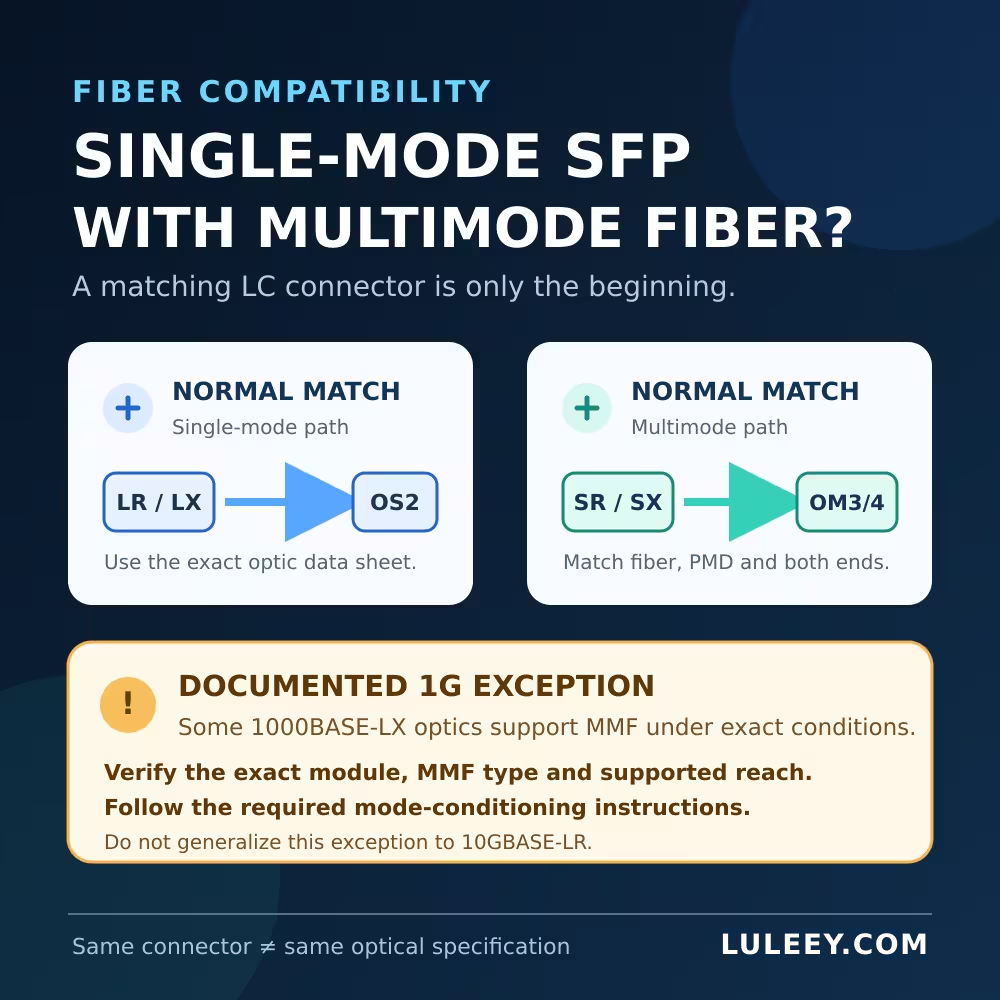
Single-Mode SFP with Multimode Fiber: The Short Answer
Use the transceiver with the fiber type named in its exact data sheet.
| Link you are building | Normal matched design | Mixed-fiber conclusion |
|---|---|---|
| 1 Gigabit over multimode | 1000BASE-SX with the specified MMF | Preferred, predictable choice |
| 1 Gigabit over single-mode | 1000BASE-LX or another specified SMF optic | Preferred, predictable choice |
| Documented 1000BASE-LX over MMF | Exact LX optic, supported MMF and required launch method | Possible only under the documented conditions |
| 10 Gigabit over OM3/OM4 | 10GBASE-SR | Use SR unless the equipment documentation explicitly says otherwise |
| 10 Gigabit over OS2 | 10GBASE-LR | Do not assume LR supports MMF |
The PMD name—such as SX, LX, SR or LR—matters more than the metal module shell. IEEE 802.3 defines distinct Ethernet physical layers for different media and reaches. The IEEE 802.3-2022 standard record is the controlling standards reference; the actual module and host documentation still determine what a particular product supports.
Why the Same LC Connector Does Not Make the Optics Compatible
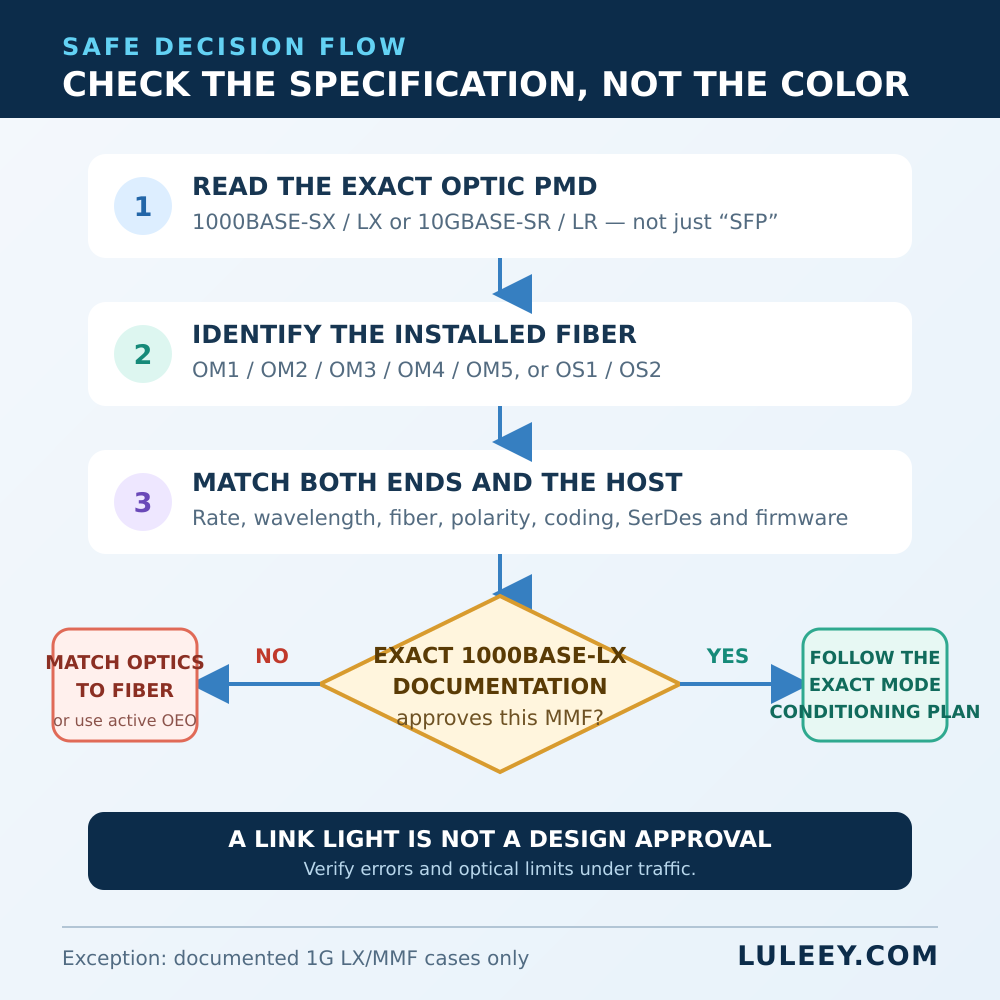
Duplex LC is only a connector format. It does not tell you the source type, wavelength, supported fiber, launch condition, receiver limits or Ethernet PMD.
Multimode fiber has a larger core and carries multiple propagation modes. Single-Mode Fiber has a much smaller core and carries the fundamental mode. A long-wavelength laser launched into multimode fiber can excite the modes unevenly. The receiver may then see pulse spreading or an unstable signal even when the measured optical power appears acceptable.
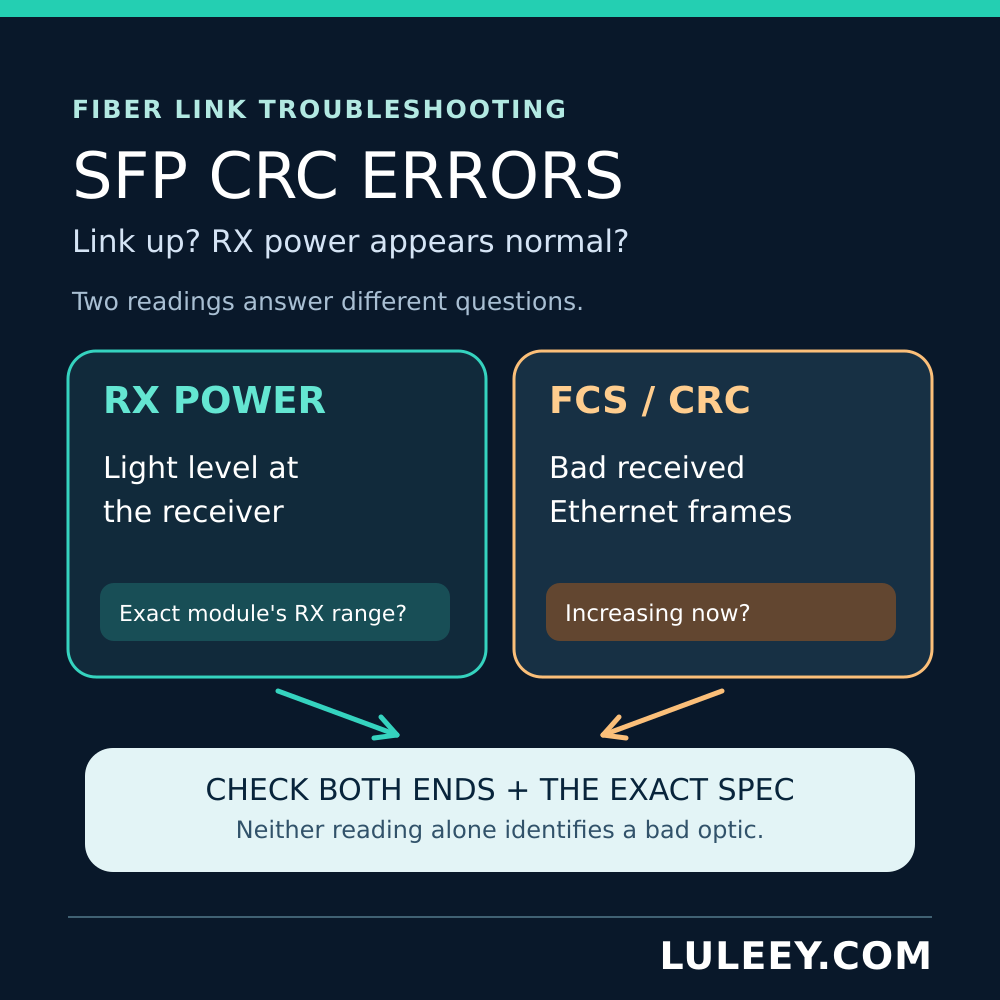
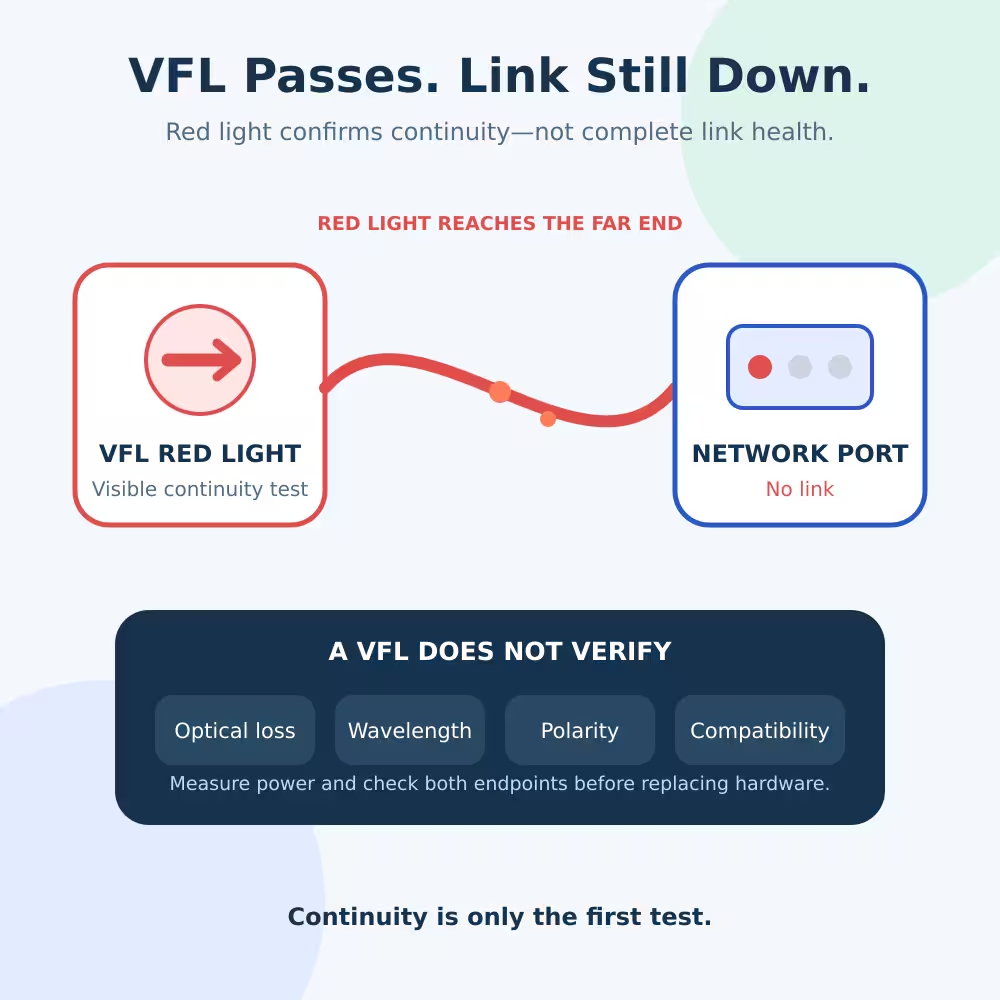
This is why a link light is weak evidence. It confirms that the endpoints detected enough signal to establish a link at that moment. It does not certify the bit-error performance, supported reach or long-term margin.
Cable jacket color is also not a sufficient test. Labels, records or a fiber identifier should establish whether the installed cable is OM1, OM2, OM3, OM4, OM5, OS1 or OS2. Check the connector polish as well; do not mate APC and UPC interfaces simply because the connector family looks similar.
The 1000BASE-LX over Multimode Exception
Some 1000BASE-LX/LH implementations explicitly support both single-mode fiber and multimode fiber. For example, Cisco’s current Gigabit Ethernet SFP data sheet documents a particular 1000BASE-LX/LH SFP for SMF and MMF, and calls for a mode-conditioning patch cord on legacy MMF.
That is permission for the documented optic and channel—not a rule for every “LX,” 1310 nm or single-mode SFP.
A mode-conditioning patch cord controls how the transmitter launches light into the multimode core. It is not a universal SMF-to-MMF converter, it does not change the Ethernet rate, and it does not make two different PMDs interoperable. Its construction and orientation matter. In Cisco’s supported configuration, the mode-conditioning installation note calls for a patch cord at each end for the specified older multimode fibers and says not to use that arrangement on OM3 or newer fiber.
Before using this exception, obtain written answers to all four questions:
- Does the exact optic part number and revision list the installed MMF category?
- What is the maximum channel length for that fiber?
- Is a mode-conditioning patch cord required, prohibited or unnecessary?
- Does the host platform support that optic coding, rate and operating mode?
If any answer is missing, use a matched multimode optic or an active conversion point instead of improvising.
Do Not Generalize the Exception to 10GBASE-LR
At 10 Gigabit Ethernet, use SR optics for supported multimode channels and LR optics for supported single-mode channels unless the exact documentation provides another design.
LuLeey’s 10GBASE-SR SFP+ page specifies 850 nm, duplex LC and up to 300 m on OM3/OM4. Its LL-SFP-10G-LR page specifies 1310 nm, duplex LC, single-mode fiber and 10 km. The LR page does not list multimode support.
Therefore, “both use duplex LC” is not a compatibility argument. A 10GBASE-LR pair that happens to establish a short link over MMF is still outside the listed LuLeey design unless LuLeey confirms that exact combination in writing. Do not turn a successful desk test into a production standard.
Choose the Matched LuLeey Option
For a 1G multimode link, LuLeey’s LL-SFP-MM-LC-500 1000BASE-SX page lists 850 nm, duplex LC, MMF and up to 550 m. Confirm the installed multimode category and complete channel before using the maximum figure.
For a 1G single-mode link, the LL-SFP-SM-LC-1000 page lists 1000 Mbps, 1310 nm, duplex LC, SMF and up to 20 km. Importantly, that LuLeey page does not list MMF. The broader 1000BASE-LX exception should therefore not be assumed for this model without confirmation from LuLeey.
If a route must cross from one fiber type to another, use a switch or an active optical-electrical-optical converter with one correctly specified optical interface on each side. A passive adapter changes connector presentation, not the optical PMD or fiber behavior.
Host Compatibility Is a Separate Check
Correct fiber does not guarantee that the host accepts the module. Record:
- Exact switch, router or NIC model and port
- Host ASIC/PHY and supported SerDes modes
- Firmware, operating system and driver versions
- Port speed and mode settings
- Module part number, revision and EEPROM coding
- Actual operating rate and observed throughput
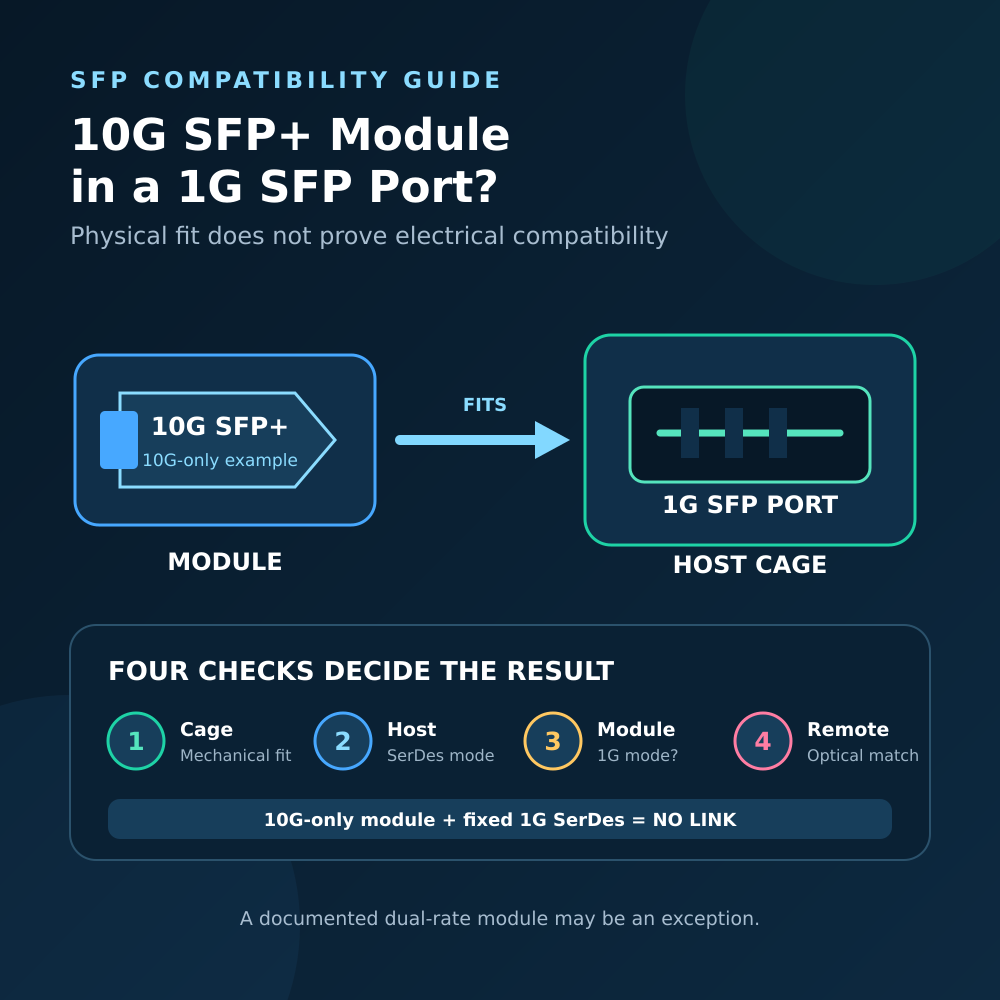
An SFP can physically enter some SFP+ cages, but the host may not support 1G operation in that port. Likewise, an SFP+ cage designation does not establish support for every lower rate. Physical fit, SerDes mode, link negotiation and usable throughput are separate facts.
If a Mixed Link Is Already Running
Do not unplug a production link without authorization. First collect evidence:
- Save the exact optic identities and host diagnostics at both ends.
- Identify the installed fiber from records or markings, including every patch lead and panel segment.
- Record link rate, link resets, FCS/CRC and physical-layer error counters over a defined interval.
- Compare RX power with the exact receiver’s minimum and maximum operating limits; a plausible dBm value alone does not approve the fiber type.
- Test under representative traffic and watch whether errors rise.
- Plan a maintenance-window replacement with a matched optic pair and fiber path, changing one item at a time.
Never look into a fiber, patch cord or optical port. Inspect and clean connectors only with approved procedures and tools.
Next step: send LuLeey both host models, both optic labels, the installed fiber category, route length, connector/polish, firmware and current diagnostics. LuLeey can then check a specific supported combination instead of guessing from “single-mode,” “multimode” or the LC connector alone.
 SFP/SFP+ (1G/2.5G/5G/10G)
 SFP-T (1G/2.5G/10G)
 AOC Cable 10G/25G/40G/100G
 DAC Cable 10G/25G/40G/100G
 QSFP28 QSFP+ SFP28 100G/40G/25G
 Copper to Fiber Media Converters
 Fiber Media Converter PCBA Board
 OEO Fiber Media Converters
 Serial to Fiber Media Converters
 Video to Fiber Media Converters
 1000M GPON/EPON ONU
 10G EPON ONU/XG-PON/XGS-PON
 2.5G GPON/XPON STICK SFP ONU
 POE GPON/EPON ONU
 Wireless GPON/EPON ONT
 EPON OLT
 GPON OLT
 SFP PON Module
 Industrial Switches
 Managed Switches
 POE Switches
 Unmanaged Switches
 MTP/MPO Fiber Cables
 Fiber Optic Cassettes
 Fiber Optic Loopback
 Optic Cables and Fiber Pigtails
 Optical Splitters and Splitter Box
 Fiber Flange Connectors
 Optical Adapters
 Optical Attenuator
 Quick Connector and Connector Panel
 CATV Amplifier
 CATV Optical Receiver
 Visual Fault Locator
 OTDR
OTDR Optical Power Meter
 Fiber Optic Identifier
 Fiber Optic Cleaners
 Fiber Cleavers & Fiber Strippers
 Copper Tools


