Customs duties are the responsibility of customers, but standard logistics support DDP to most countries, duty-free such as US, DE, UK, CA, FR, IT, PL, AT, JP…






















































If your GPON ONU is already in O5 state but cannot get an IP address from DHCP, don’t start by changing the GPON SN or optical settings again.
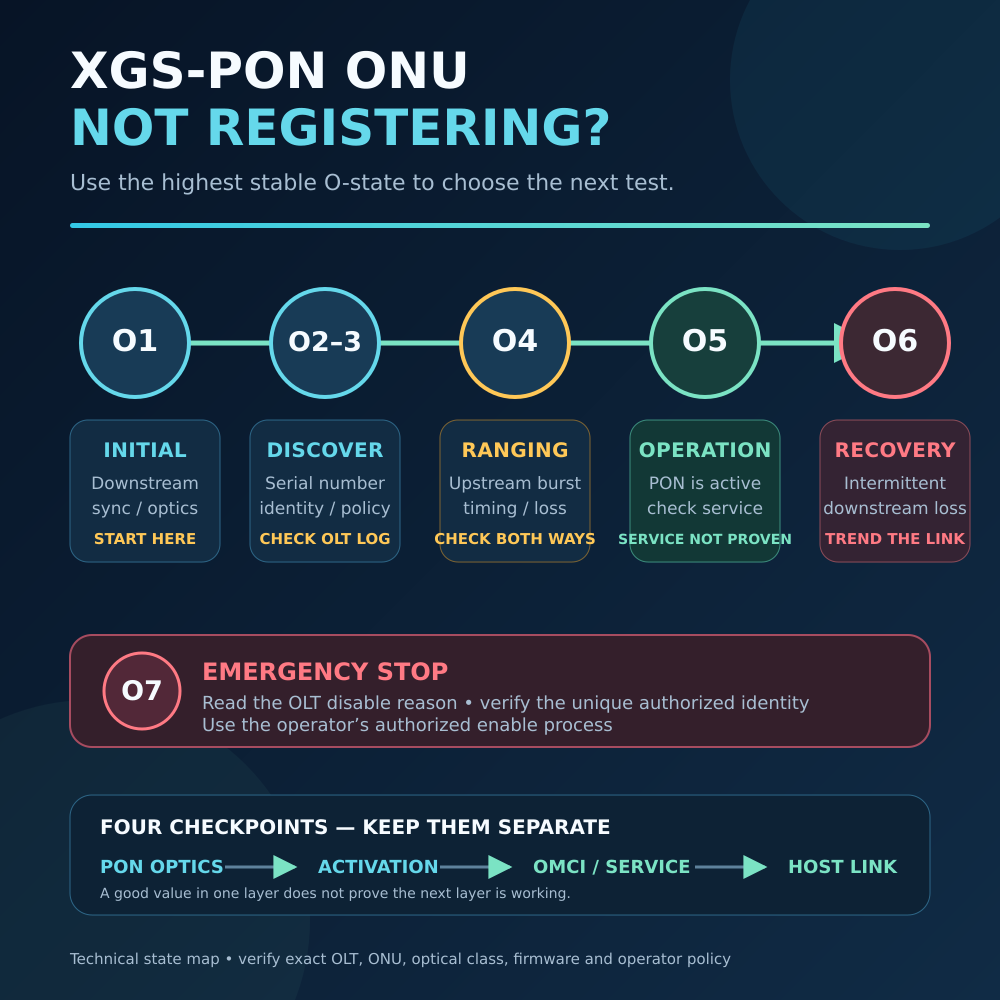
O5 is actually good news.
It normally means the ONU has completed the GPON activation process and entered the Operation state. The ONU can communicate with the OLT at the PON level. ITU-T G.984.3 defines O5 as the normal operating state after ONU activation.
But there is an important difference:
O5 means the PON link is working. It does not automatically mean your Internet service is correctly configured.
If the ONU stays in O5 but you still have no WAN IP or Internet access, the problem is usually higher up the network stack.
Quick Answer
If your ONU state is O5 but there is no DHCP IP, check these items in this order:
- Confirm whether your ISP really uses DHCP.
- Check which device should request the WAN IP.
- Verify the Internet vlan ID.
- Check VLAN mode and WAN/service binding.
- Restart DHCP and check whether a DHCP Offer is received.
- Check ISP MAC or DHCP authentication requirements.
- If everything looks correct, check OMCI/GEM/service provisioning.
For most home users replacing an ISP ONT, WAN type and VLAN configuration are the first two things to check.
First: What Does ONU O5 Actually Mean?
A GPON ONU normally goes through several activation states:
O1 → O2 → O3 → O4 → O5
O5 means:
Operation State
At this point, the ONU has successfully gone through GPON activation and can participate in upstream and downstream communication with the OLT.
So if you see:
ONU State: O5
or:
PON Status: Registered / O5
the following parts are probably already working:
- Optical link
- Basic ONU registration
- ONU-ID assignment
- PON ranging
- Basic upstream/downstream PON communication
This is why repeatedly changing optical power, GPON SN or PLOAM settings is usually not the first thing to do once the ONU remains stable in O5.
The next question is:
How does your ISP provide Internet service after the ONU registers?
1. Confirm Your ISP Actually Uses DHCP
This is the most important check.
Not every ISP gives customers an Internet IP address through DHCP.
Your ISP may use:
- DHCP / IPoE
- PPPoE
- Static IP
- DHCP with VLAN
- PPPoE with VLAN
For example, suppose your ISP uses:
PPPoE on VLAN 10
Your ONU can be perfectly registered in O5, but simply enabling a DHCP client will never give you the Internet IP you expect.
You need to configure the router with:
PPPoE username + password + correct VLAN
instead.
Simple Rule
If your old router or ONT used:
Automatic IP / DHCP / IPoE
→ troubleshoot DHCP.
If it used:
PPPoE
→ configure PPPoE instead.
If you are not sure, check your original ISP router or ask the ISP.
2. Which Device Should Get the DHCP IP?
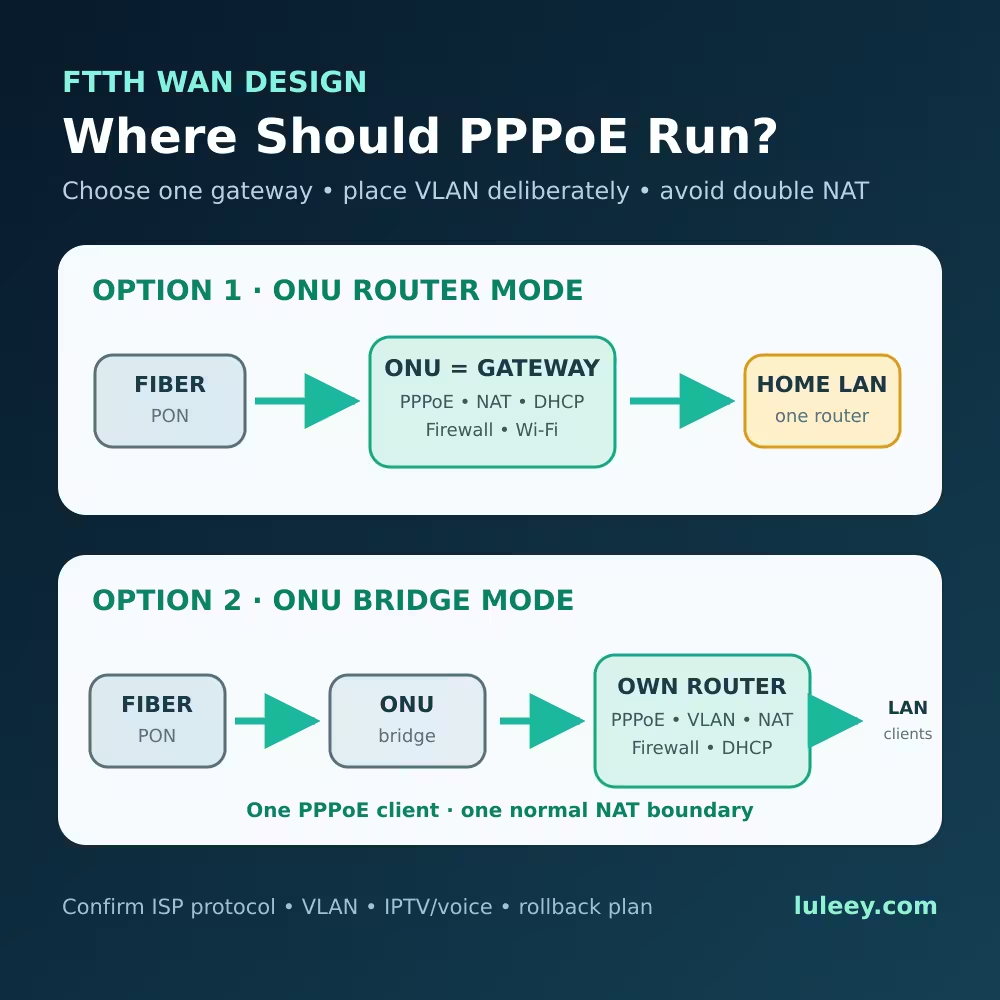
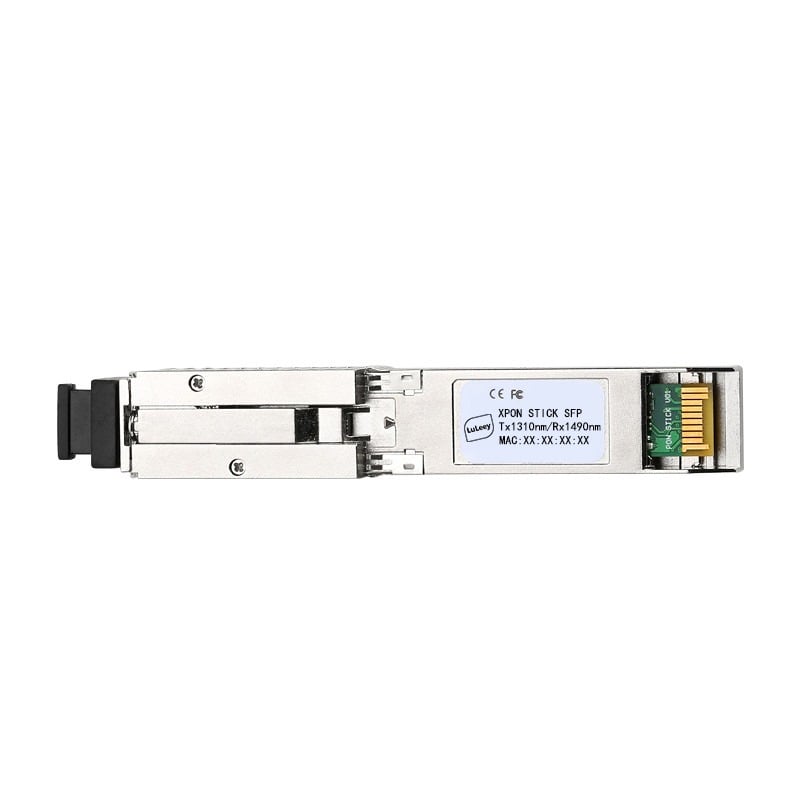
This becomes especially important when using a GPON / XPON SFP ONU Stick.
There are two common designs.
Routed ONT
A traditional ONT may act as a router itself.
The ONT requests the WAN IP from the ISP.
Your PC then gets a private LAN address such as:
192.168.1.x
from the ONT.
Bridge ONU / XPON Stick
A bridge-mode ONU behaves differently.
The ONU passes Ethernet traffic between the PON network and your router.
In this case:
The router—not the ONU stick—usually needs to run the DHCP client or PPPoE client.
For example:
ISP OLT → XPON Stick → MikroTik / UniFi / OpenWRT Router
The XPON Stick can already show:
O5
while the router still shows:
WAN IP: 0.0.0.0
That does not necessarily mean the stick failed.
It may simply mean the router’s WAN interface is not configured correctly.
LuLeey’s current LL-XS2510 product documentation describes the module as operating in bridge mode and supporting VLAN configuration.
3. Check the Internet VLAN
This is one of the most common reasons for:
O5 but no IP
Many ISPs separate Internet, IPTV and VoIP traffic using different VLAN IDs.
For example:
| Service | Example VLAN |
|---|---|
| Internet | VLAN 10 |
| IPTV | VLAN 20 |
| VoIP | VLAN 30 |
These are only examples. Your ISP may use completely different values.
Your ONU can reach O5 without the Internet VLAN being correct because:
PON registration and Internet service VLAN are not the same thing.
Example
Your ISP requires:
Internet VLAN 100
but your router sends DHCP on the untagged WAN interface.
The DHCP request may never reach the correct ISP service.
Result:
ONU = O5
DHCP IP = None
So always confirm the Internet VLAN used by your ISP.
4. Check VLAN Mode: Transparent, Tagged or Untagged?
This is particularly important when replacing a traditional ISP ONT with an XPON SFP ONU Stick.
You need to know where VLAN tagging happens.
For example:
Setup A
ISP requires VLAN 10.
The XPON Stick passes all frames transparently.
Then configure:
VLAN 10 on the router WAN interface
Setup B
The ONU itself removes or adds the Internet VLAN.
Then the router may receive untagged Ethernet.
The important rule is:
Do not tag the same service incorrectly in both the ONU and router.
For some direct-fiber router setups, LuLeey has also documented cases where changing the LL-XS2510 VLAN mode to Transparent Mode was required for the host router to handle the service VLAN correctly.
So if your ONU is O5 but DHCP does not work, check:
ONU VLAN mode
and:
Router WAN VLAN
together.
Do not troubleshoot them separately.
5. Check the DHCP Process
DHCP normally works through a simple exchange:
DHCPDISCOVER
↓
DHCPOFFER
↓
DHCPREQUEST
↓
DHCPACK
RFC 2131 defines this basic client-server process.
This gives us a very useful troubleshooting method.
Case A: No DHCPDISCOVER Is Sent
The problem is probably on your router/client side.
Check:
- DHCP client enabled
- Correct WAN interface
- Correct VLAN interface
- Interface is UP
- Bridge configuration
Case B: DHCPDISCOVER Is Sent but No DHCPOFFER Returns
Now look upstream.
Possible causes include:
- Wrong VLAN
- ISP DHCP service not reachable
- Incorrect service mapping
- ISP provisioning issue
- MAC/device identification requirement
- ONU service configuration issue
This is probably the most common situation when the ONU remains O5 but the router gets no IP.
Case C: DHCPOFFER Arrives but No IP Is Assigned
Then check:
- DHCP client logs
- DHCPREQUEST
- DHCPACK
- Router firewall
- Interface configuration
- Existing DHCP lease
- ISP-side lease or address allocation
This is much more useful than simply restarting the ONU repeatedly.
6. Check Whether the ISP Uses MAC or DHCP Identification
Some ISPs do more than simply provide an address to any DHCP client.
The service may also depend on things such as:
- CPE MAC address
- DHCP Client Identifier
- DHCP Vendor Class
- Existing lease
- ISP provisioning records
So you may see:
Old ISP ONT → Internet works
but:
New ONU + Router → O5 but no DHCP IP
If the VLAN and DHCP settings are already correct, compare the WAN configuration with the original ISP equipment.
However, do not blindly copy every identifier.
The best approach is:
Confirm with the ISP which identifiers are actually required for your connection.
7. O5 but Still No Traffic? Check Service Provisioning
This is the more advanced case.
An ONU can reach the PON O5 Operation state, but the required subscriber Ethernet service may still not be mapped correctly.
Depending on the network, the service may involve:
- OMCI configuration
- GEM ports
- VLAN mapping
- Traffic containers
- Service profiles
- UNI/service binding
This becomes particularly relevant when replacing an ISP-supplied ONT with a third-party ONU.
The PON authentication may succeed:
Registered / O5
but the replacement ONU may not reproduce the complete service configuration expected by the ISP.
A useful symptom is:
ONU remains O5
Router sends traffic
Almost no traffic returns
If DHCPDISCOVER packets leave the router but there is never any DHCPOFFER—even with the correct VLAN—this is one area worth checking.
What About GPON SN, LOID and PLOAM Password?
If your ONU cannot get beyond O2/O3/O4, authentication parameters such as:
- GPON SN
- LOID
- LOID Password
- PLOAM Password
may be the problem.
But if your ONU is already stable in O5, GPON activation has already succeeded to a significant extent.
That means these values are generally not the first thing to change when troubleshooting DHCP.
LuLeey has a separate guide explaining common ONU authentication parameters such as GPON SN, LOID and PLOAM Password.
Should I Check Optical Power?
Yes—but only if you have signs of an unstable PON connection.
For example:
- ONU moves between O5 and another state
- LOS appears
- Optical power is near the receiver limit
- Link repeatedly disconnects
If the ONU remains continuously in O5, optical power is usually not the first suspect for a simple DHCP failure.
Focus on:
WAN type → VLAN → DHCP → service provisioning
first.
A Simple Troubleshooting Example
Suppose you replace your ISP ONT with an XPON SFP ONU.
You successfully configure the GPON information.
The status page shows:
ONU State: O5
Great.
But your router shows:
WAN IP: 0.0.0.0
Do this:
Step 1
Check the original ISP connection.
You discover:
Internet uses DHCP on VLAN 20.
Step 2
Your XPON Stick is in bridge / transparent mode.
So the router should handle VLAN 20.
Step 3
Create:
WAN VLAN 20
on the router.
Step 4
Enable the DHCP client on:
VLAN 20 interface
not directly on the physical SFP port.
Step 5
Renew DHCP.
Now:
DHCPDISCOVER → DHCPOFFER → DHCPREQUEST → DHCPACK
and the WAN IP appears.
The ONU was never the real problem.
The VLAN was.
ONU O5 but No DHCP IP: Quick Troubleshooting Table
| Status | What It Usually Means | What to Check |
|---|---|---|
| ONU not O5 | PON activation problem | Fiber, SN, LOID, PLOAM, OLT |
| Stable O5, no DHCP request | Router/client problem | WAN interface, DHCP client |
| O5 + DHCP Discover, no Offer | Upstream/service problem | VLAN, ISP, provisioning |
| O5 + DHCP Offer, no IP | DHCP negotiation problem | Request/ACK, router config |
| O5 + IP but no Internet | Routing/DNS/service issue | Gateway, DNS, firewall |
| O5 keeps dropping | PON/optical problem | Optical power, fiber, OLT |
This table is usually enough to tell you which direction to troubleshoot next.
Final Answer
If your ONU is O5 but cannot get a DHCP IP address, remember:
O5 does not mean “Internet connected.”
It means the ONU has reached the GPON Operation state.
Internet access still depends on the correct:
- WAN protocol
- DHCP or PPPoE configuration
- VLAN
- Bridge/router mode
- ISP provisioning
- Service mapping
For most users, check these three items first:
1. Does the ISP really use DHCP?
2. Is DHCP running on the correct router/VLAN interface?
3. Is the Internet VLAN correct?
If all three are correct, then look deeper into MAC/DHCP identification and ONU service provisioning.

 SFP/SFP+ (1G/2.5G/5G/10G)
 SFP-T (1G/2.5G/10G)
 AOC Cable 10G/25G/40G/100G
 DAC Cable 10G/25G/40G/100G
 QSFP28 QSFP+ SFP28 100G/40G/25G
 Copper to Fiber Media Converters
 Fiber Media Converter PCBA Board
 OEO Fiber Media Converters
 Serial to Fiber Media Converters
 Video to Fiber Media Converters
 1000M GPON/EPON ONU
 10G EPON ONU/XG-PON/XGS-PON
 2.5G GPON/XPON STICK SFP ONU
 POE GPON/EPON ONU
 Wireless GPON/EPON ONT
 EPON OLT
 GPON OLT
 SFP PON Module
 Industrial Switches
 Managed Switches
 POE Switches
 Unmanaged Switches
 MTP/MPO Fiber Cables
 Fiber Optic Cassettes
 Fiber Optic Loopback
 Optic Cables and Fiber Pigtails
 Optical Splitters and Splitter Box
 Fiber Flange Connectors
 Optical Adapters
 Optical Attenuator
 Quick Connector and Connector Panel
 CATV Amplifier
 CATV Optical Receiver
 Visual Fault Locator
 OTDR
OTDR Optical Power Meter
 Fiber Optic Identifier
 Fiber Optic Cleaners
 Fiber Cleavers & Fiber Strippers
 Copper Tools


