Customs duties are the responsibility of customers, but standard logistics support DDP to most countries, duty-free such as US, DE, UK, CA, FR, IT, PL, AT, JP…





















































A QSFP28 to SFP28 adapter lets a compatible quad-lane host port accept one SFP28 transceiver or cable. It does not compress a live 100Gb/s stream into 25Gb/s, and it does not create four 25G ports. The host must support a suitable single-lane operating mode, the inserted SFP28 must match the link, and the far end must use compatible speed, media and FEC settings.
The key detail is inside the lane map. LuLeey’s QSA-28 data sheet states that the SFP28 high-speed channel connects to Lane 1 of the QSFP28 connector. The other three QSFP28 channels are not connected. The result is one link, not a four-port breakout.
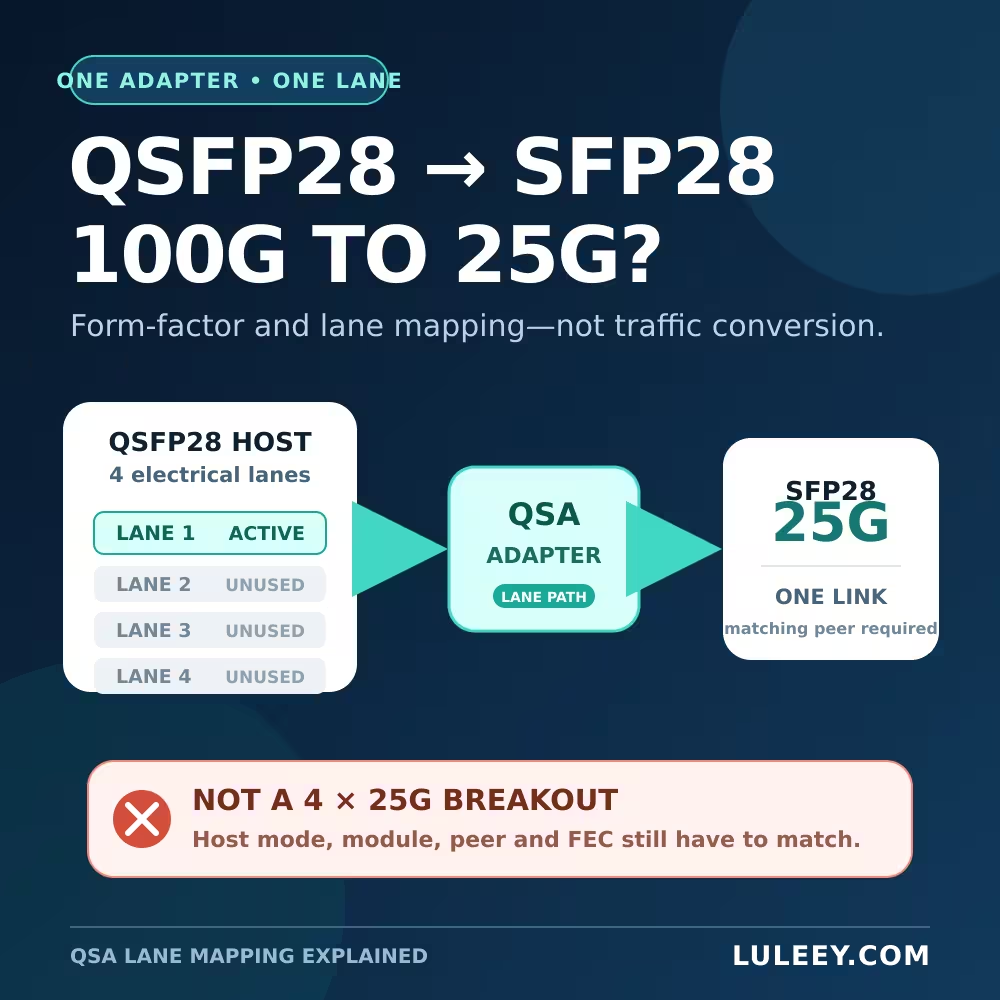
QSFP28 to SFP28 Adapter: The Short Answer
Think of a QSA as a form-factor and lane-path adapter.
| Question | Answer |
|---|---|
| Does it expose one SFP28 receptacle? | Yes |
| Does it use one QSFP28 electrical lane? | Yes, Lane 1 on the documented LuLeey QSA-28 |
| Does it convert 100G traffic into 25G traffic? | No |
| Does it create four independent 25G links? | No |
| Is every QSFP28 port guaranteed to support it? | No; the exact host, port and software must support the required mode |
SNIA SFF-8679 defines the QSFP family as a four-lane pluggable interface. By contrast, SFP28 is a single-lane form factor. An official NVIDIA QSA28 product brief describes the same basic job: connecting a single-lane transceiver or cable to a quad-lane port.
The “100G to 25G” name is therefore shorthand for using a 25G SFP28 link in a compatible QSFP28 host port. It is not an active Ethernet bridge that receives 100G packets and forwards them at 25G.
QSA Adapter vs 4×25G Breakout
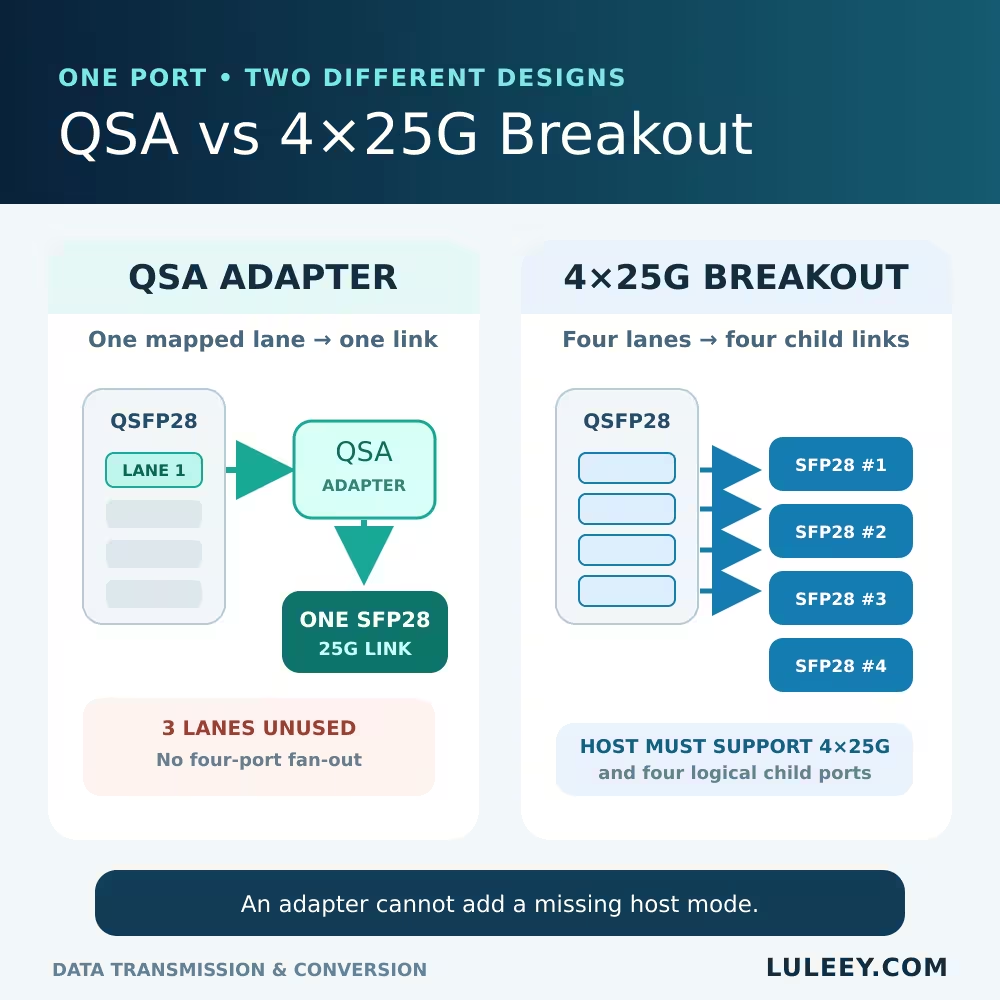
These two solutions use the host lanes differently.
| Connection | Front-panel result | Lane use | Required host behavior |
|---|---|---|---|
| QSA adapter | One SFP28 receptacle | One mapped lane; three lanes unused on the LuLeey QSA-28 | Run the mapped lane/port as one supported lower-speed link |
| 4×25G Breakout Cable | Four SFP28 ends | Four lanes routed to four endpoints | Support 4×25G breakout, child ports and the correct lane map |
| Typical 100G QSFP28 link | One 100G interface | Four lanes used as one 100G application | Support the selected 100G PMD, media and FEC |
A breakout cable is not a speed converter either. It only separates the host’s four lanes. The host must create four logical 25G interfaces. If the platform supports only one 100G interface on that cage, neither a breakout cable nor a QSA can add a missing operating mode.
Why a QSA Adapter May Be Detected but Not Link
1. The QSFP28 port does not support a 25G single-lane mode
“QSFP28” describes the mechanical and electrical family. It does not guarantee every port can run 25G through a QSA. Check the exact switch or NIC model, port number, hardware revision, firmware or driver, and supported-speed table.
Some platforms support 100G only on a particular port group. Others support 4×25G breakout but require an explicit configuration. A successful test on one device is not proof for another.
2. The selected logical port does not match the wired lane
The LuLeey data sheet connects the SFP28 path to QSFP28 Lane 1. A host may represent that lane as the parent port, the first child port or another platform-specific name. Use the host documentation rather than guessing from interface numbering.
3. The host cannot read or accept the inserted module
Module presence and link operation are separate checks. The host may reject the adapter or SFP28 coding, expose incomplete telemetry, or apply a module policy.
LuLeey’s data sheet lists two management variants: QSA-28 reads port information from the inserted SFP module, while QSA-28-B reports information from both the adapter and the SFP module. Confirm which version you are ordering and what the host expects.
4. The SFP28 link itself is mismatched
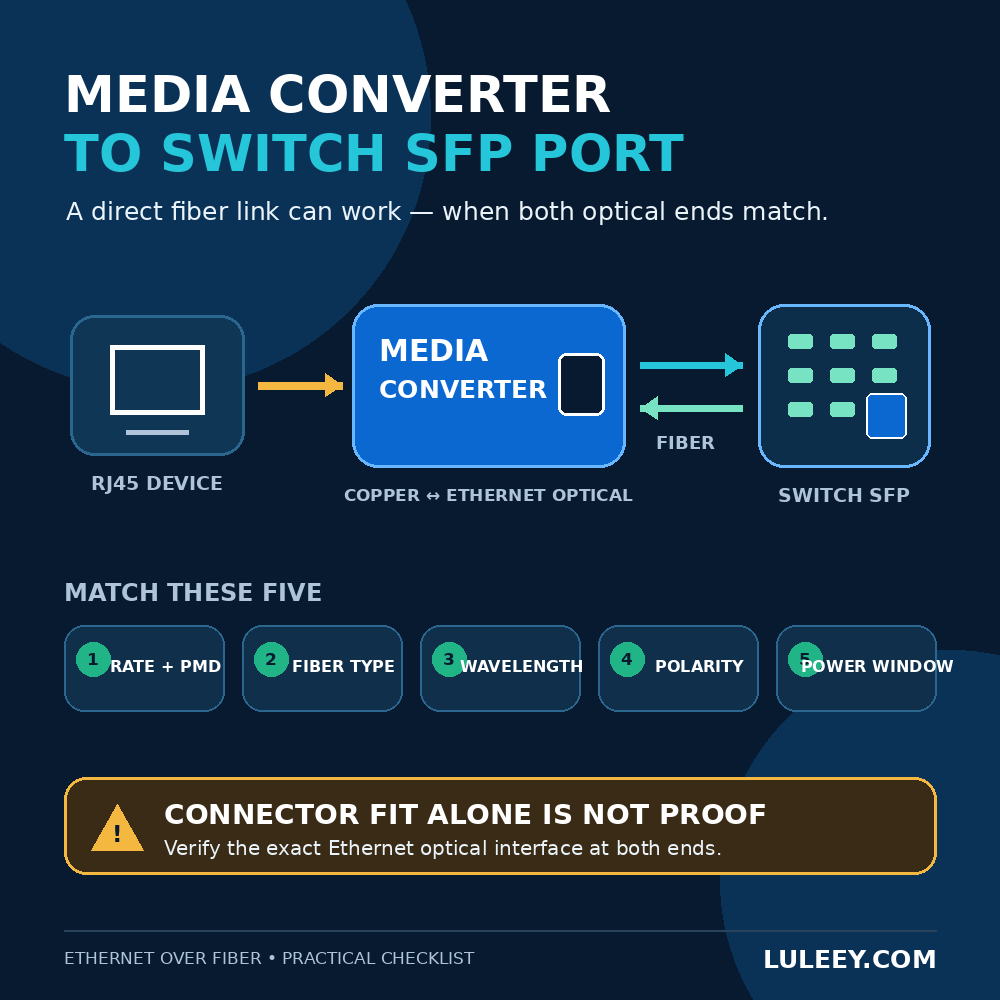
Both endpoints still need a compatible Ethernet application. Check:
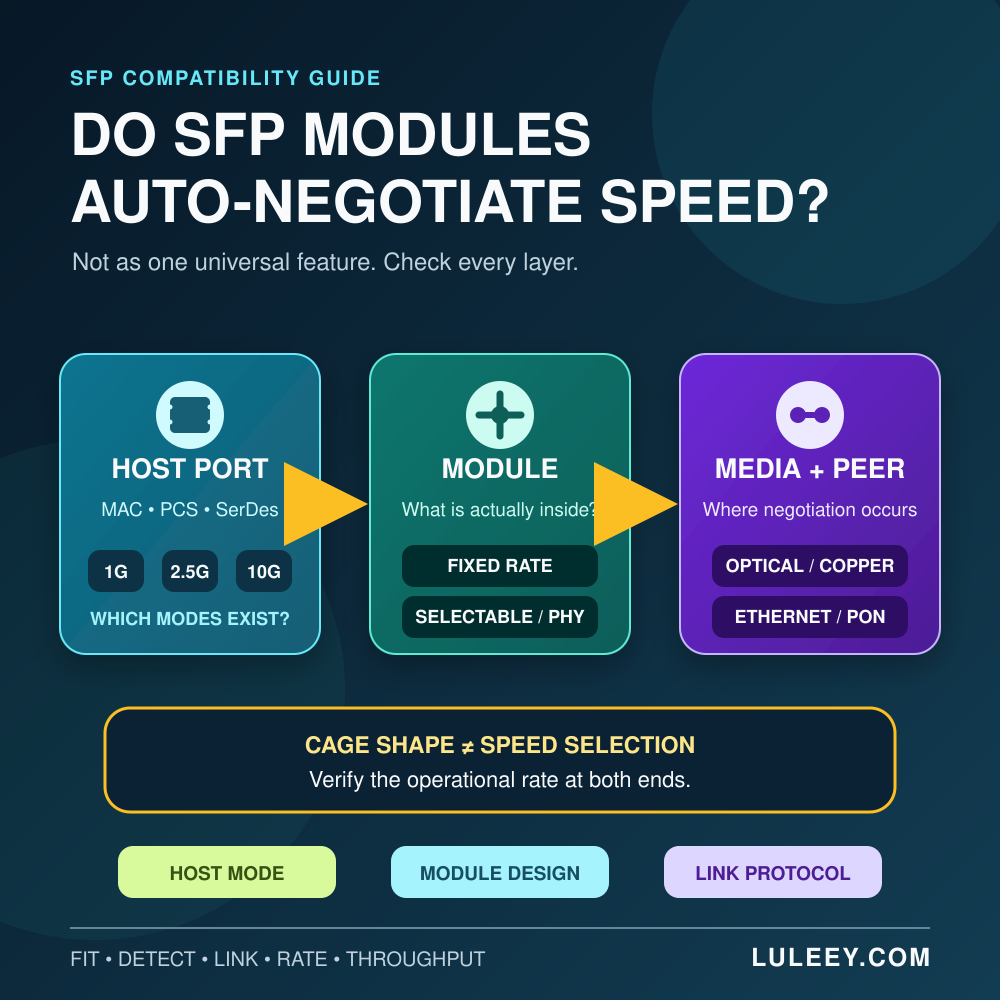
- Actual operating rate at both ends
- Optical PMD or DAC/AOC type
- Wavelength and fiber type
- Connector and polish
- Reach and optical power window
- FEC requirements
- DAC coding and supported cable length, when applicable
An adapter cannot make an SR optic communicate with an LR optic, correct crossed polarity, or add a SerDes mode that the host lacks.
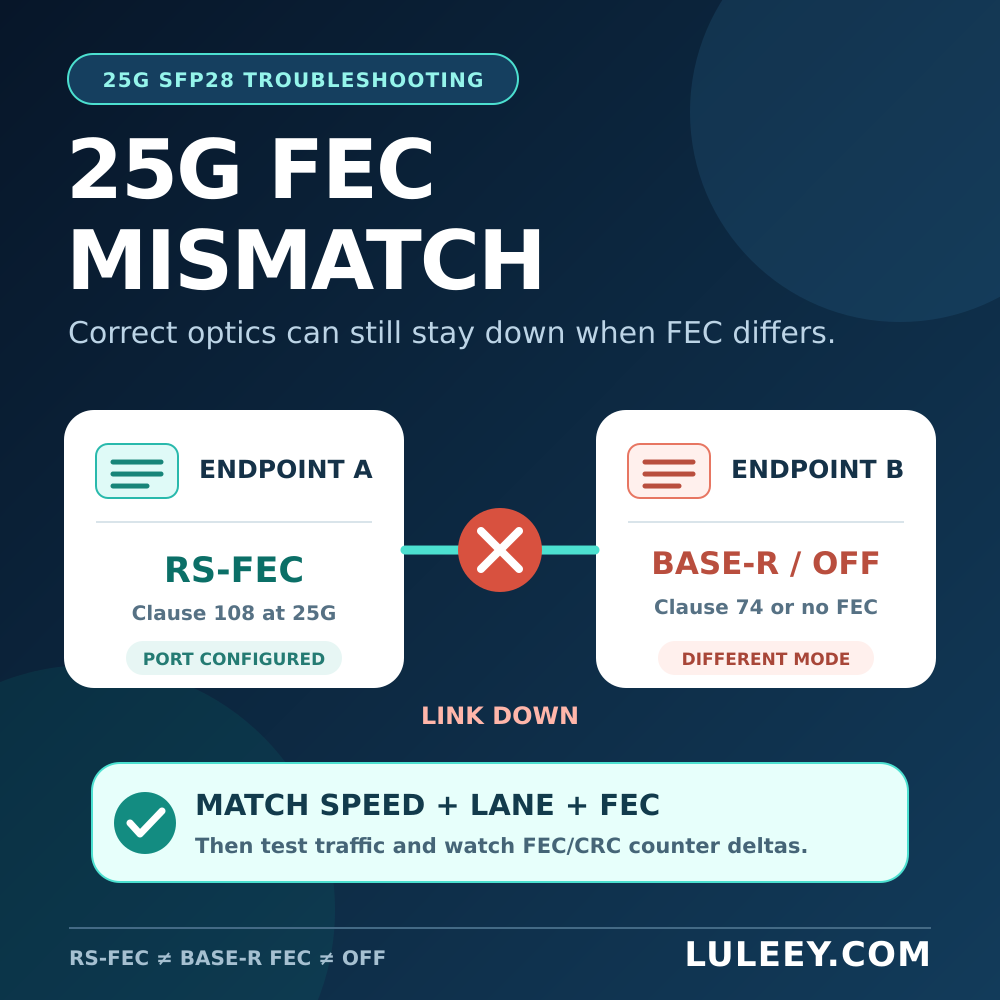
5. Speed or FEC is different at the two ends
The QSA does not negotiate away a mode mismatch. One side may be configured for 25G while the other remains at another speed. FEC requirements can also differ by host and media application.
Use the setting required by the exact platform and transceiver documentation; do not copy a command from an unrelated switch family.
A Compatibility Checklist Before You Buy
Ask for a model-specific answer to every item below:
- Host: Exact switch or NIC model, hardware revision and port number.
- Software: Firmware, operating system and driver version.
- Port mode: Documented support for one 25G lane through a QSA, or the exact breakout mode the platform requires.
- Lane mapping: Which logical interface corresponds to the adapter’s wired lane.
- Adapter identity: QSA part number, coding and management/I²C behavior.
- Inserted device: Exact SFP28 transceiver, DAC or AOC part number and revision.
- Remote end: Peer model, port, operating rate, media and FEC setting.
- Link design: Fiber type, connector, wavelength, distance and optical budget, or DAC/AOC length.
- Operations: Expected DDM visibility, alarms, power allowance and airflow.
This separates four questions that are often mixed together: Will it fit? Will the host detect it? Can the host run the correct lane rate? Will the complete link pass traffic?
How to Test a QSFP28 to SFP28 Adapter
Use a lab port or an approved maintenance window.
- Record the original port mode, lane configuration, firmware and error counters.
- Confirm the host’s documented QSA or single-lane 25G support before inserting hardware.
- Install the correct adapter variant and a supported SFP28 module or cable.
- Apply the documented port mode; avoid an unverified command copied from another platform.
- Check adapter/module presence, reported identity, operational speed, lane state, FEC and alarms.
- Configure the remote endpoint for the matching application.
- Verify Link Up at both ends, then run an authorized traffic test.
- Compare counter changes for FCS/CRC errors, FEC corrections, uncorrectable errors and link resets.
Link Up is a starting result, not the full acceptance test. Confirm the configured operating rate and sustained usable throughput. A normal 25G SFP28 path cannot provide 100G throughput through one lane.
Applying This to the LuLeey QSA-28
The detailed LuLeey QSA adapter data sheet lists one independent duplex channel, a 25Gb/s data path, Lane 1 mapping, 0.3W adapter power and examples using SFP28 SR, LR, passive copper and AOC products. It also mentions lower-rate use, but it does not provide a host-by-host support matrix.
The public LuLeey QSFP28 to SFP28 adapter page uses broad compatibility and plug-and-play wording. Treat that as a catalog description, not a universal promise. The host’s SerDes modes, firmware, port configuration, coding policy and the inserted module still decide whether the link works.
You can browse the related LuLeey QSFP28, QSFP+ and SFP28 range, but select the final combination from verified endpoint and media requirements—not from the form-factor name alone.
Final Answer
A QSFP28 to SFP28 adapter gives a compatible QSFP28 host one SFP28 link through one lane. It does not turn one 100G interface into four 25G interfaces and does not translate traffic between rates.
Before ordering, send LuLeey the exact host model, port, firmware, required speed, QSA version, SFP28 module or cable, remote endpoint and FEC setting. That information is enough to check a specific combination without relying on the words “QSFP28,” “SFP28” or “100G to 25G” alone.

 SFP/SFP+ (1G/2.5G/5G/10G)
 SFP-T (1G/2.5G/10G)
 AOC Cable 10G/25G/40G/100G
 DAC Cable 10G/25G/40G/100G
 QSFP28 QSFP+ SFP28 100G/40G/25G
 Copper to Fiber Media Converters
 Fiber Media Converter PCBA Board
 OEO Fiber Media Converters
 Serial to Fiber Media Converters
 Video to Fiber Media Converters
 1000M GPON/EPON ONU
 10G EPON ONU/XG-PON/XGS-PON
 2.5G GPON/XPON STICK SFP ONU
 POE GPON/EPON ONU
 Wireless GPON/EPON ONT
 EPON OLT
 GPON OLT
 SFP PON Module
 Industrial Switches
 Managed Switches
 POE Switches
 Unmanaged Switches
 MTP/MPO Fiber Cables
 Fiber Optic Cassettes
 Fiber Optic Loopback
 Optic Cables and Fiber Pigtails
 Optical Splitters and Splitter Box
 Fiber Flange Connectors
 Optical Adapters
 Optical Attenuator
 Quick Connector and Connector Panel
 CATV Amplifier
 CATV Optical Receiver
 Visual Fault Locator
 OTDR
OTDR Optical Power Meter
 Fiber Optic Identifier
 Fiber Optic Cleaners
 Fiber Cleavers & Fiber Strippers
 Copper Tools


