Customs duties are the responsibility of customers, but standard logistics support DDP to most countries, duty-free such as US, DE, UK, CA, FR, IT, PL, AT, JP…





















































Optical Return Loss vs Reflectance is confusing because the same returned light can be described with opposite signs. An OTDR may show -50 dB reflectance for one connector and 45 dB ORL for the whole link. Neither value is automatically wrong.
The key is scope. Reflectance usually describes one event and is normally shown as a negative dB value. Optical return loss, or ORL, usually describes all returned light from a component or link and is normally shown as a positive dB value. More negative reflectance is better; higher ORL is better.
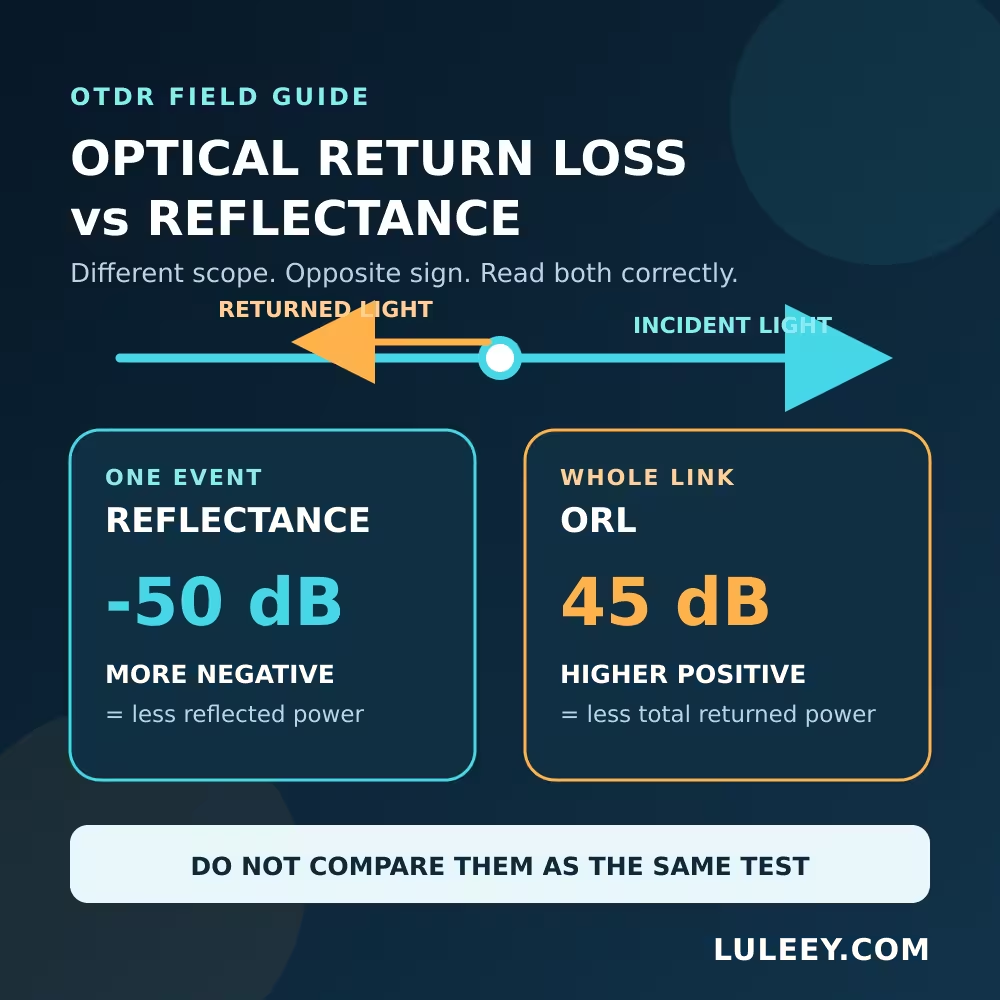
Optical Return Loss vs Reflectance: The Quick Answer
| Reading | What it describes | Common formula | Better result |
|---|---|---|---|
| Event reflectance | Returned power from one connector, mechanical splice, open end or other reflective event | 10 log10(Pr / Pi) | More negative, such as -60 dB instead of -40 dB |
| Component return loss | Incident power compared with total power reflected by that component | 10 log10(Pi / Pr) | Higher positive value, such as 60 dB instead of 40 dB |
| Whole-link ORL | Total returned power from all reflective events plus distributed backscatter | 10 log10(Plaunch / Preturned,total) | Higher positive value under the same test method |
Pi is incident optical power and Pr is reflected optical power. IEC 61300-3-6 defines return loss as the ratio of incident power to total reflected power.
Some instruments use “return loss” for an individual event, while others use “reflectance.” Do not trust the label alone. Check the sign, measurement scope and instrument manual.
What Is Reflectance?
Reflectance tells you how much optical power returns from one discontinuity. A connector end face, air gap, mechanical splice or open fiber end can create a Fresnel reflection. A fusion splice or smooth bend normally appears mainly as a non-reflective loss event.
Reflectance (dB) = 10 log10(Pr / Pi)
Because reflected power is smaller than incident power, the result is normally negative.
-40 dBrepresents0.01%reflected power.-50 dBrepresents0.001%.-60 dBreturns one-tenth as much power as-50 dB.
Therefore, -60 dB reflectance is better than -40 dB.
What Is Optical Return Loss?
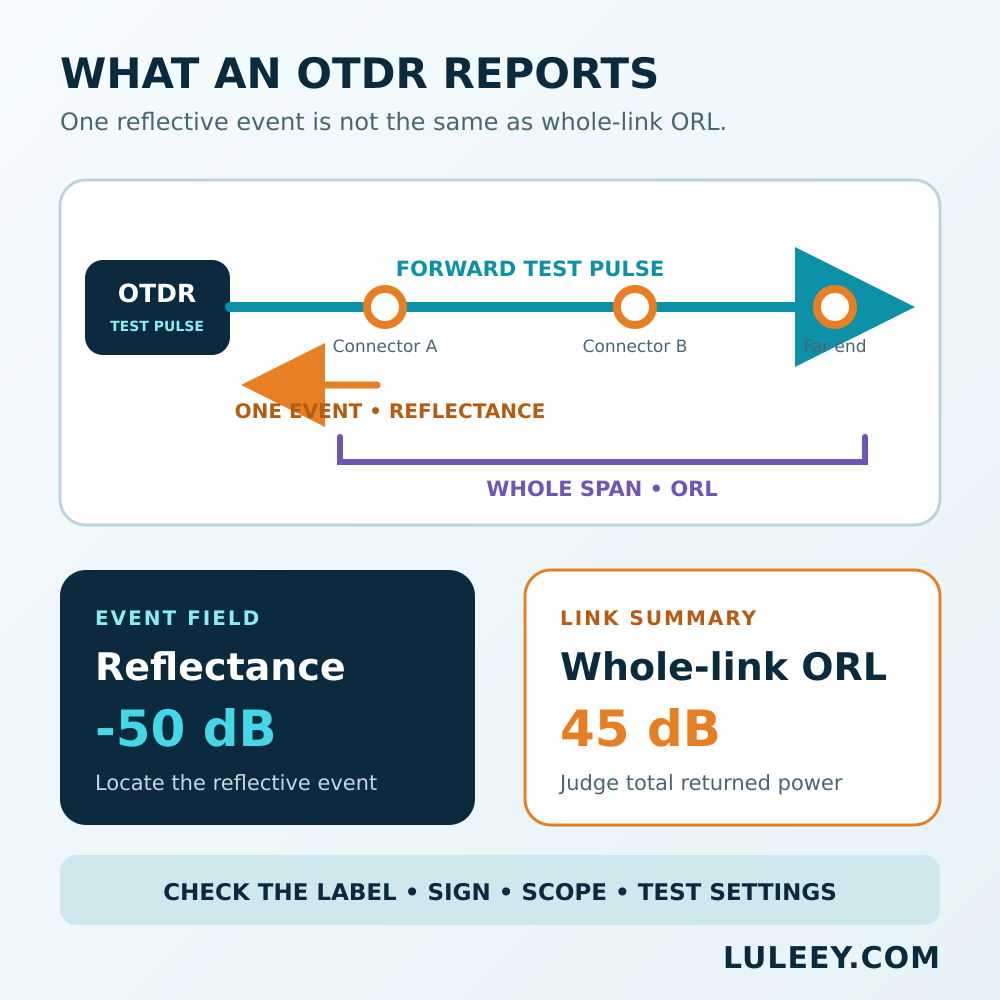
Return loss reverses the ratio:
Return loss (dB) = 10 log10(Pi / Pr)
For one isolated event, -50 dB reflectance corresponds numerically to 50 dB return loss.
Whole-link ORL is broader. It combines returned power from every reflective event and the fiber’s distributed Rayleigh backscatter. It is not simply the sign-flipped reflectance of the worst connector. The Fiber Optic Association’s guide explicitly distinguishes event reflectance from link ORL.
For a simplified example, two identical -50 dB reflections, ignoring propagation loss and backscatter, combine to approximately -47 dB aggregate reflectance or 47 dB return loss. A real link also includes two-way attenuation, backscatter and additional events, so use the measured result rather than this shortcut.
Why OTDR Labels Can Be Misleading
Terminology is not perfectly consistent across instrument menus and reports.
- One report may show
Reflectance -52 dB. - Another may show
Return Loss 52 dBfor the same type of event. - A summary labeled
ORL 35 dBmay cover the complete trace. - Some software calculates ORL only between selected markers.
Before comparing values, confirm:
- Is the result for one event, one component or the full span?
- Is the ratio
Pr/PiorPi/Pr? - Is it negative reflectance or positive return loss?
- Were wavelength, pulse width, range and marker boundaries identical?
How to Read Reflectance and ORL on an OTDR
1. Make the fiber safe to test
Treat an unknown fiber as live. Follow the network owner’s procedure, verify its status with an approved detector or power meter, and never use a direct-view microscope on a potentially active connector.
Do not connect a standard OTDR to an active PON unless the exact wavelength, filtering and in-service method are approved.
2. Inspect and clean every interface
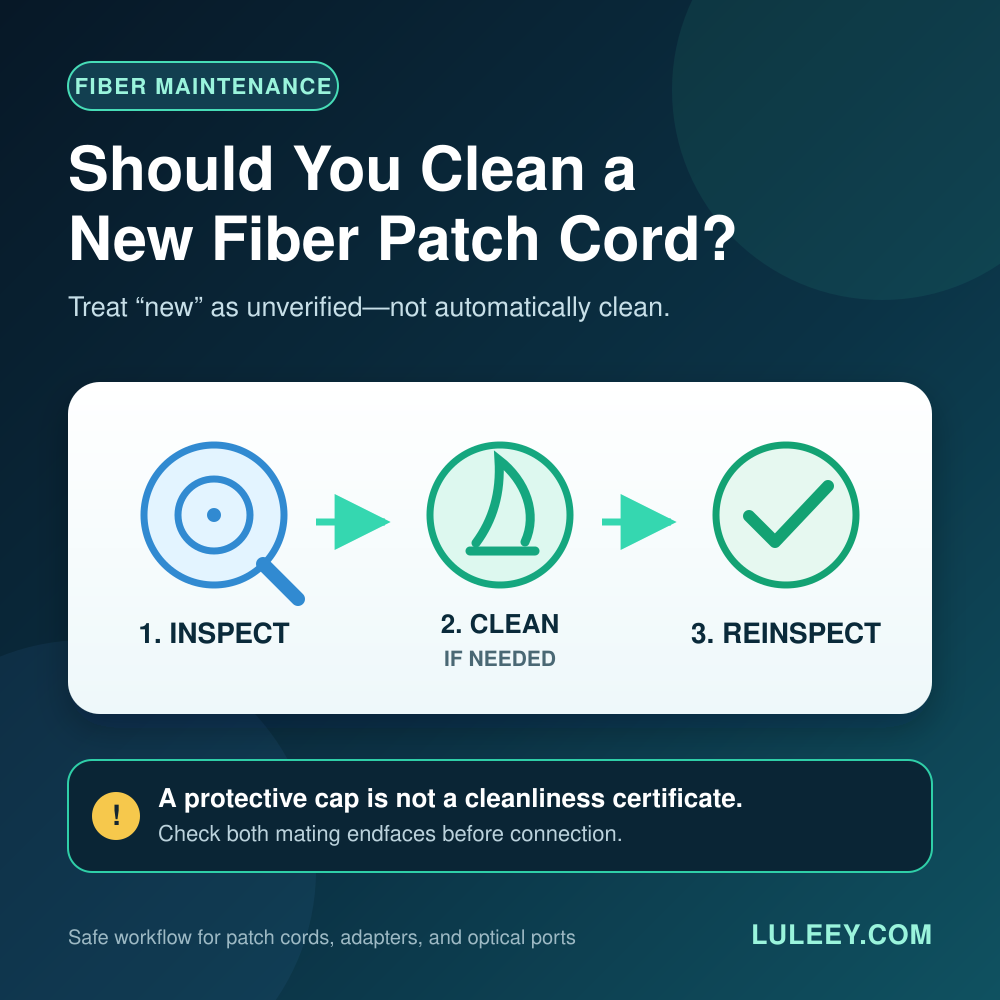
Inspect, clean and re-inspect the OTDR port, test cords and link connectors. Contamination can add both insertion loss and reflection.
Match the fiber type and connector polish. Do not mate APC and UPC connectors.
3. Use launch and receive fibers
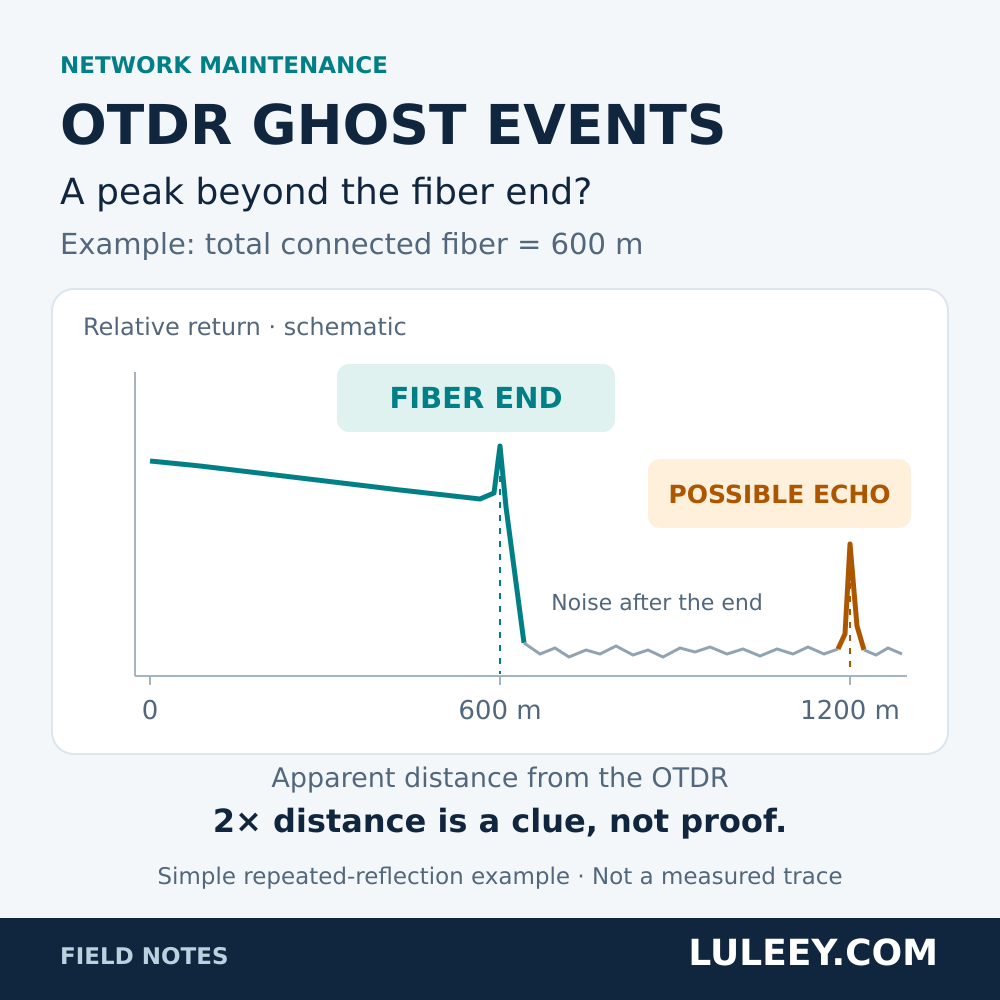
A launch fiber moves the first connector beyond the near-end dead zone. A receive fiber supplies backscatter after the final connector so that event can be evaluated.
LuLeey’s OTDR dead-zone guide explains why the required length depends on the actual pulse and range settings.
4. Start with the shortest practical pulse
A shorter pulse improves event separation. A wider pulse provides more dynamic range but increases the dead zone and may saturate the receiver after a strong reflection.
A flat-topped reflection peak indicates possible saturation. In that condition, the displayed reflectance is unreliable. OTDR reflectance is indirectly estimated from backscatter, pulse-width correction and the reflected peak.
5. Separate three results
Read these independently:
- Event loss: change in backscatter across an event.
- Event reflectance or event return loss: returned power from that event.
- Whole-link ORL: total returned power within the measured span.
A connector can have low insertion loss but poor reflectance. A fusion splice can have excessive loss without producing a reflection peak.
6. Use the correct acceptance document
There is no universal “good ORL” value for every Ethernet, PON, CATV or sensing link. Use the system design, transceiver specification, project contract and applicable test standard.
Corning’s testing guidance notes that OTDR results depend on setup, recommends launch fiber for viewing the first event, and distinguishes OTDR testing from end-to-end OLTS/LSPM testing.
Common OTDR Symptoms
| Symptom | Likely interpretation | Next check |
|---|---|---|
Reflectance changes from -55 dB to -38 dB | The event returns much more light | Inspect, clean and verify seating, polish and damage |
| Reflection peak has a flat top | Receiver saturation | Shorten the pulse if possible and verify the launch interface |
| Link ORL becomes lower without one dominant event | Several reflections and backscatter may be combining | Compare the full trace with a baseline |
| Large event loss without a reflection peak | Bend, fusion splice or mode-field mismatch | Test both directions and inspect routing or splice records |
| First connector cannot be measured | Near-end dead zone | Add or lengthen the matched launch fiber |
| Last connector appears only as fiber end | No backscatter follows the event | Add a matched receive fiber |
| Values change with pulse width or wavelength | Test conditions changed | Restore the approved test recipe |
Reflectance Is Not Insertion Loss
Insertion loss measures forward power lost through a component or link. Reflectance measures power traveling backward.
A connector can pass its insertion-loss limit but fail a reflection requirement because of contamination, an air gap or damage. Another connection can have low reflection but high loss from misalignment or bending.
LuLeey’s PC, UPC and APC connector guide provides additional polish background, but the measured value and project specification still determine acceptance.
What to Confirm Before Choosing an OTDR
Record these requirements:
- Fiber type and test wavelengths
- Connector types and UPC/APC polish
- Link length, splitter topology and expected loss
- Required event spacing and dead-zone performance
- Event-reflectance range and accuracy
- Whole-link ORL range and report format
- Applicable standard and calibration evidence
- Dark-fiber or approved in-service test method
- Launch and receive fiber specifications
The LuLeey MINI OTDR page publishes wavelength, pulse-width, distance and dead-zone information for LL-OTDR-1000 configurations. The reviewed page does not publish a dedicated reflectance/ORL range or accuracy. Confirm those functions for the exact hardware and firmware before making a contractual claim.
Pair the chosen instrument with a correctly matched OTDR launch cable box.
Practical Next Step
Open a recent OTDR report and classify every value as event loss, event reflectance/return loss or whole-link ORL. Record the sign convention and marker range beside each value.
When asking LuLeey to check an instrument, provide the fiber type, wavelengths, connector polish, route length, splitter layout, required standard, limits and a sample report. This permits function-level verification instead of selecting an OTDR from wavelength or distance alone.



 SFP/SFP+ (1G/2.5G/5G/10G)
 SFP-T (1G/2.5G/10G)
 AOC Cable 10G/25G/40G/100G
 DAC Cable 10G/25G/40G/100G
 QSFP28 QSFP+ SFP28 100G/40G/25G
 Copper to Fiber Media Converters
 Fiber Media Converter PCBA Board
 OEO Fiber Media Converters
 Serial to Fiber Media Converters
 Video to Fiber Media Converters
 1000M GPON/EPON ONU
 10G EPON ONU/XG-PON/XGS-PON
 2.5G GPON/XPON STICK SFP ONU
 POE GPON/EPON ONU
 Wireless GPON/EPON ONT
 EPON OLT
 GPON OLT
 SFP PON Module
 Industrial Switches
 Managed Switches
 POE Switches
 Unmanaged Switches
 MTP/MPO Fiber Cables
 Fiber Optic Cassettes
 Fiber Optic Loopback
 Optic Cables and Fiber Pigtails
 Optical Splitters and Splitter Box
 Fiber Flange Connectors
 Optical Adapters
 Optical Attenuator
 Quick Connector and Connector Panel
 CATV Amplifier
 CATV Optical Receiver
 Visual Fault Locator
 OTDR
OTDR Optical Power Meter
 Fiber Optic Identifier
 Fiber Optic Cleaners
 Fiber Cleavers & Fiber Strippers
 Copper Tools


